6 Apollo Simulator
6.1 Introduction
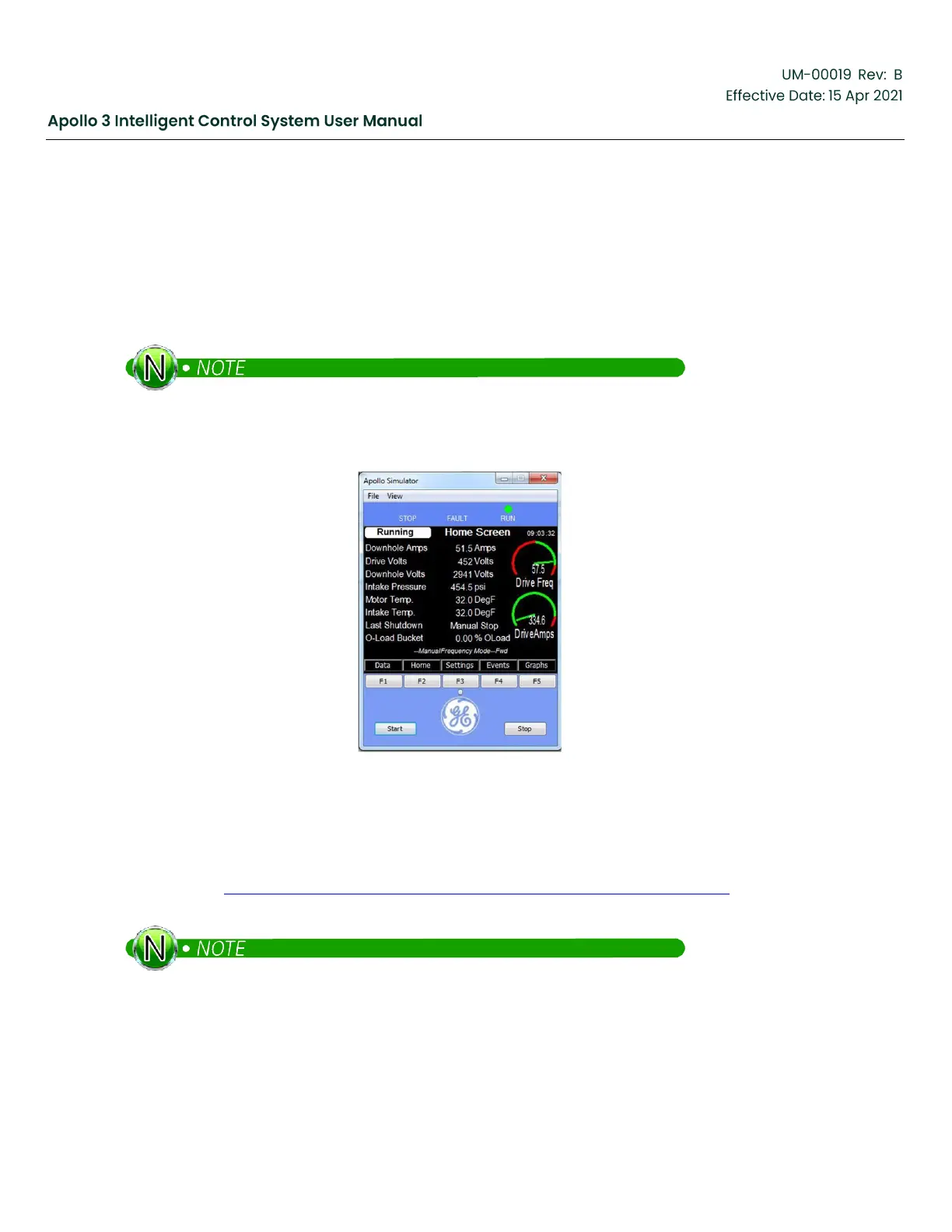
The Apollo Simulator is the Apollo Control system software cross-compiled to run on a Windows PC. This
software is enhanced by adding the ability to simulate the conditions in the pumping system, including
simulations of the variable speed drive and its inputs, the downhole conditions, and inputs to the Apollo I/O
expansion board.
The installation of Apollo Version 3 simulator will not interfere with the installation of your version
2 simulator. Although both versions can be installed, it is not recommended to run more than
1 simulator at once.
Figure 164: Apollo Simulator
6.2
Installation/ Licensing
The latest release version of the Apollo Simulator is available on the GE Support Central Drives & Controls
Support page (http://supportcentral.ge.com/products/sup_products.asp?prod_id=264489). Download the
latest version and open the zip file. Double-click on the Apollo 3 Simulator.msi file to begin the installation.
If a previous version of the version 3 simulator is already installed on your computer, please use
the Control Panel to remove it before installing a new version. You do not have to uninstall the
Apollo Simulator version 2.



 To Next Page