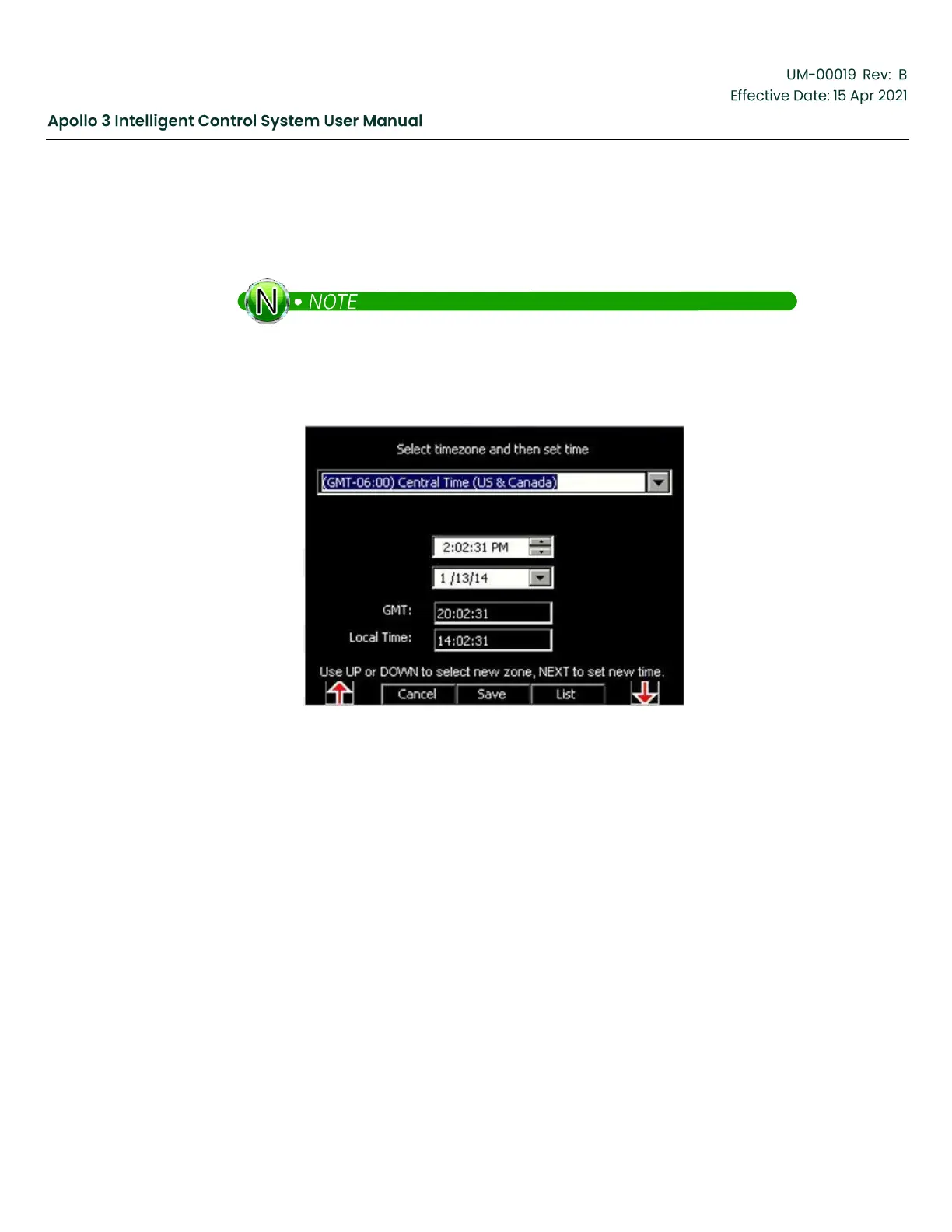
move between sections of a field. Use the up and down arrow buttons to change a setting. Press
the Set function button to set the new time or time zone. Always check the Local Time setting for
correctness before leaving the screen. Sometimes, if the time has been lost (see note below),
the first time the clock is set, the Local Time will be one hour off and will need to be set again.
Apollo’s Clock runs on a rechargeable “super cap” and is designed to keep time/date
without external power for 2 to 3 months. The Apollo display may lose the time/date
settings if the unit is in storage or is unpowered for longer. It takes several hours to
fully charge the super cap.
Figure 67: Select Time Zone and Set the Time Screen
4.4.2
Set Well and Site Names
Use the up and down arrow buttons as needed to highlight Well Name. Press the Select function
button to activate the edit screen.



 To Next Page