The last page of the Main Menu shows several important system values, including the Apollo Revision
(CPU SoftwareRev) and the installed Template.
4.4
Other Initial Setup Menu
The Quick Start is discussed in Section 4: Basic Setup Sequence, page 85 of this manual.
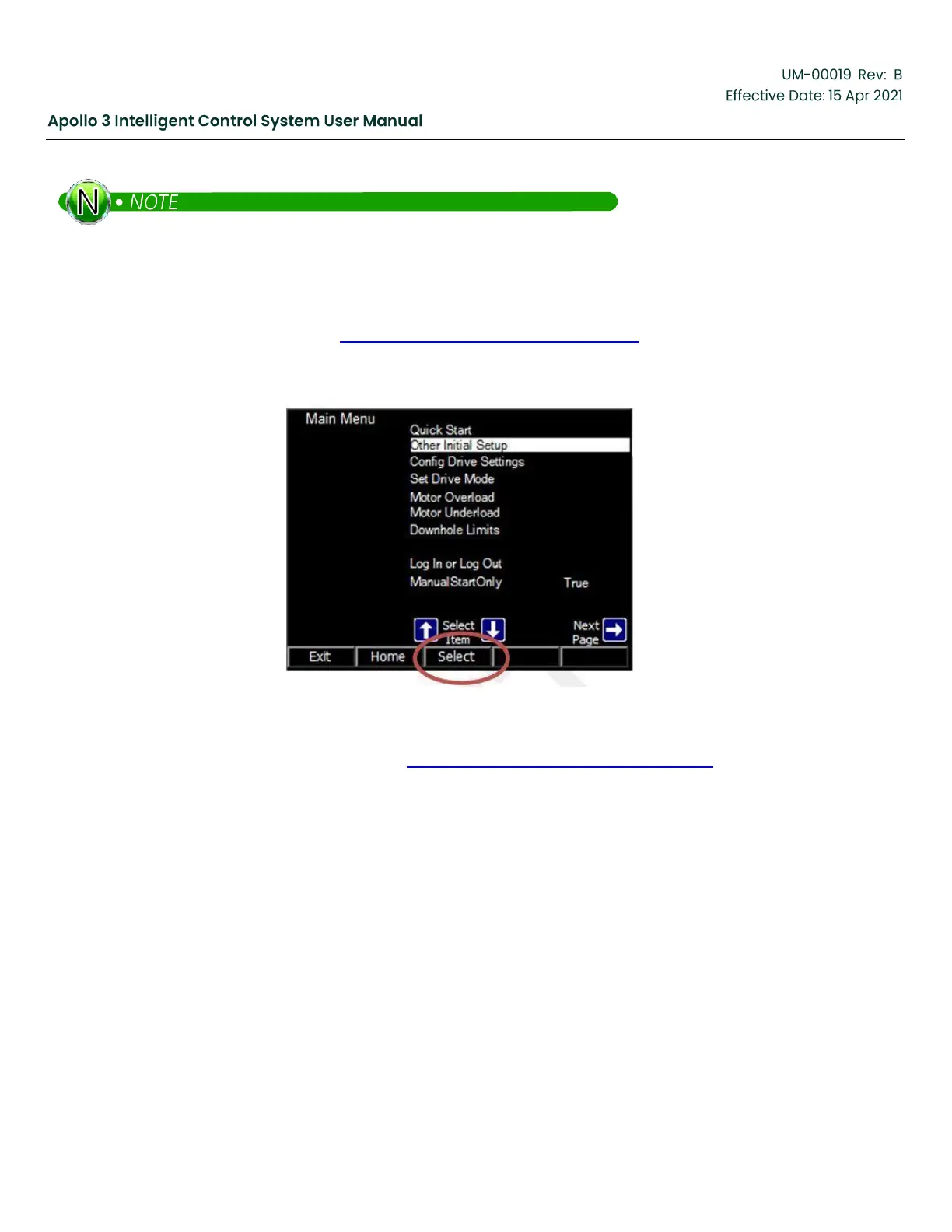
From the first page of the Main Menu, access the Other Initial Setup menu by using the up and down arrows
to highlight Other Initial Setup and then press the Select function button.
Figure 62: Select Function Button
The Other Initial Setup menu is shown in Figure 63: Other Initial Setup Menu, page 91.



 To Next Page