•
Right, Left – View the amp chart for a different date.
3.8.7
Other Screens
Some applications or customers may require level 1 users to access other data display screens.
Level 2 and Level 3 users can add other screens to the sequence as needed.
3.9
Settings
Settings Screens provide easy access to commonly modified parameters. By default, only the Pump Speed
and the Color Scheme are the only Settings Screens available without logging in.
Additional Settings Screens can be added as needed to give non-logged in persons access to specific
settings.
After logging in, users access a wider range of Settings Screens using the Settings button.
3.9.1
Setpoint Screens
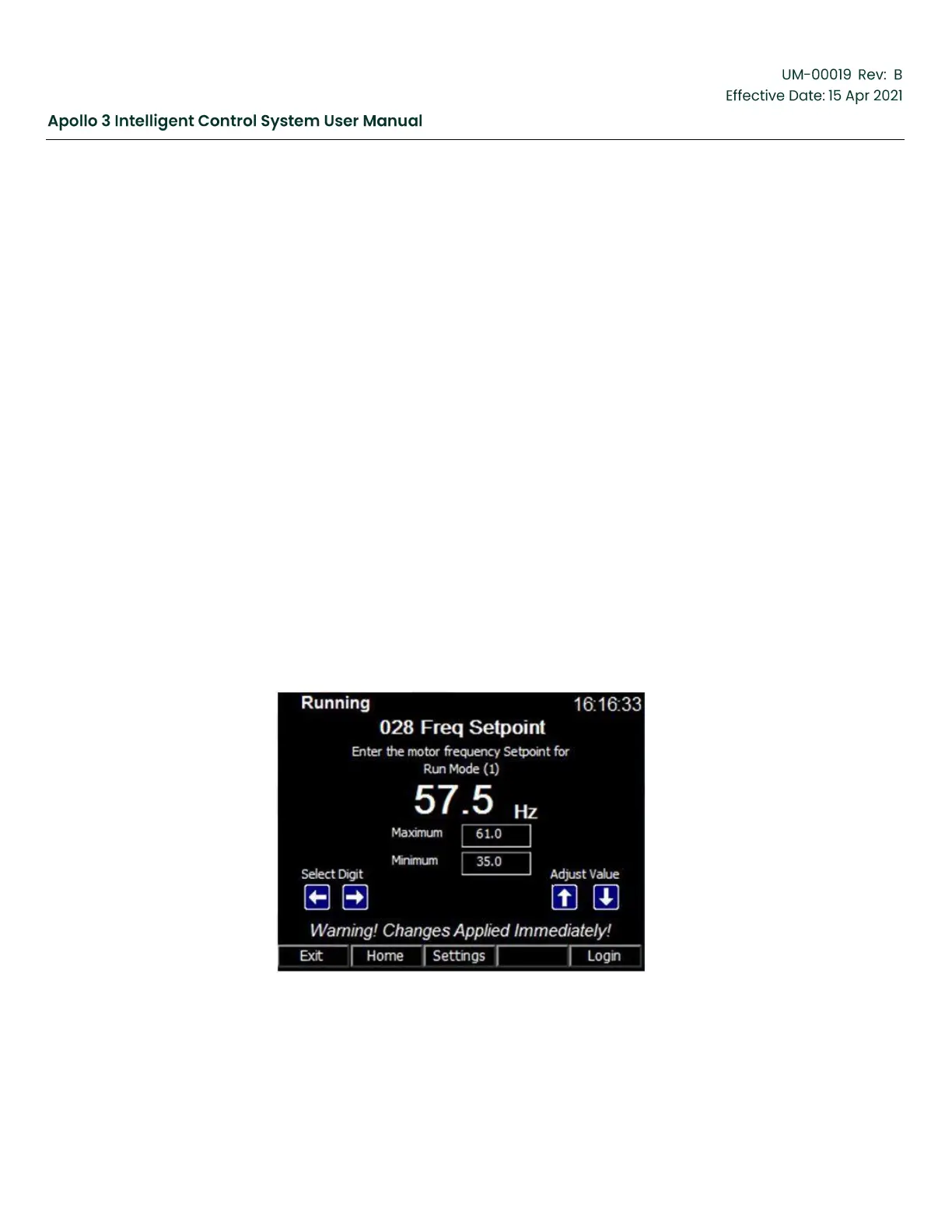
The Setpoint screen allows the user to change the setpoint for the currently active drive mode.
The settings screen can be accessed by pressing the Settings function button from the home
screen. Repeatedly pressing the Settings function button will allow the user to access all
available settings. The data displayed on this are:
•
Drive Status-The current state in which the drive is operating.
•
Drive Mode Dependent Setpoint Screen
•
Manual Frequency Drive Mode: The Frequency Setpoint will be displayed.
Figure 40: Setpoint Screen (Manual Frequency Model)



 To Next Page