•
Configure New Channels and Triggers
3.8
Screen Types
3.8.1
Home Screen
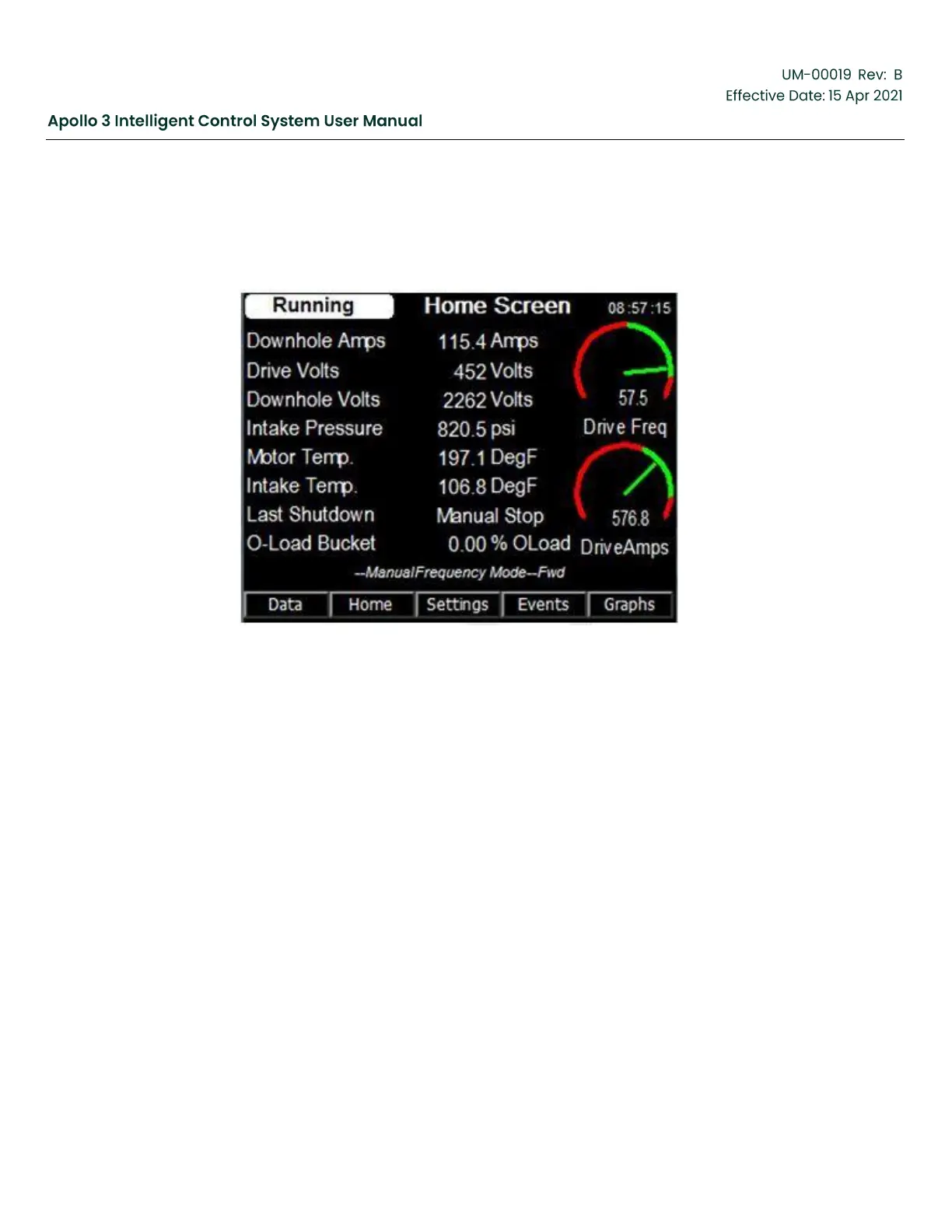
Figure 35: Home Screen
Function:
The Home Screen is the default screen when the drive is powered up. It displays the data
most relevant to the user.
Keypad Functions:
F1: “Data” – Used to view available data display screens.
F2: “Home” – Closes the current screen and displays the Home screen.
F3: “Settings” – Access drive settings that can be changed.
F4: “Events” – Activates the Event Log screen containing the 4096 newest events.
F5: Graphs” – View historical graphs of the data shown on this page.
Arrows: When logged in, arrow keys allow selection of a screen object which brings up an
info screen for the selected object.



 To Next Page