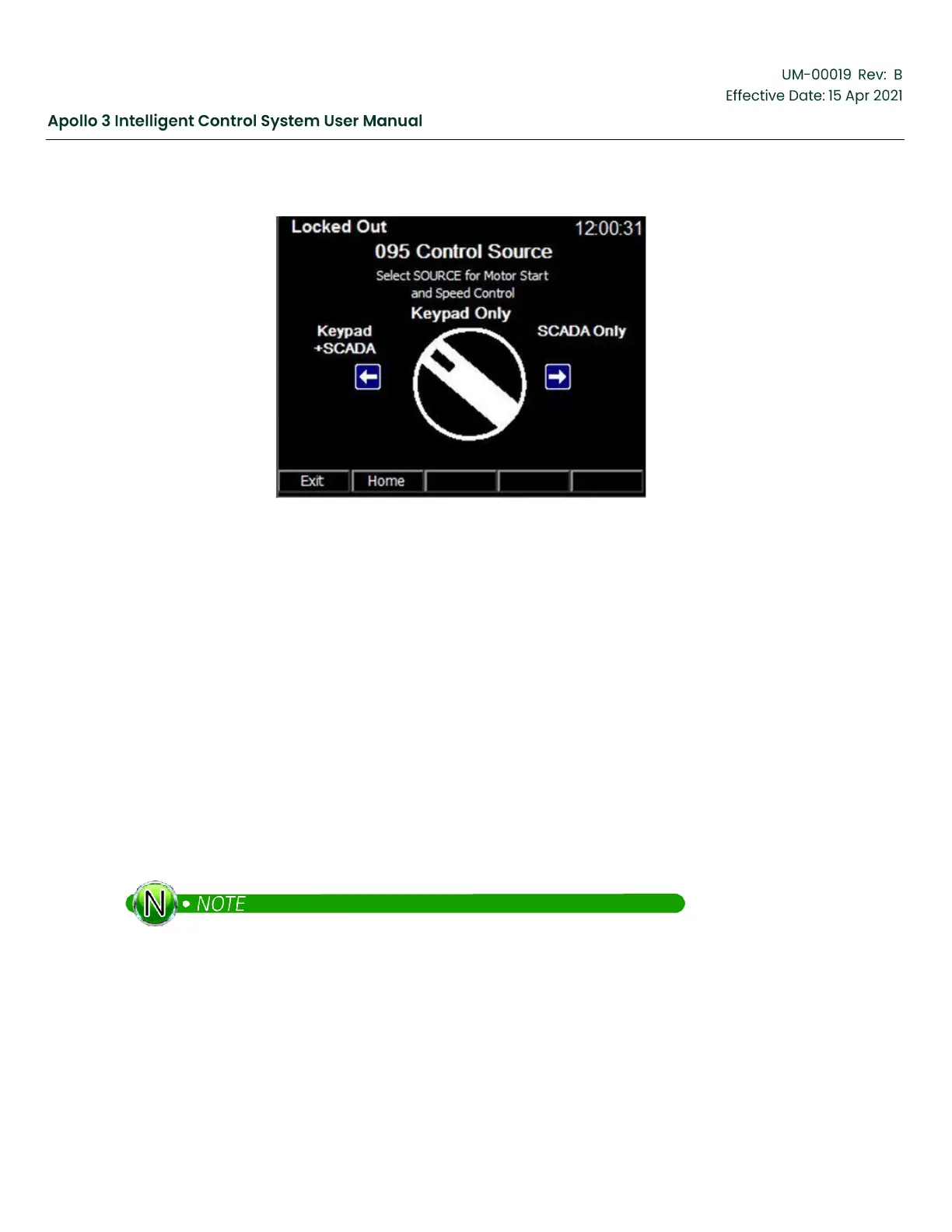
Figure 131: Control Source Screen
By default, Apollo will accept Start and speed control commands from both SCADA and the Apollo keypad.
Other options are SCADA Only and Keypad Only.
5.10
Pump Curve Setup
Execute the Pump Curve Setup wizard to configure the pump curve monitoring and control functionality of
Apollo.
Apollo’s Pump Curve Database contains information on hundreds of BH and competitor’s pumps. When
configured, up-thrust and down-thrust limit triggers can shut down the system and provide warnings when
the pump is operated out of or nearly out of the recommended operating range.
Apollo’s Pump Curve tracking also provides:
•
Calculated flow.
•
Calculated pump head
•
Calculated pump power.
The pumping system must provide both Intake and Discharge pressure to Apollo for Pump Curve
monitoring to be used.
To execute the wizard, from the Home Screen select:
Settings -> Menu -> Other Initial Setup -> Next Page -> Pump Curve Setup.
Follow the on-screen directions.



 To Next Page