C8000 Battery Testing System User Manual
3 Cadex BatteryLab 95
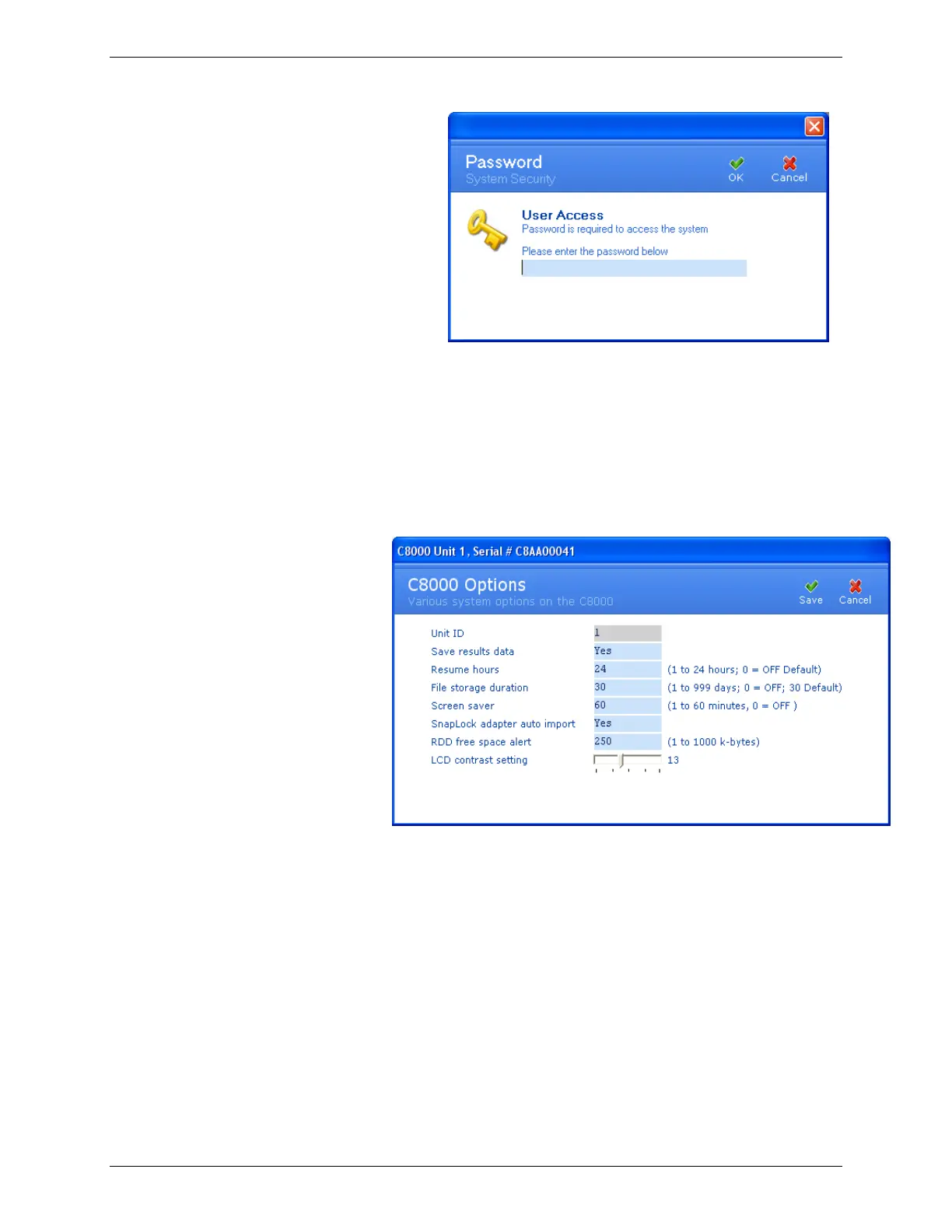
2. Enter your password and click OK.
3. The C8000 Options window appears.
4. In the Save Results Data field, click the field and select Yes
or No. The C8000 saves the results for all tests performed if
set to Yes (recommended). For more information, see 2.11
Specify System Options.
5. In the Resume Hours field, enter a value 0-24 where 0=off.
The C8000 will resume a test if this option is set after a
power interruption. The C8000 will only resume a service,
after a power interruption, up to the number of hours
specified. For example, if the unit is set to 2 hours, and a
service is interrupted because of power failure, the C8000
will resume the test only if the power is restored within 2
hours.



 To Next Page