C8000 Battery Testing System User Manual
Battery Tester 45
2.7.2 Test Results
2.7.2.1 View Test Results
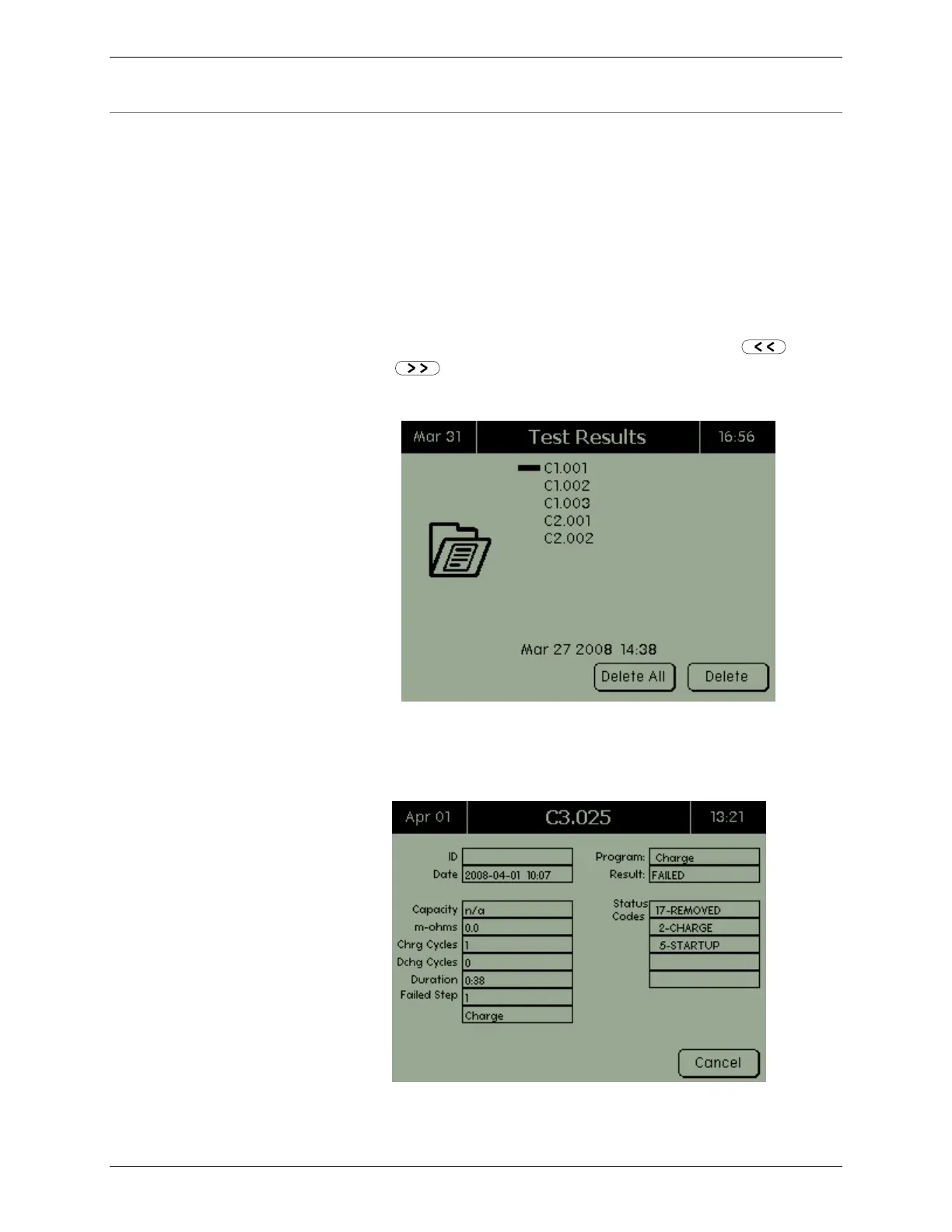
1. From the C8000 Main screen, select Test Results. The Test
Results screen shows the results sorted by battery ID,
followed by the sequential number if the test was started
using a battery ID or Cx (where x is the channel number,
followed by the sequential number).
The date shown is the date the test result file was created
for the currently selected test result. Click the and
buttons to view the previous and next list of test
results.
2. Use the arrow keys to select the test result to view and
press ENTER. The Results screen appears.



 To Next Page