C8000 Battery Testing System User Manual
Battery Tester 17
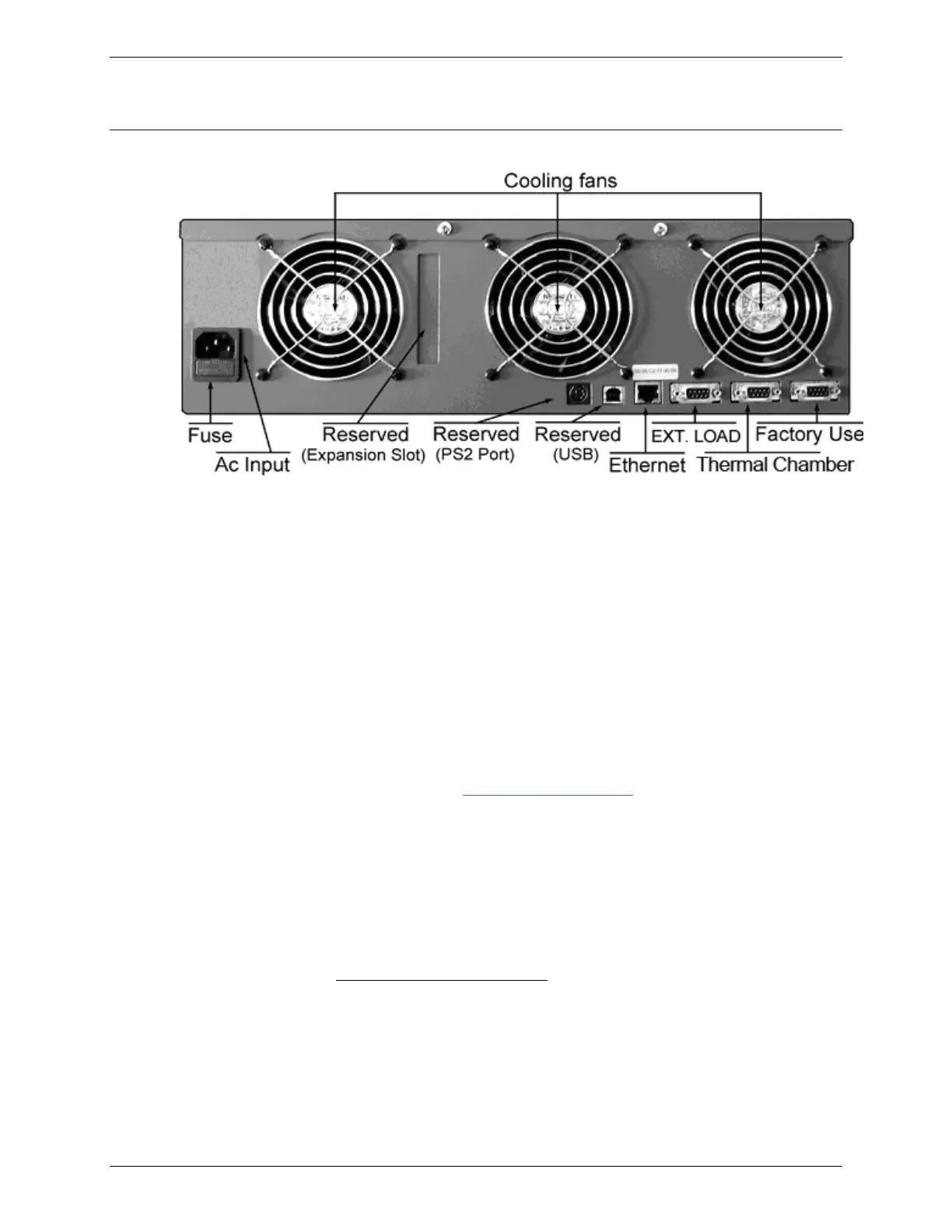
2.1.5 Back Panel
2.1.5.1 AC Input
The AC Input connects the C8000 to an AC electrical power source
with the provided power cord. The power entry uses standard
IEC320 socket on the back panel. A fuse protects the C8000 from
AC overload.
2.1.5.2 Ethernet Port
The Ethernet port is used to connect the C8000 to the network or
the host computer. The Ethernet Port (on the back panel) has two
LEDs to indicate communication between the C8000 and a
computer.
Use this port with the TCP/IP Settings menu. For more
information, see 3.1.8.5 TCP/IP Settings.
2.1.5.3 Serial Ports and USB Port
The first Serial Port (DB9 Female I/O sockets) on the C8000 is
reserved. The intended uses of the remaining Serial Ports are for
Cadex-approved External Loads (Serial Port 2) and Thermal
Chamber (Serial Port 3) controls.
Pinout Serial Ports (2) and (3)
1 – Not Used
2 – RX (Receive signal)
3- TX (Transmit signal)
4- DTR (Digital Terminal Ready) 5V



 To Next Page