C8000 Battery Testing System User Manual
36 2 Battery Tester
The date appears in the top left corner of the Main screen while
the time appears in the top right corner. When the caption says
C8000 – Unit 3, it means the C8000 is connected to BatteryLab. If
the caption says Cadex C8000, it means the C8000 is in standalone
mode. The bottom portion of the Main screen shows the channel
status on the first line and the channel voltages on the second line.
2.7.1 Execute a Program on a Battery
2.7.1.1 Execute a Program without BatteryLab
To execute a program (test) on a battery in standalone mode
without using BatteryLab:
1. Connect the battery.
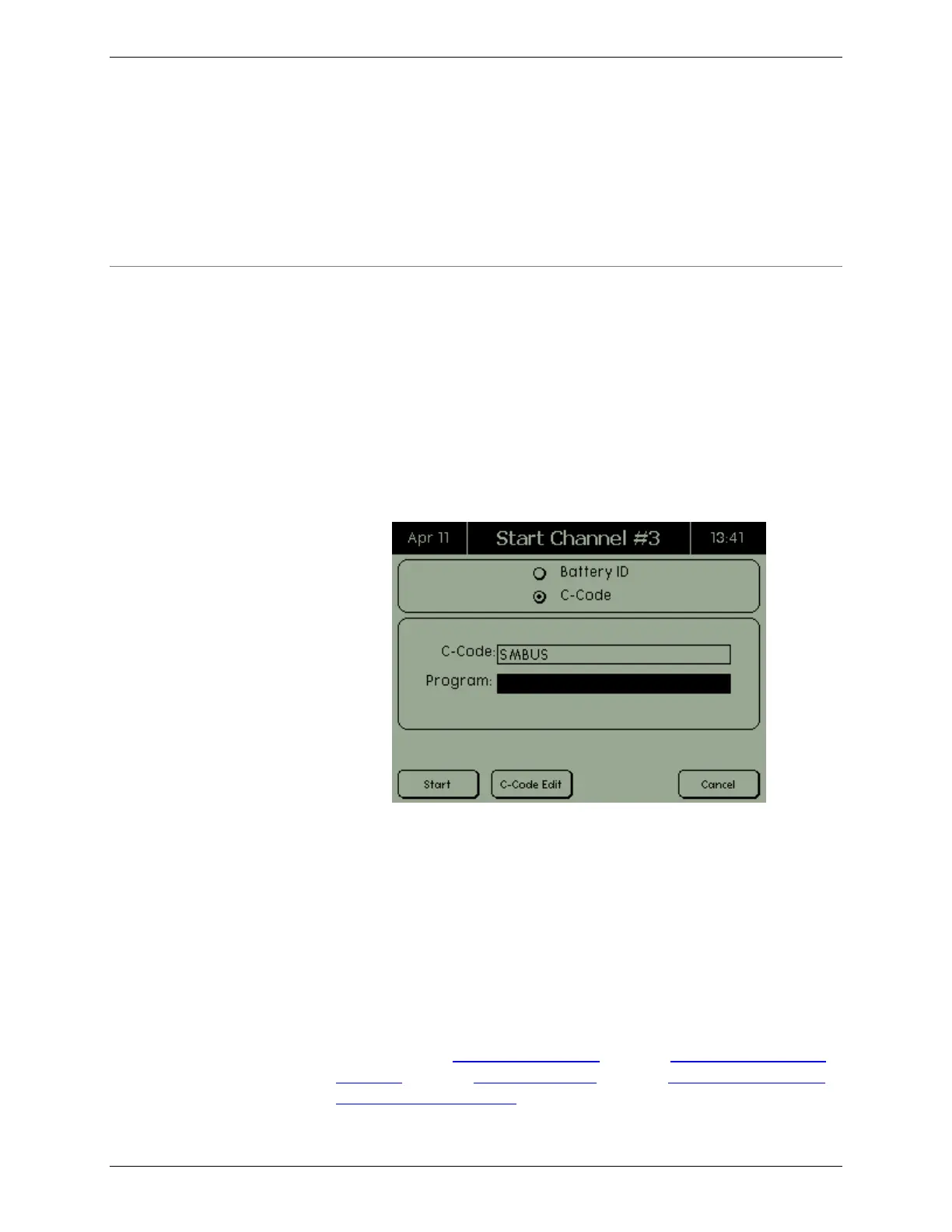
2. Select a battery ID or C-Code from the StartUp screen.
Note: If the StartUp screen is minimized, the channel
status indicates “Startup”. Press the Channel button to
maximize the screen.
3. Select a program from the list of available programs on the
C8000. The list of available programs includes all Default
programs and any custom programs that have been
transferred to the C8000.
4. The test starts.
If a test is currently running, press the corresponding Channel
button to view current status on the Channel screen. The Channel
screen displays the status of this channel. From the Channel
screen you can suspend a program (2.7.1.2), resume a suspended
program (2.7.1.2), abort a program (2.7.1.3), jump to another step
in a multi-step program (2.7.1.5), and view auxiliary input and



 To Next Page