C8000 Battery Testing System User Manual
68 2 Battery Tester
channel. You can specify the capture rate (5-100 readings per
second).
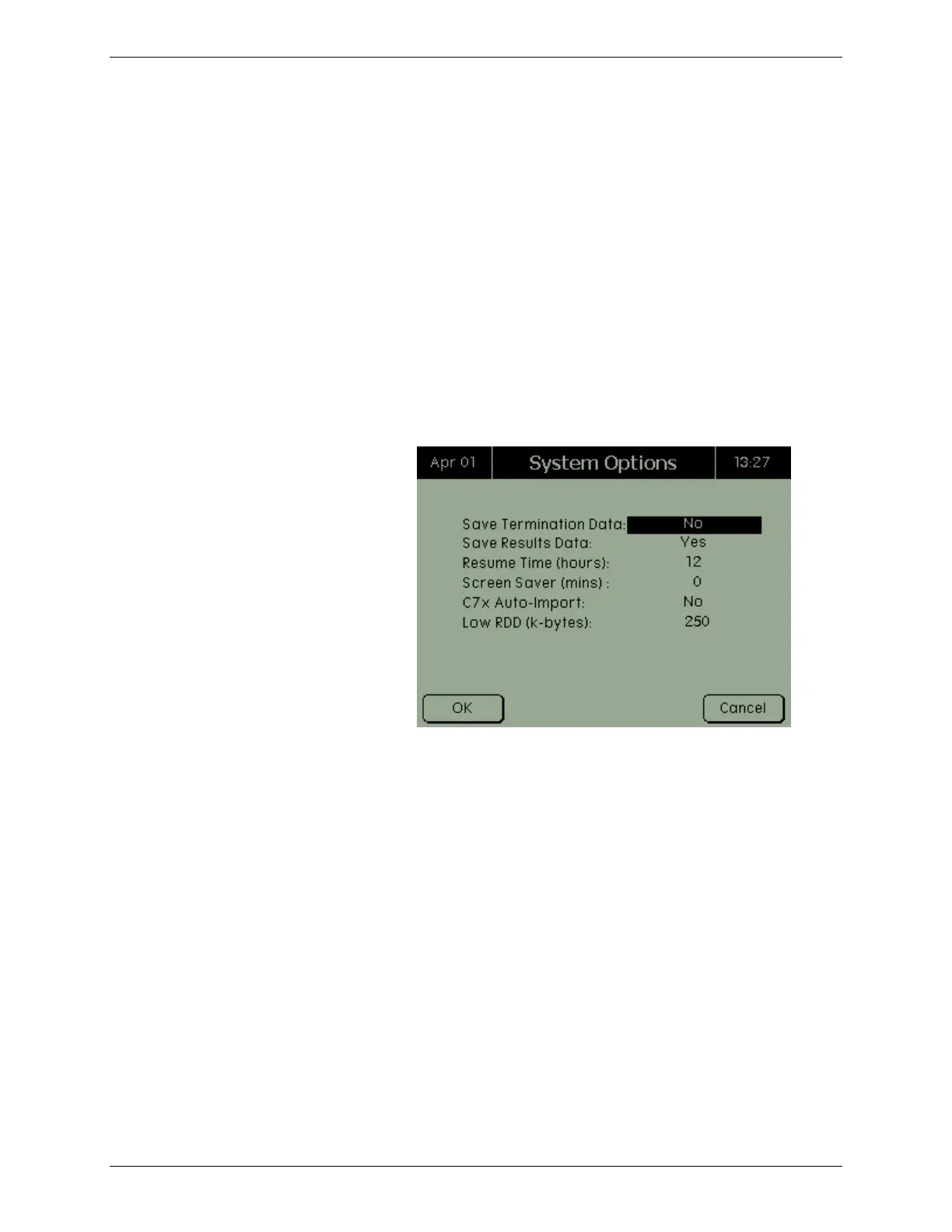
If the Save Results Data option is enabled, the C8000 saves test
results for each completed test. This is open default to ON.
If a power failure occurs while a test is executing, and the power is
restored within the specified timeout, the interrupted test will be
resumed. To disable this feature, set the Resume Hours value to 0
(default value). To enable this feature, set the Resume Hours field
to any other value.
1. From the Main screen, select System and press
ENTER. The System Options screen appears.
2. From the System Options screen, select Options and
press ENTER. The System Options screen appears.
3. To save termination data, select Yes.
4. To save results data, select Yes.
5. Enter the number of hours before an interrupted test
will be resumed.
6. Enter the number of minutes before the screen saver is
activated (the default value of 0 will disable this
option).
7. To enable SnapLock/RigidArm Adapter auto import,
select Yes (the default is No).
8. Enter the Low RDD in kilobytes. The default value of 0
means only a console error message is displayed when
space reaches zero bytes.
9. Press OK.



 To Next Page