2-137
CHAPTER 2 NEW FUNCTIONS
COPYRIGHT
©
2001 CANON INC. 2000 2000 2000 2000 CANON CLC5000 REV.0 JAN. 2001
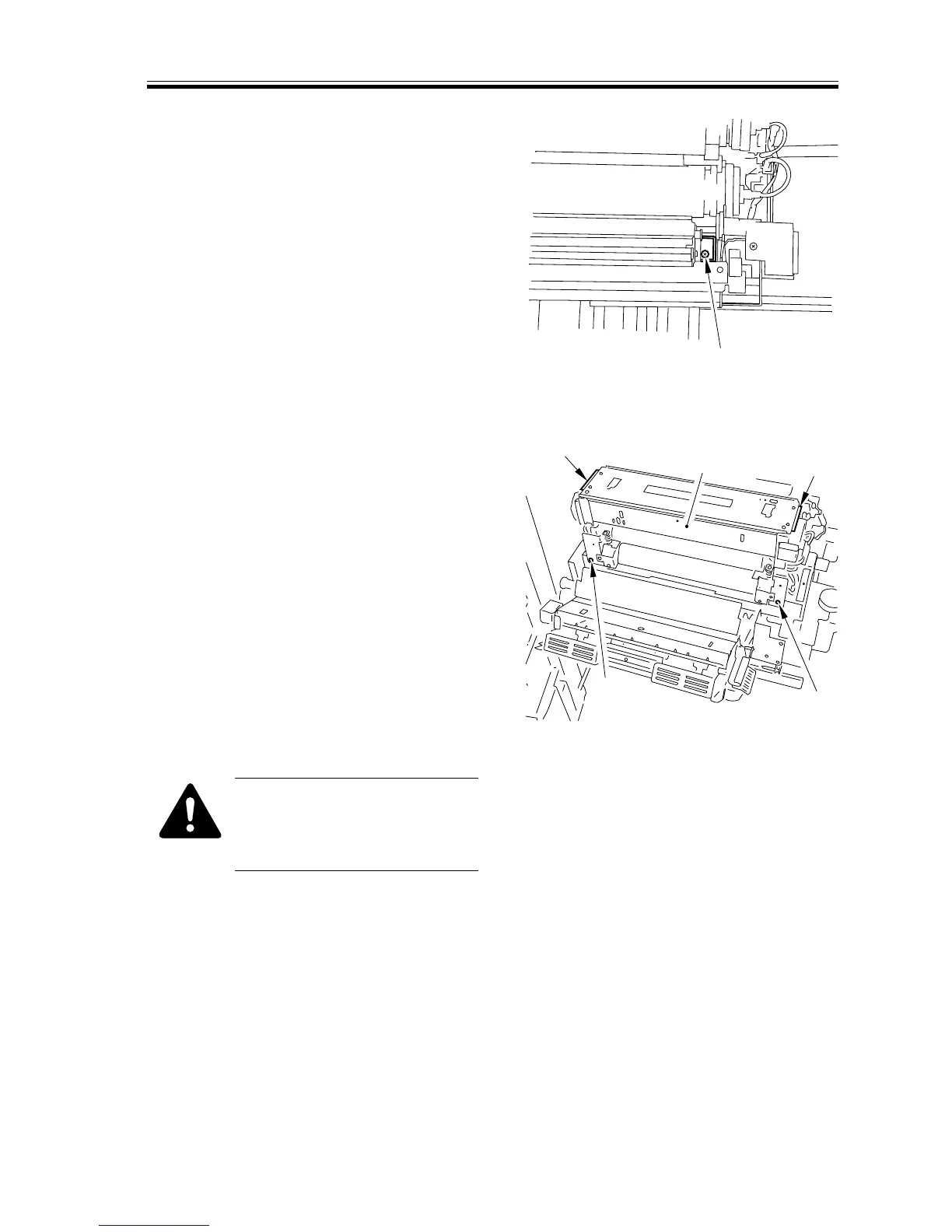
8) Remove the screw [11] at the rear inside
the upper oil pan, and wait until all fix-
ing oil has been collected in the oil
tank.
F02-610-04
9) Close the upper fixing roller unit.
10) Remove the two screws [12], and hold
the grip [13] to detach the fixing assem-
bly [14]. At this time, be sure to fit the
screw [7] removed in step 6).
F02-610-05
Take care when lifting the fixing
assembly. The oil filter may be
sticking to the bottom of the fix-
ing assembly.
[11]
[13]
[13]
[14]
[12]
[12]














 To Next Page