2-164
CHAPTER 2 NEW FUNCTIONS
COPYRIGHT
©
2001 CANON INC. 2000 2000 2000 2000 CANON CLC5000 REV.0 JAN. 2001
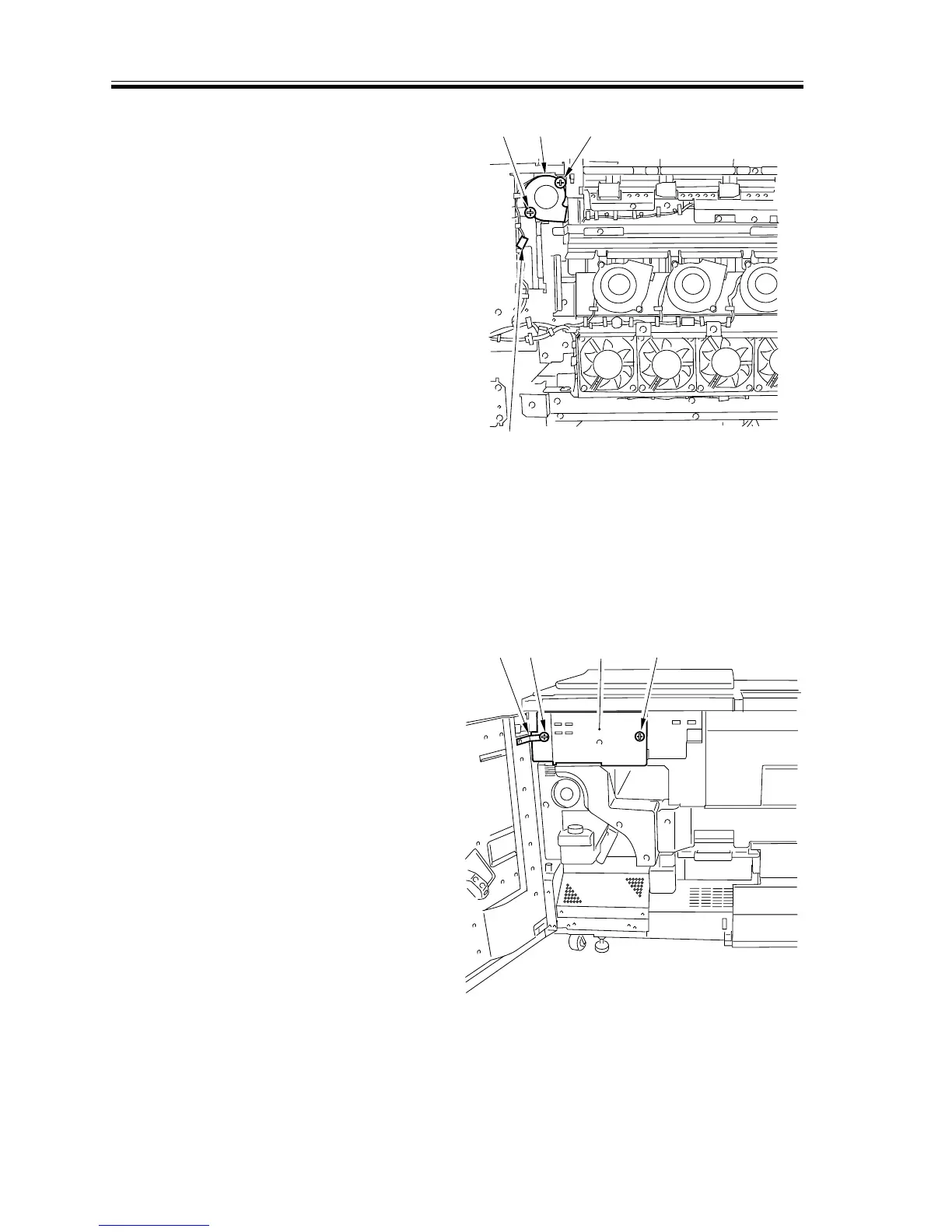
g. Removing the Delivery Cooling Fan
1) Remove the left cover.
2) Disconnect the connector [1], and re-
move the two screws [2]; then, detach
the delivery cooling fan [3].
[1]
[2]
[2]
[3]
F02-706-11
h. Removing the Pre-Fixing Exhaust Fan
1) Open the front cover (left).
2) Remove the pre-fixing duct. (See the
instructions on how to remove the pre-
fixing filter.)
3) Remove the screw [1], and detach the
front cover strap [2]; then, remove the
screw [3], and detach the counter cover
[4].
[2]
[1]
[4]
[3]
F02-706-12














 To Next Page