2-171
CHAPTER 2 NEW FUNCTIONS
COPYRIGHT
©
2001 CANON INC. 2000 2000 2000 2000 CANON CLC5000 REV.0 JAN. 2001
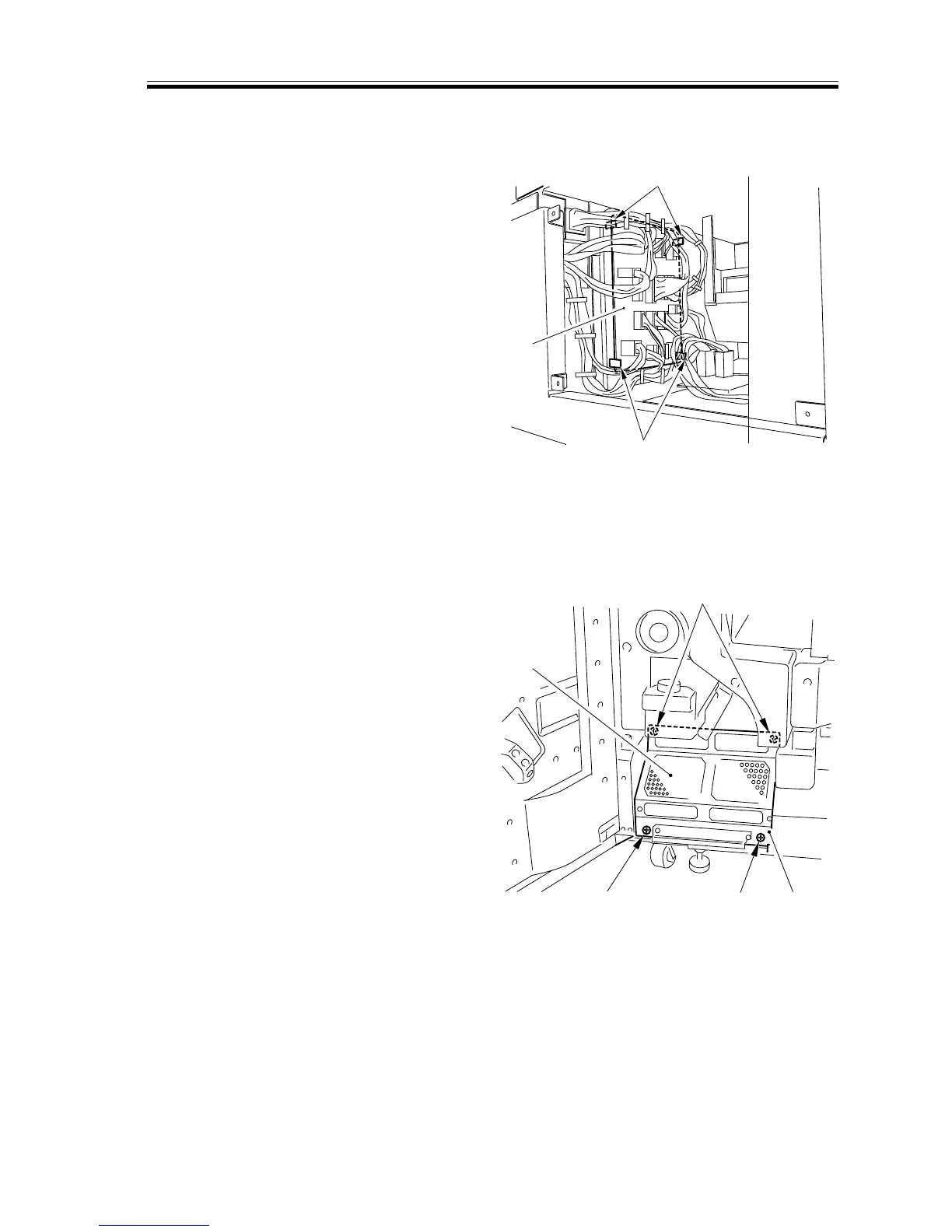
c. Removing the Fuse PCB
1) Remove the rear cover (3)
2) Disconnect the connector from the
PCB, and remove the four PCB retain-
ing clips [1]; then, detach the fuse PCB
[2].
[1]
[1]
[2]
[1] [1]
[3]
[1]
[2]
F02-706-26
d. Removing the Download PCB
1) Open the front cover (left).
2) Slide out the transfer unit.
3) Remove the four screws [1], and detach
the general exhaust fan cover [2] to-
gether with the download cover [3].
F02-706-27














 To Next Page