2-178
CHAPTER 2 NEW FUNCTIONS
COPYRIGHT
©
2001 CANON INC. 2000 2000 2000 2000 CANON CLC5000 REV.0 JAN. 2001
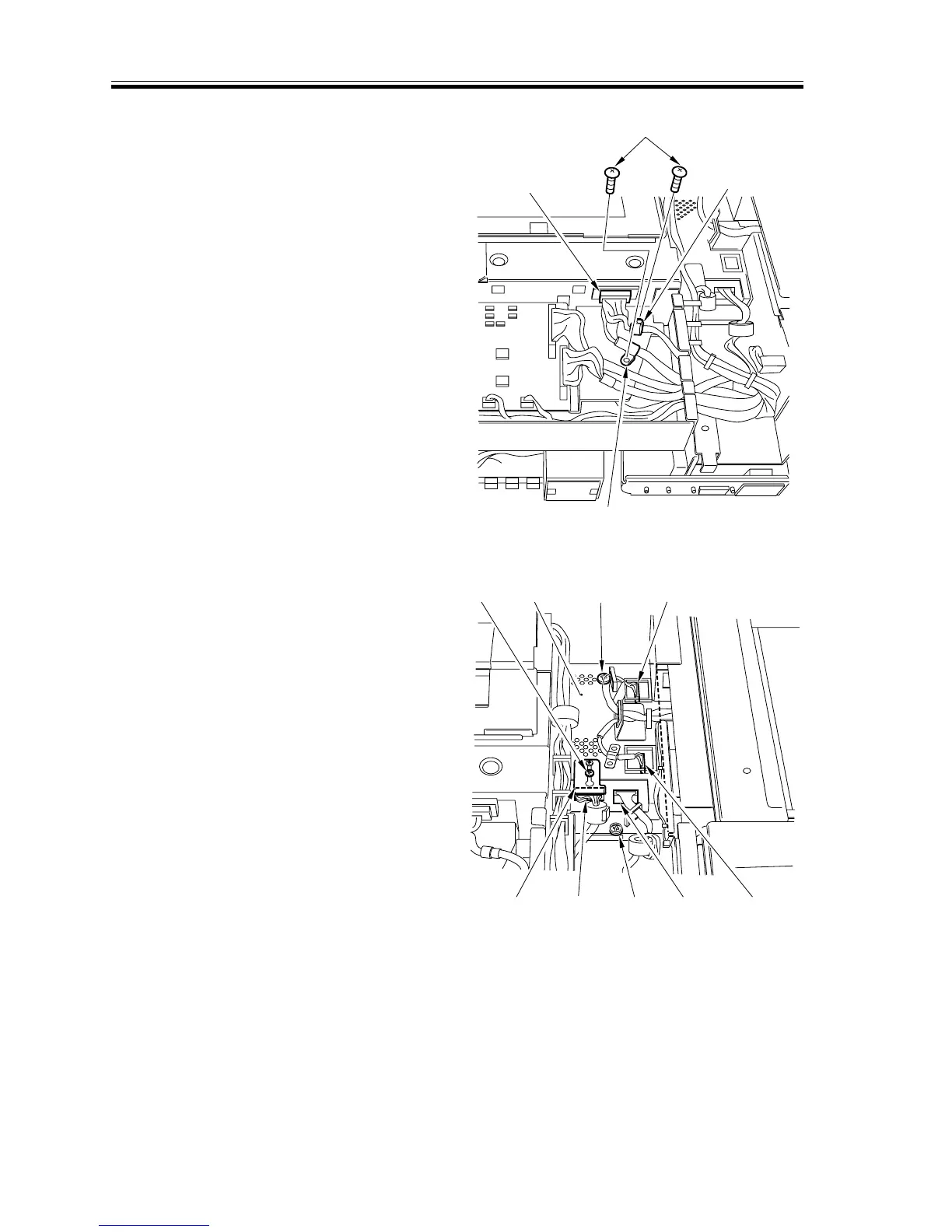
3) Remove the two screws [5], and detach
the two harness retainers [6]; then, dis-
connect the connector [7].
[5]
[6]
[6]
[7]
[8]
[9]
[10]
[11]
[10]
[10]
[10]
[11]
[12]
F02-706-40
4) Loosen the screw [8], and shift the con-
nector retainer [9]; then, disconnect the
four connectors [10], and remove the
two screws [11] to detach the analog
processor PCB [12].
F02-706-41














 To Next Page