2-180
CHAPTER 2 NEW FUNCTIONS
COPYRIGHT
©
2001 CANON INC. 2000 2000 2000 2000 CANON CLC5000 REV.0 JAN. 2001
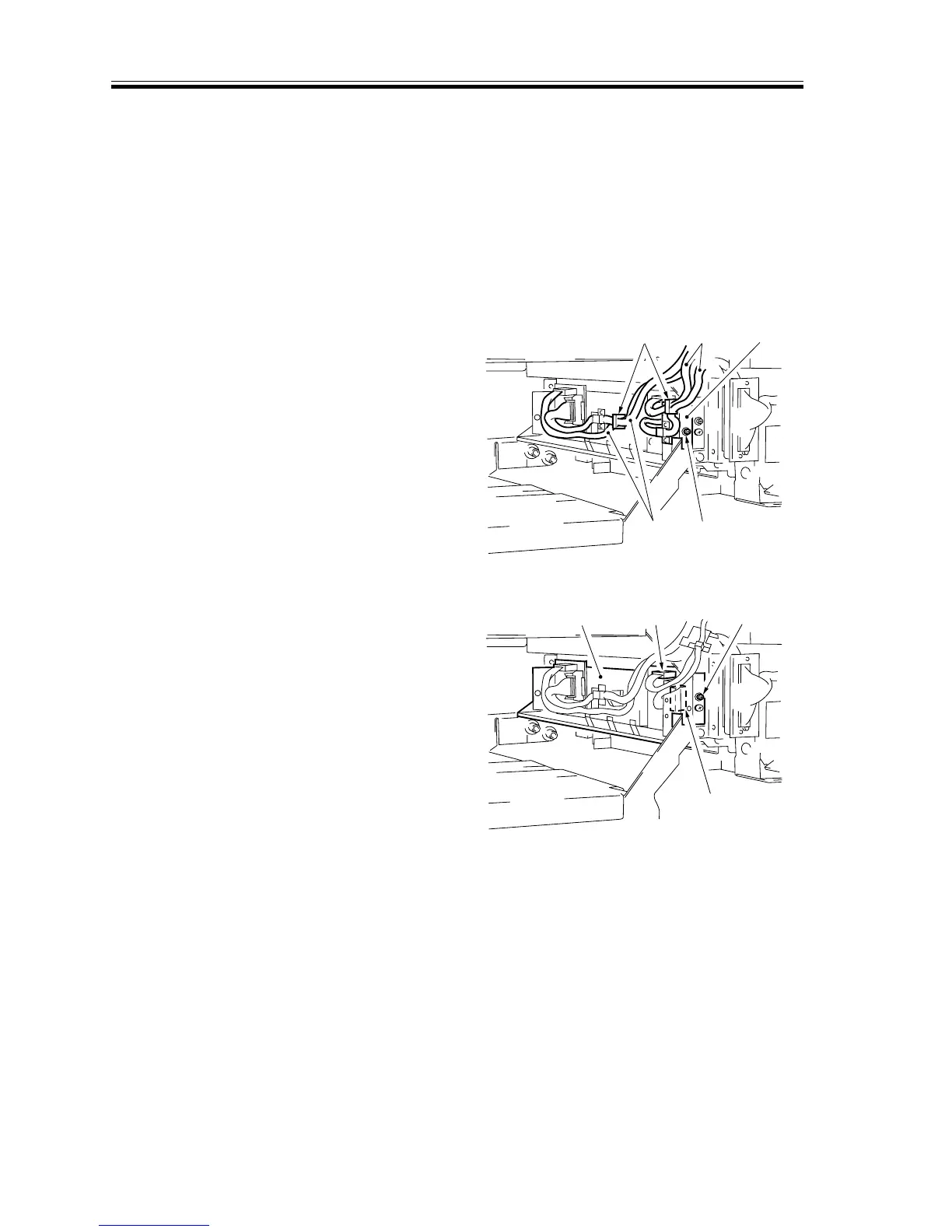
k. Removing the Image Position Correction CCD Unit
1) Remove the hopper assembly left cover.
2) Remove the separation charging assem-
bly.
3) Remove the pre-fixing charging assem-
bly.
4) Slide out the transfer unit.
5) Free the harness [2] from the wire
saddle [1].
6) Remove the screw [3], and detach the
cable support plate [4].
[1]
[2]
[2]
[4]
[3]
F02-706-45
7) Disconnect the two connectors [5] at the
front.
8) Remove the unit fixing screw [6], and
detach the image position correction
CCD unit [7].
[5]
[5]
[6]
[7]
F02-706-46














 To Next Page