2-182
CHAPTER 2 NEW FUNCTIONS
COPYRIGHT
©
2001 CANON INC. 2000 2000 2000 2000 CANON CLC5000 REV.0 JAN. 2001
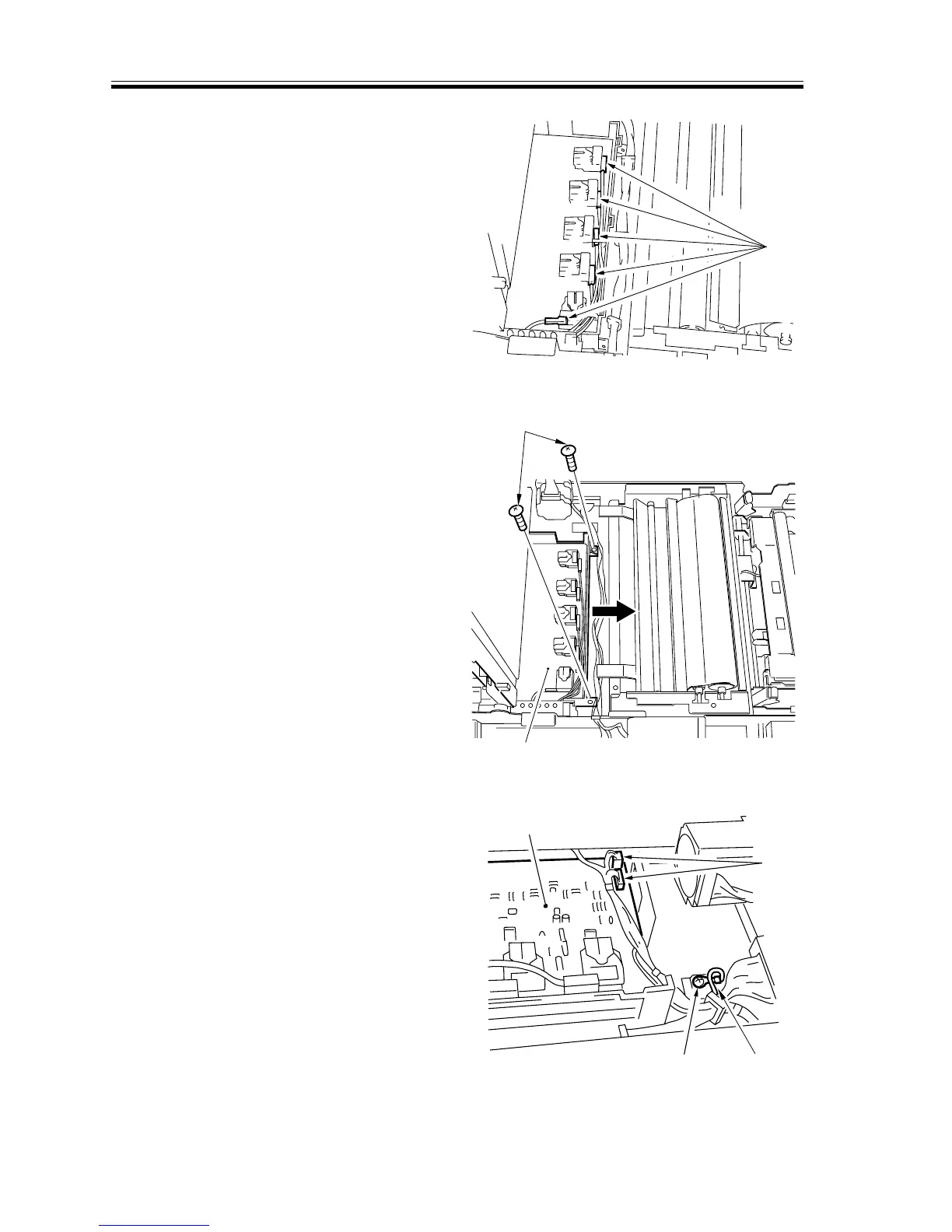
3) Disconnect the five connectors from the
transfer high-voltage transformer.
[4]
F02-706-49
4) Remove the two screws [5], and slide
out the transfer high-voltage trans-
former [7] to the right. At this time, take
care so that the transfer high-voltage
transformer will not come into contact
with the transfer belt.
[5]
[6]
F02-706-50
5) Remove the screw [7] and the ground-
ing wire [8]; then, disconnect the two
connectors [9], and detach the transfer
high-voltage transformer [6].
[7]
[8]
[9]
[6]
F02-706-51














 To Next Page