COPYRIGHT
©
2001 CANON INC. 2000 2000 2000 2000 CANON CLC5000 REV.0 JAN. 2001
CHAPTER 5 TROUBLESHOOTING IMAGE FAULTS/MALFUNCTIONS
5-12
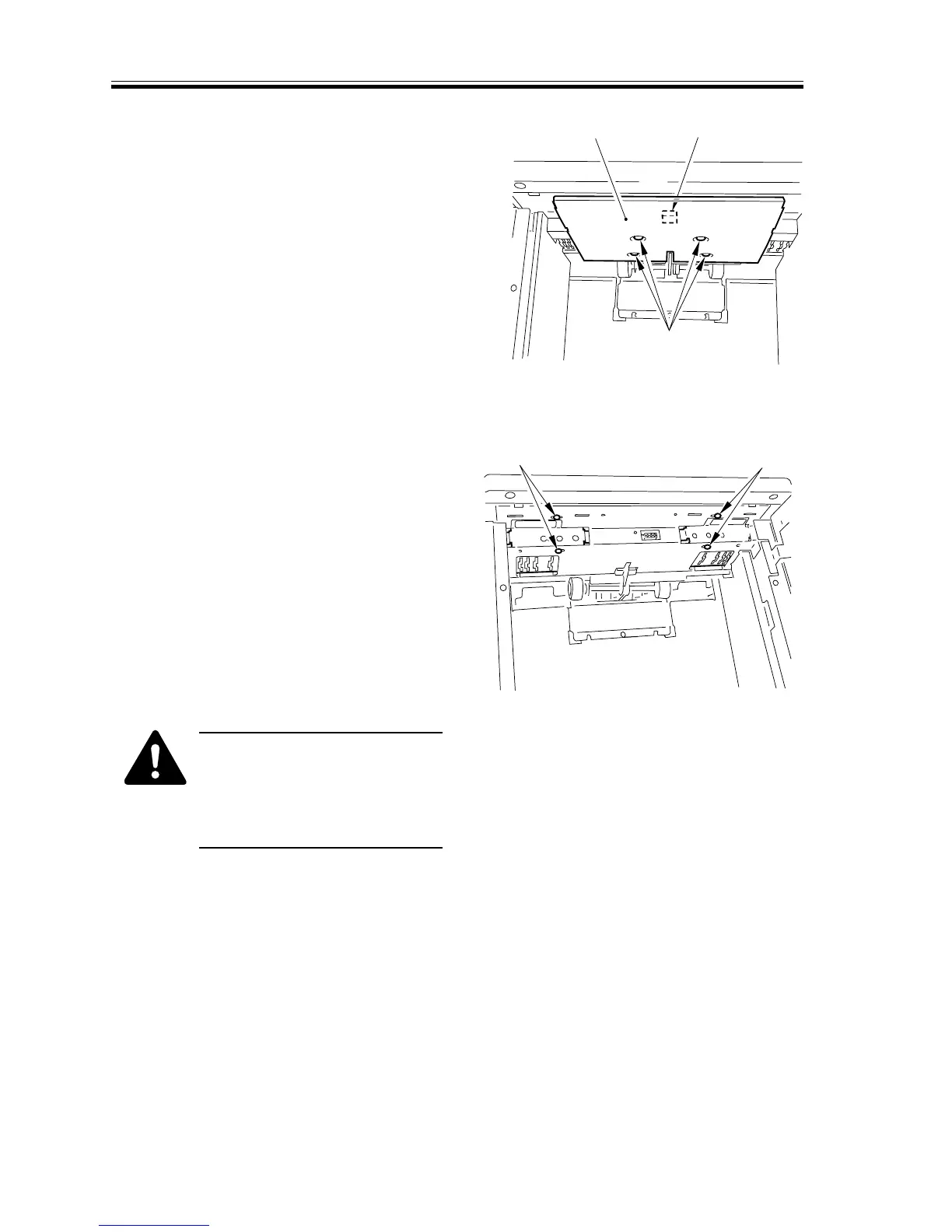
7) Remove the four screws [1], and dis-
connect the connector [2]; then, remove
the paper deck heater [3].
F05-201-11
8) Loosen the two screws [1] (rear, front; 1
each) on the upper mounting plate of
the side guide plate, and make adjust-
ments.
F05-201-12
•Do not change the paper width.
•Limit the adjustment to ±
1.0 mm to prevent interference
between the side guide plate
and the lifter plate.
9) After adjusting the left/right registra-
tion, mount the side guide plate and the
deck heater.
[1]
[2]
[3]
[1]
[1]














 To Next Page