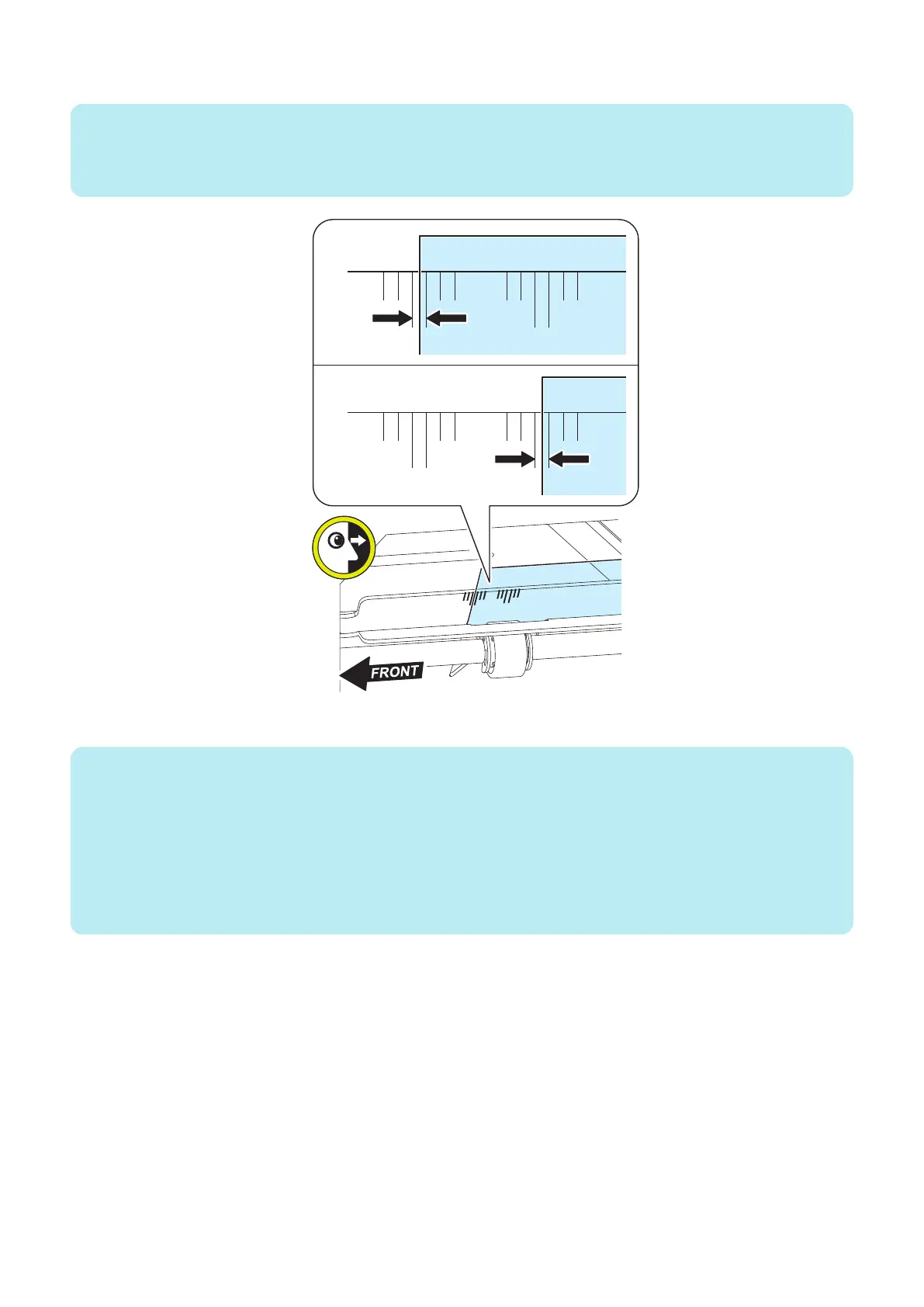
4. Check that the edge of stopped paper is between long lines at the center of scales of the guide.
NOTE:
• Scales at the front side: A4 size
• Scales at the rear side: LTR size
• Reference: 1 mm per scale
5. Remove the stopped paper and close the Multi Door Unit.
NOTE:
<POD Deck Lite C/XL is not installed>
• When the stop position of paper is between long lines, proceed to“Adjustment of Reference Position with Host Machine
(Checking the Left Edge Margin)” on page 197.
• When the stop position of paper is not between long lines, proceed to step 6 <pattern A>.
<POD Deck Lite C/XL installed first>
• When the stop position of paper is between long lines, proceed to step 6 <pattern B>.
• When the stop position of paper is not between long lines, proceed to step 6 <pattern C>.
6. Troubleshooting
195













 To Next Page