● Register the shared folder or FTP server address from a computer.
Setting a Shared Folder as a Save Location(P. 94)
Registering Destinations from Remote UI(P. 430)
1
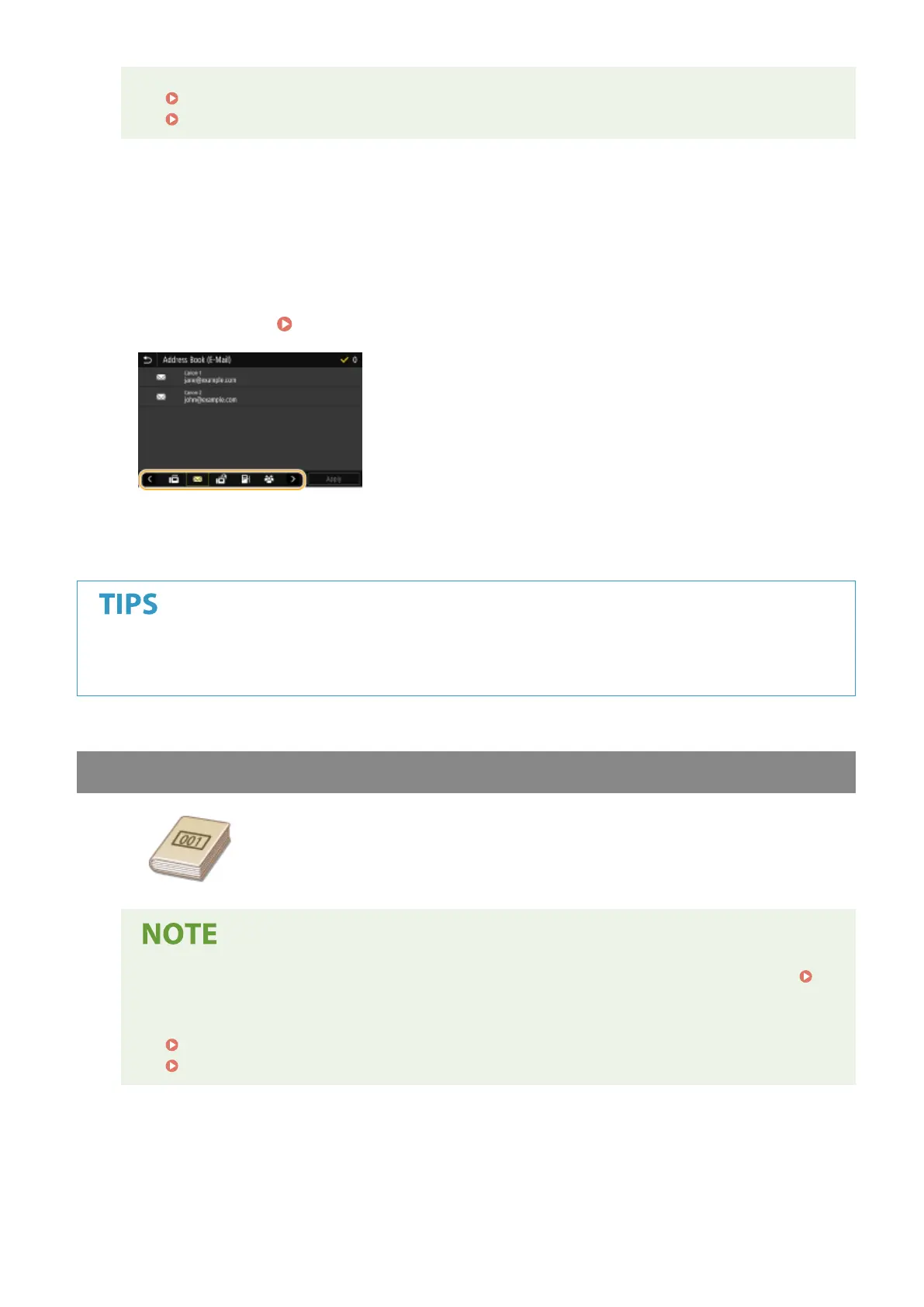
Select <Address Book> in the <Specify Destination> tab.
2
Select <To>.
3
Select an index. Index(P. 182)
4
Select the check box for the desired destination, and select <Apply>.
● If a destination is selected from <Address Book> in the Home screen, the Basic Features screen for e-mail
sending or le saving can be displayed while the selected destination remains being specied.
Specifying from Coded Dial Numbers
Three-digit numbers (coded dial numbers) are assigned to addresses in the Address
Book. You can specify an address simply by entering its coded dial number.
● To use coded dial numbers, the destination must be registered in the Address Book beforehand.
Registering Destinations(P. 182)
● Register the shared folder or FTP server address from a computer.
Setting a Shared Folder as a Save Location(P. 94)
Registering Destinations from Remote UI(P. 430)
1
Select <Coded Dial> in the <Specify Destination> tab.
2
Select <To>.
Scanning
292









 To Next Page