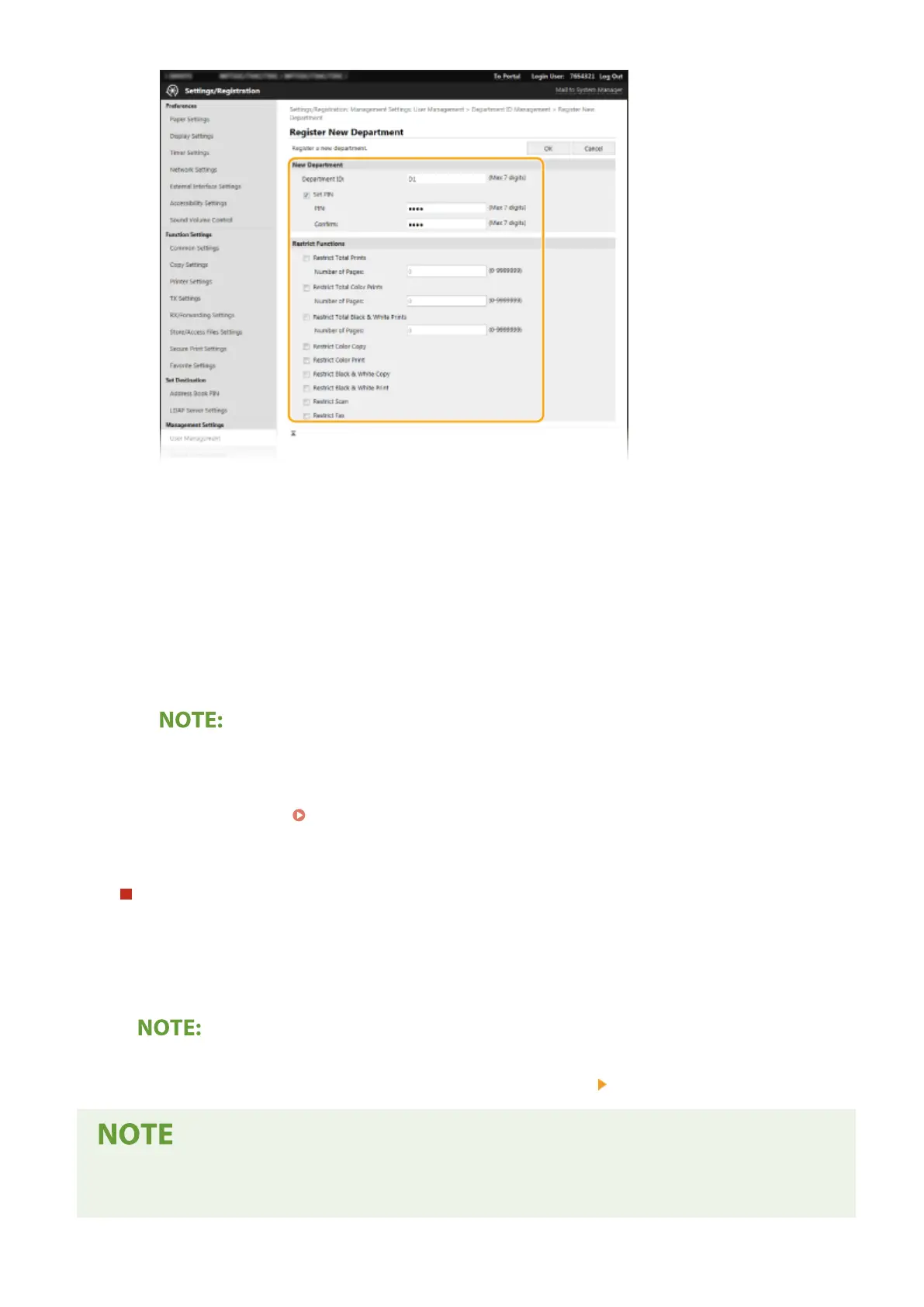
[Department ID]
Enter the Department ID number to be registered.
[Set PIN]
To set a PIN, select the check box and enter the same number both in the [PIN] and [Conrm] text boxes.
[Restrict Functions]
You can restrict the number of pages to print and the available functions for departments to be
registered. To restrict the number of pages to print, select the check box for the target type, and enter
the appropriate number of pages in [Number of Pages]. Select the check box for the target functions to
restrict functions.
● If the [Restrict Scan] check box is selected, the Save to USB Memory Device, Send E-mail, and Save to
Shared Folder or FTP Server functions are all restricted. You can also restrict other methods that scan
documents by importing them to a computer, but in that case you cannot block access for each
Department ID ( Blocking Jobs When Department ID Is Unknown(P. 360) ).
3
Click [OK].
Editing the settings of the registered Department ID
1
Click the corresponding text link under [Department ID] to edit.
2
Change the settings as necessary and click [OK].
Deleting a Department ID
● Click [Delete] on the right of the Department ID you want to delete click [OK].
[Department ID Page Total]
● You can check the total number of pages for jobs that have been executed to date on a department ID basis.
Managing the Machine
357









 To Next Page