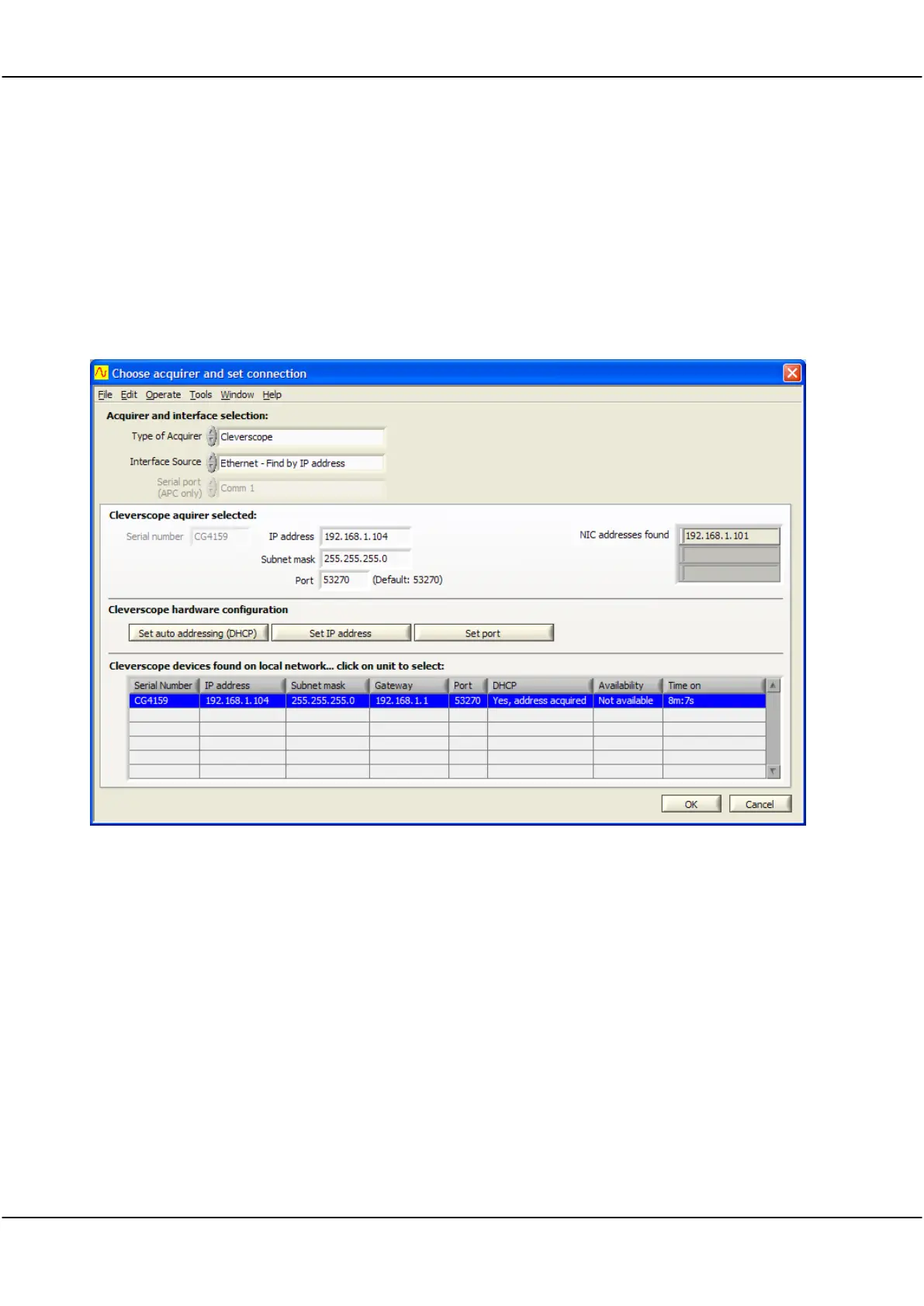
The Cleverscope application can also connect to a particular Cleverscope by IP address. DHCP is still being used
to bring the Cleverscope on to the current network. DHCP has a ‘lease time’ which is usually quite a long time
(weeks). Each time the Cleverscope is reconnected to the network, the lease is renewed. The lease is for a set IP
(Internet Protocol) address that is supplied by the DHCP server. This means once you use the Cleverscope on a
network, you can use its address to reliably connect to just that Cleverscope.
To do this:
Set Interface Source to Ethernet – Find by IP address.
Select the unit you want to use under Cleverscope devices found, this will update Cleverscope acquirer selected
to have the same IP address as the one you selected.
Notice that Cleverscope acquirer selected has an IP address of .104. This is the same as the device selected from
the list.
Click OK. From now on, the Cleverscope application will always connect to the Cleverscope with an address of
.104. Other Cleverscopes will be given different addresses by the DHCP server.



 To Next Page