Dexcom G5 Mobile System User Guide
147Ending Your Sensor Session and Transmitter Session
(Continued from previous page)
Step What you see What you do
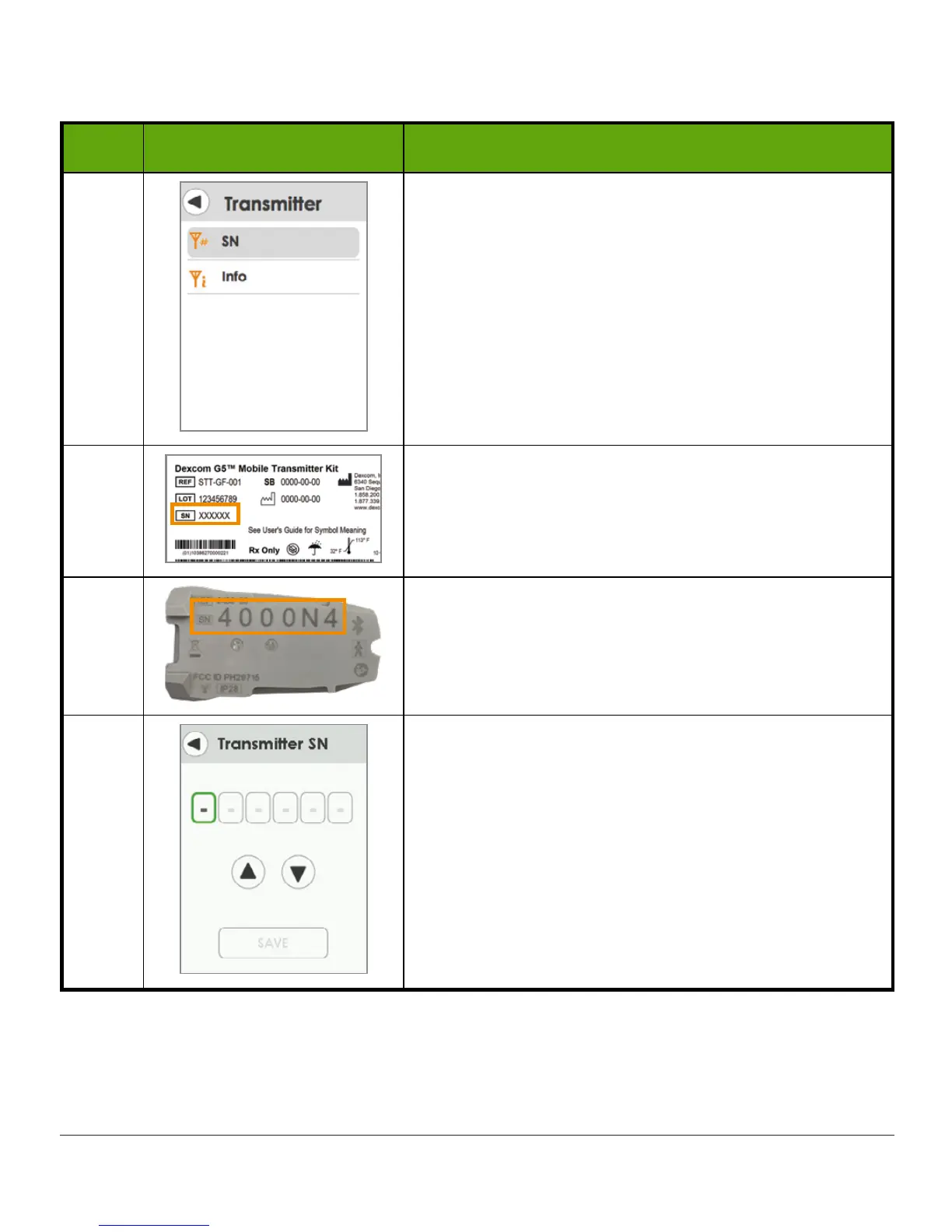
5 Tap
SN
.
6a
Turn
transmitter box
upside down to locate SN.
6b
If transmitter package isn’t available, SN is also
found on back of transmitter.
6c
Green box shows what is selected.
(Continued on next page)



 To Next Page