Dexcom G5 Mobile System User Guide
238On the Go With G5: Customizing Your Alarm and Alerts
(Continued from previous page)
Step What you see What you do
3
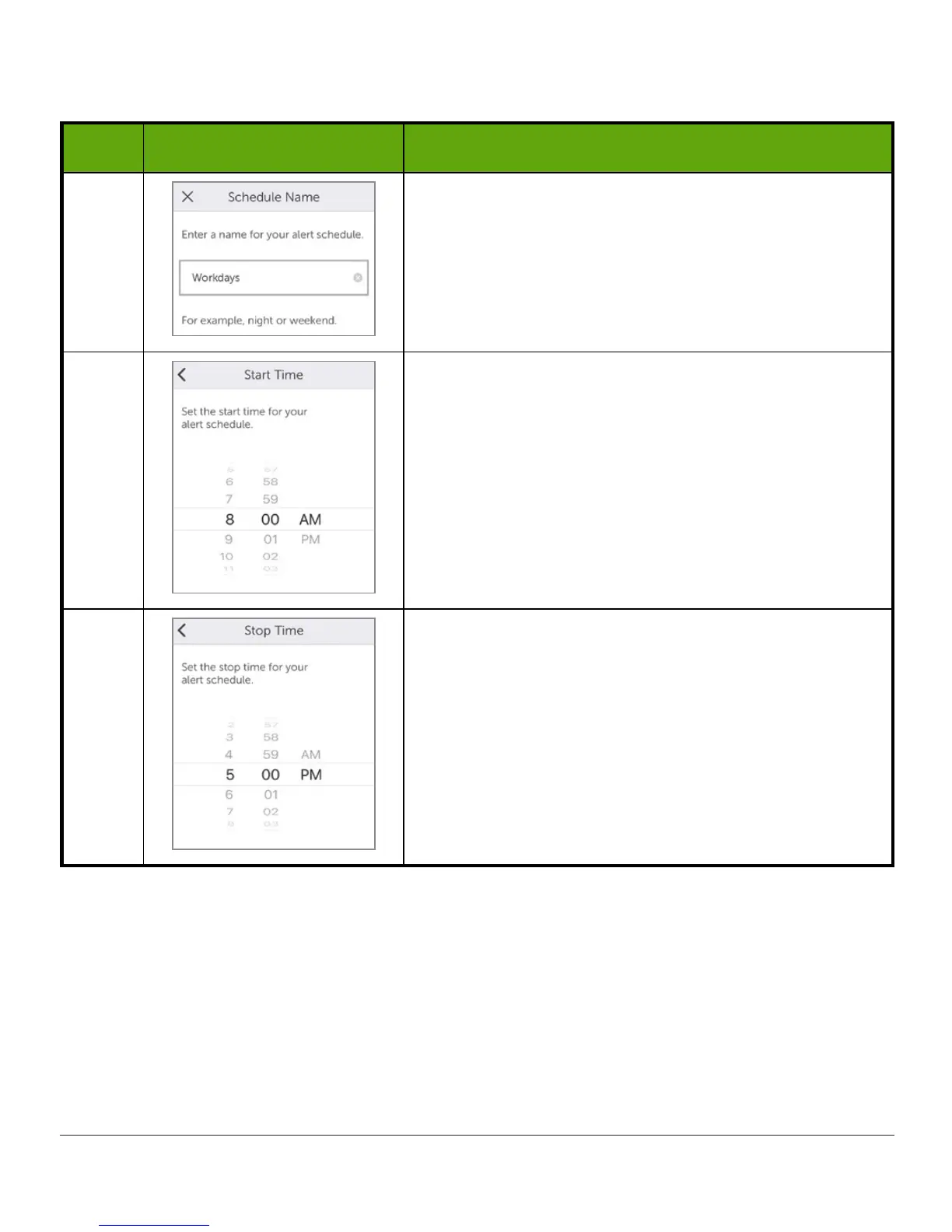
Enter a Schedule Name.
For this example, use Workdays.
Tap Done.
4
Your workday starts at 8 am.
Select 8 am, then tap Next.
5
Select 5 pm, when your workday ends.
Tap Next.
(Continued on next page)



 To Next Page