Dexcom G5 Mobile System User Guide
239On the Go With G5: Customizing Your Alarm and Alerts
(Continued from previous page)
Step What you see What you do
6
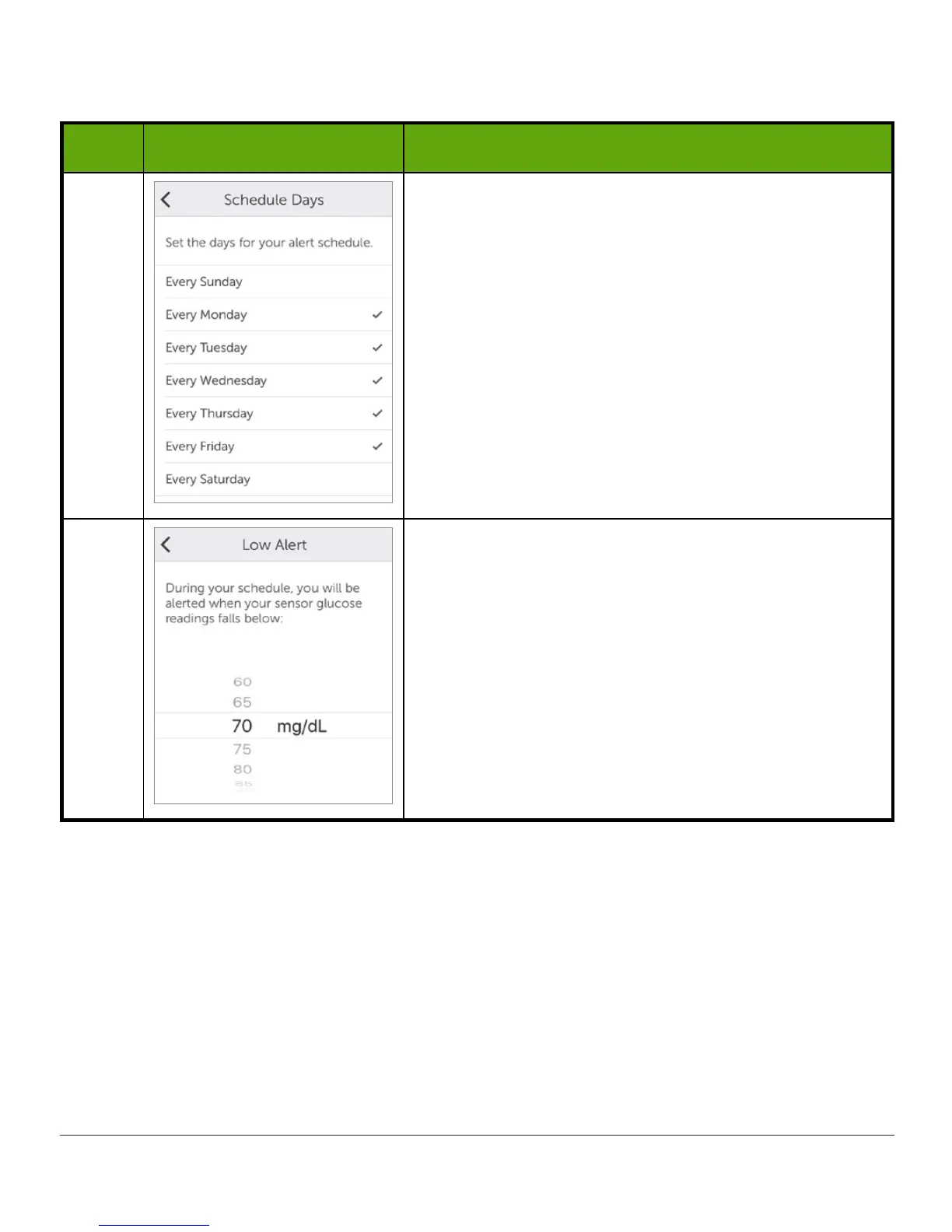
Select Every Monday through Every Friday.
Tap Next.
7
Select 70 as your Low Alert level for this schedule.
Tap Next.
(Continued on next page)



 To Next Page