Dexcom G5 Mobile System User Guide
240On the Go With G5: Customizing Your Alarm and Alerts
(Continued from previous page)
Step What you see What you do
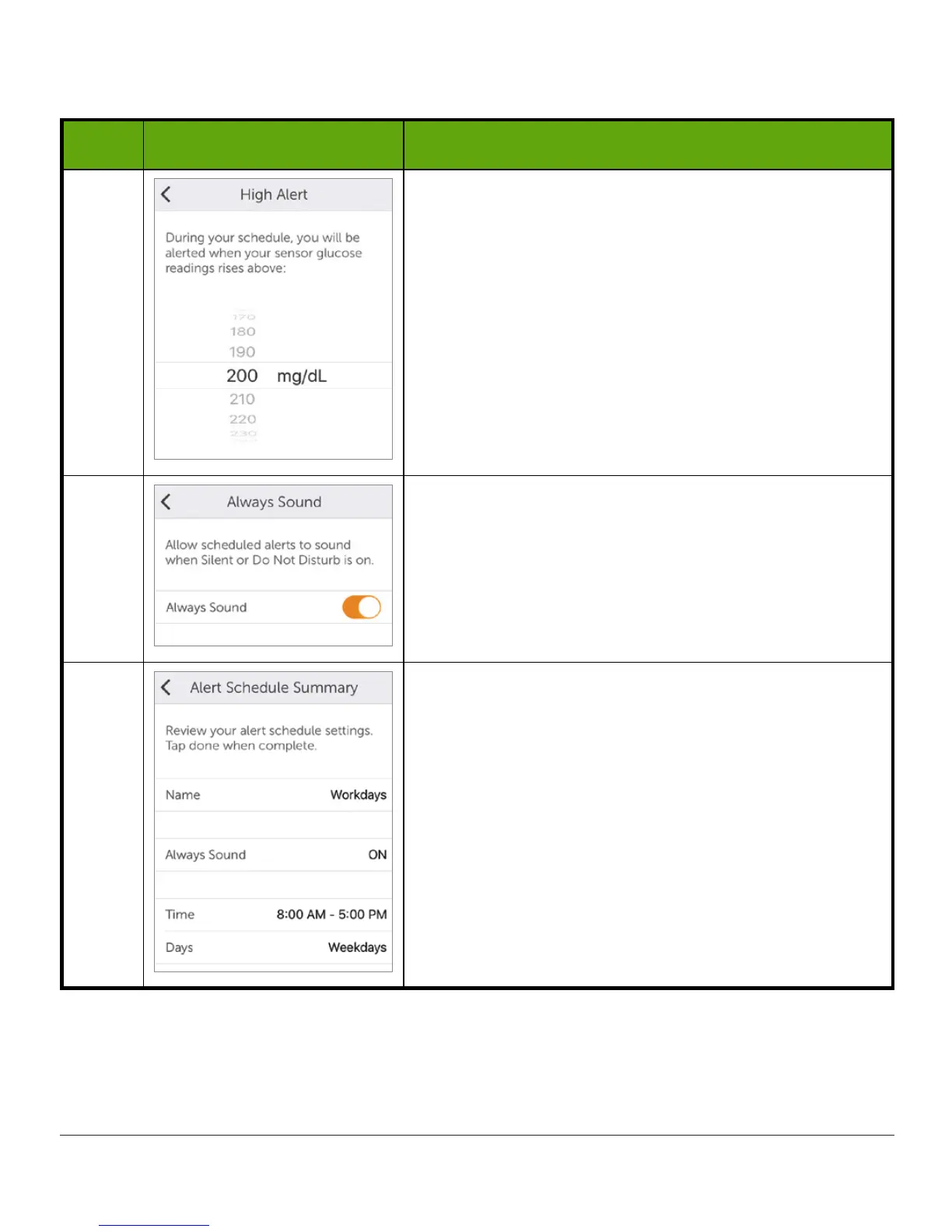
8
Select 200 as your High Alert level for this
schedule.
Tap Next.
9
At work, you often mute your device during
meetings. However, you’d like to still get your Low
and High alerts.
Turn on Always Sound to have your CGM Alerts
override mute on your device (Chapter 11).
10
Review the settings for your Workdays schedule.
Tap Done to save.
Now that the schedule is set up, you can make more changes to your scheduled Alerts.
Change the scheduled High Alert sound to Vibrate Only.



 To Next Page