Dexcom G5 Mobile System User Guide
61Set Up Your Display Devices
(Continued from previous page)
Connecting/Pairing Transmitter With App
12b
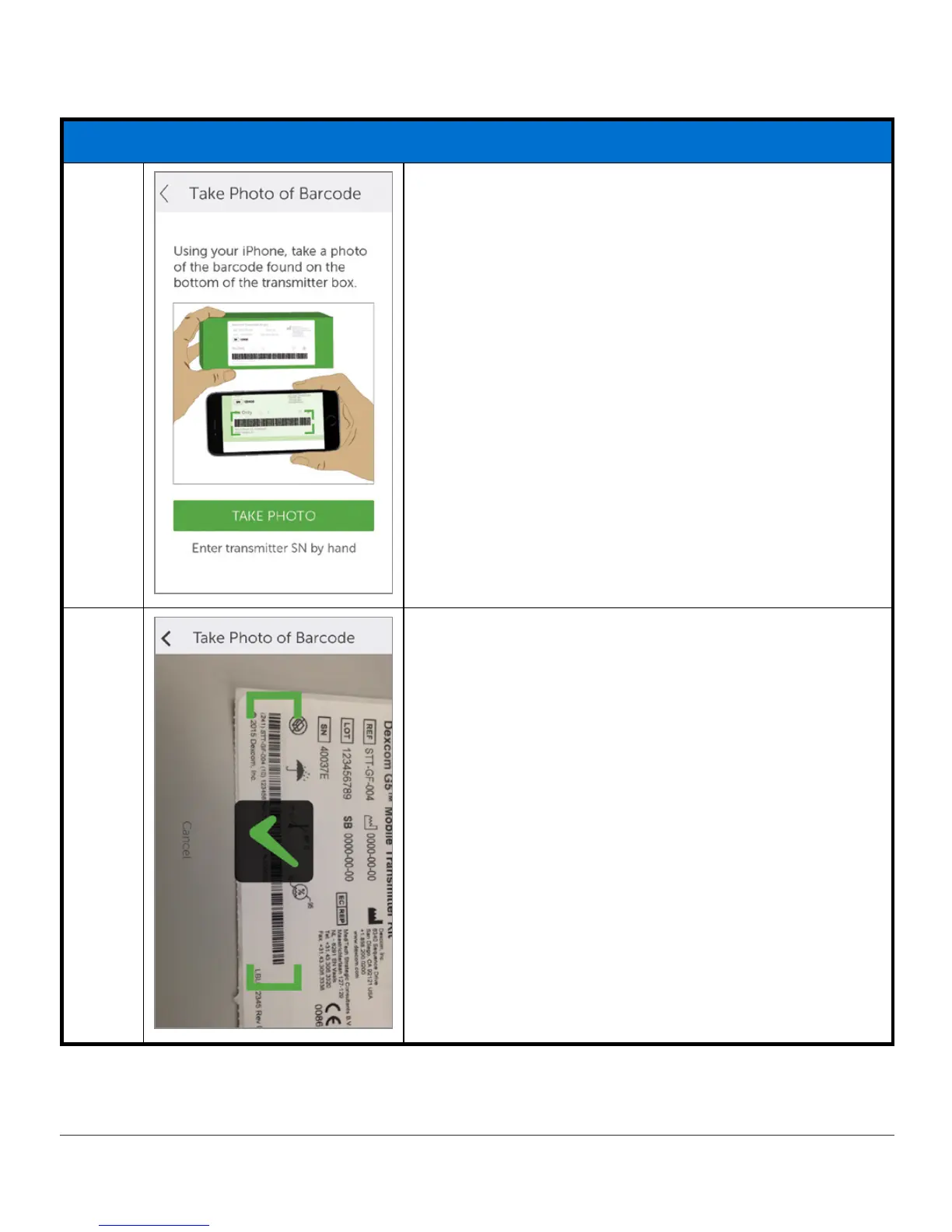
Center longest barcode within green brackets.
Tap
Take Photo
.
12c
Check mark confirms successful transmitter SN
scan.
(Continued on next page)



 To Next Page