To cancel the LKA function, turn off the function
via MP5.
When the system detects the following
conditions, the system will give an alarm
(including visual and audible alarms) and apply
steering wheel torque to assist the driver in
correcting the driving track:
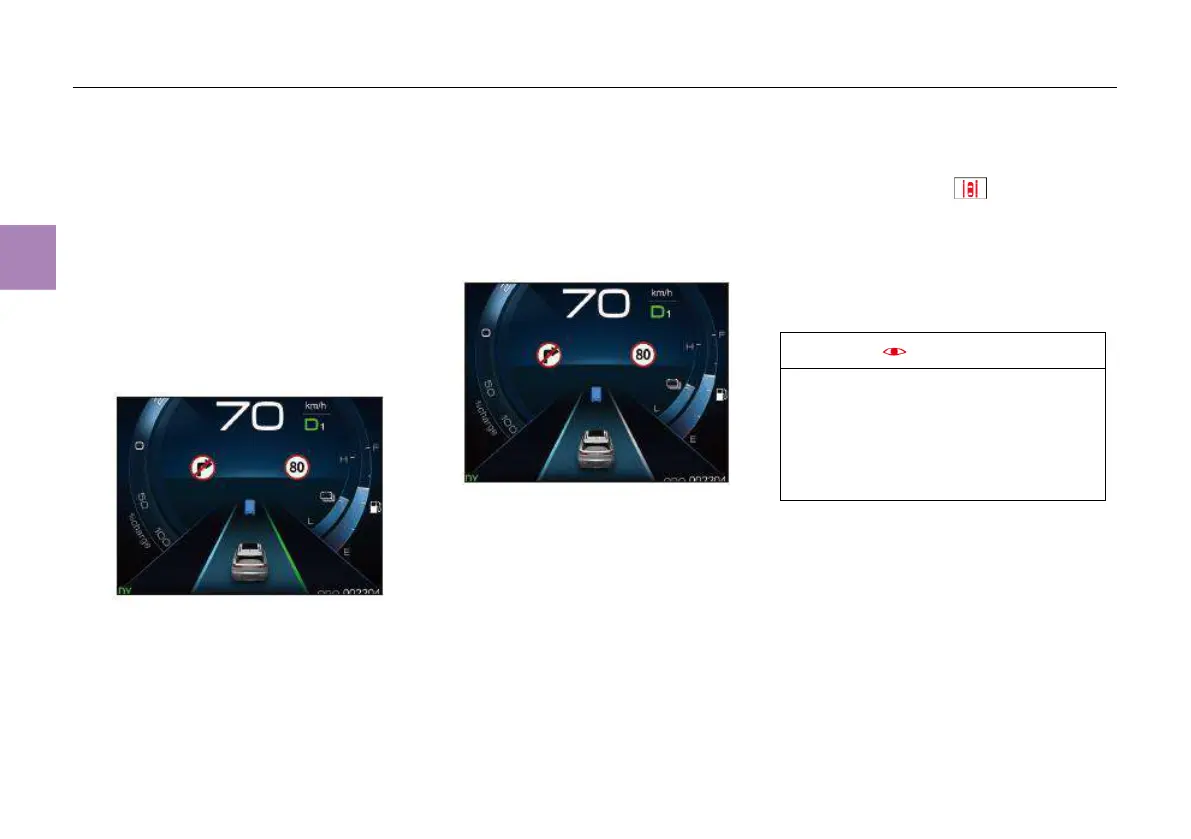
● When the system can detect the lane
markings on both sides, the vehicle is driving
at the boundary of the lane markings, there is
a danger of drifting out of the lane and no
turn signal lamps are turned on, the lane
marking on the deviating side will be
highlighted in blue:
● When the system changes from detecting
lane markings on both sides to only
identifying the lane marking on one side, if
the vehicle is running at the boundary of the
lane marking, and there is a danger of drifting
out of the lane and no turn signal lamps are
turned on, the lane marking on the deviating
side will be highlighted in blue:
● When the driver does not apply a certain
torque to the steering wheel in a certain
period of time, the system will determine that
the driver’s hands have been off the steering
wheel, and the message “Please hold the
steering wheel by your hands” will appear
on the instrument panel, accompanied by a
beep. At this time, if the driver still does not
hold the steering wheel by hands, the system
will be deactivated.
Function failure
When the vehicle is driving normally, if the LKA
fault indicator lamp (red) on the instrument
cluster lights up, it means the LKA function is
faulty and will not work.
If this fault indicator lamp remains on upon self-
learning of the system during driving for a period
of time after the engine is restarted, contact
Dongfeng Franchise Stores for inspection as
soon as possible.
When the vehicle is started after the battery
cable is disconnected, if the LKA function has
been set in the MP5, the LKA fault indicator
lamp may come on. In this case, drive the
vehicle for a period of time, and the fault
indicator lamp will go out automatically after
self-learning of the system.
Factors of function limitations
Even if the LKA function is activated and
working, the system may be affected or
inoperative under the following conditions:
● Poor visibility caused by, e.g., rain or fog;
● There are obstacles in front of the camera;
● Overtemperature around the camera due to
direct sunlight;



 To Next Page