Setting headway
Press the right part of round switch ③ to adjust
vehicle speed to keep an appropriate distance
from the lead vehicle in the same lane. The
following distance may be switched among far,
medium and near.
Reducing vehicle speed
If the ICA system is already activated, reset to a
lower speed using one of the following methods:
● Press and hold the lower part of round switch
③ , so the cruising speed decreases by
5km/h. When the vehicle reaches the desired
speed, release the switch.
● Press the lower part of round switch ③; each
time the switch is pressed, the cruising speed
reduces by 1km/h.
Increasing vehicle speed
If the ICA system is already activated, reset to a
higher speed using one of the following
methods, with the maximum value of 130km/h:
● Press and hold the upper part of round switch
③, so the cruising speed increases by 5km/h.
When the vehicle reaches the desired speed,
release the switch.
● Press the upper part of round switch ③ ;
each time the switch is pressed, the cruising
speed increases by 1km/h.
Pausing the ICA system
When the ICA function is activated, depress the
brake pedal lightly or press the button ② to
suspend the ICA. At this time, the ICA indicator
lamp (gray) comes on.
Recovering the ICA system
When the ICA system is paused, if all activation
conditions are met, ICA can be reactivated in the
following ways:
● Press the lower part of round switch ③ to
set the current vehicle speed as cruising
speed;
● Press the upper part of round switch ③ to
restore the cruising speed memorized last
time.
Deactivating ICA
When the ICA is suspended or activated, press
button ① to deactivate it. Then the ICA
indicator lamp on the instrument cluster display
goes out.
ICA limitations
The radar and camera sensors of ICA have a
limited detection range. In some cases, the
sensors may fail to detect the lead vehicle or
may delay detection of the lead vehicle.
The following sensor detection problems may
occur and result in delayed response of the
system or unintended braking:
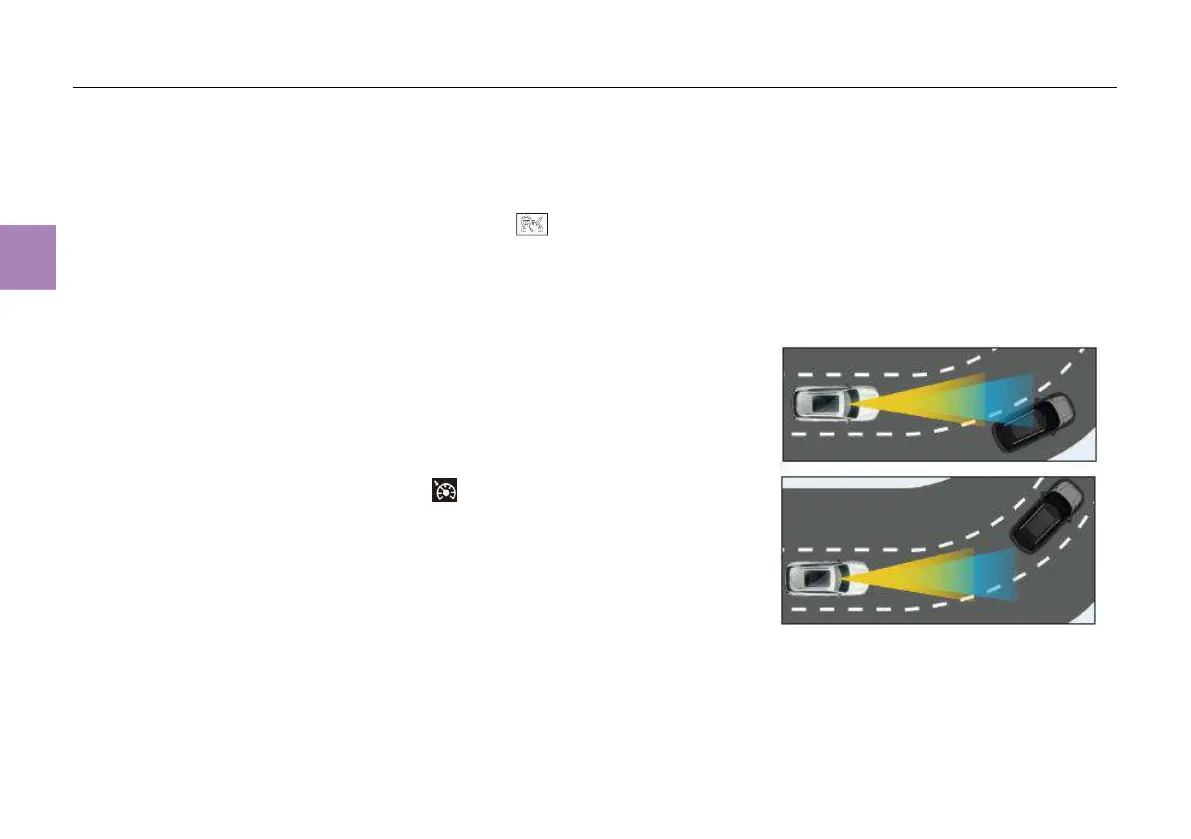
1. The ICA may misidentify a vehicle in another
lane ahead or fail to recognize a vehicle in the
ego lane before or while driving in a curve.



 To Next Page