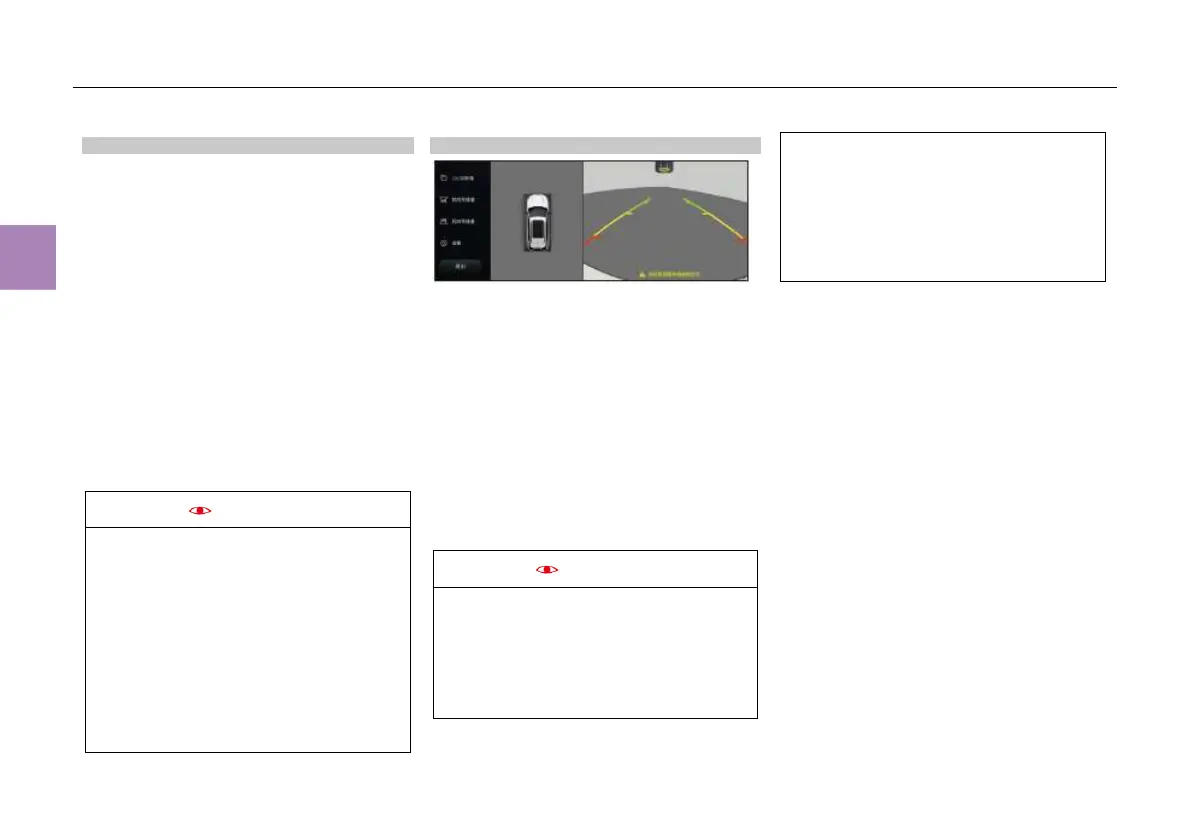
Panoramic camera
Arrangement of panoramic cameras
The body is provided with a wide-angle camera
respectively in the front, rear, left and right for
the AVM.
● The front view camera is placed on the front
bumper.
● The side view cameras are placed on the left
and right exterior rearview mirrors.
● The reverse camera is located in the middle
of the trunk lid.
Cases where the camera cannot work
properly
1. The vehicle is running in a stormy or foggy
day;
2. The camera surface is covered with frozen
water, mud, dust or snow;
3. The vehicle is reversing without reversing
lamp at dark.
● Make sure that the camera is kept clean
and not covered with water vapor, water
droplets, mud, snow or frost.
● Before reversing, make sure that the trunk
lid has been closed.
● Since the reverse camera is located
above the license plate, avoid impacting
the camera when installing and removing
the license plate.
● The AVM cannot replace the proper
method of reversing. Before reversing,
check the rear side for safety and reverse
the vehicle slowly.
Enabling/disabling AVM
Enabling AVM
● When the vehicle is reversing (at a speed
lower than 30km/h), the panoramic images
will be automatically displayed;
● When “Side view image assistance” is set to
be activated in the MP5 system, if the turn
signal lamp is turned on and the vehicle
speed is lower than 30km/h, the left
view+2D/3D panoramic images or right
view+2D/3D panoramic images from the
AVM will be automatically displayed.
● In the “Shortcut menu interface” of the MP5
system, touch “AVM” to switch to the front
view + 2D/3D panoramic images.
When the shift lever is in “R” position, if the
vehicle speed exceeds 30 m/h, the around
ie monitor system will be disabled
automatically and the MP5 image will be
displayed; if the vehicle speed is lower than
27km/h, the previous rear view image will be
displayed.
When the panoramic image is displayed
through the “R” position and the left/right turn
signal lamp switch, if the vehicle speed is
higher than 30m/h, the AVM will be disabled
automatically and the MP5 image will be
displayed; if the vehicle speed is lower than
27km/h, the panoramic images will be
displayed.
Disabling AVM
● With the transmission set to a gear other than
“R”, click the “Exit” icon on the AVM image to
turn off the AVM;
● When the AVM is enabled by turning on the
left or right turn signal lamp switch, if you turn
off the turn signal lamp switch, the AVM will
be disabled automatically;
● When the AVM is enabled by setting the shift
lever in “R” position, if you set the shift lever
from “R” to “P”, the AVM will be disabled
automatically;
● When the panoramic image is displayed
through the “R” position and the left/right turn
signal lamp switch, if the vehicle speed is
higher than 30km/h, the AVM will be disabled
automatically (if the vehicle speed is lower
than 27km/h, the panoramic image will be
displayed).



 To Next Page