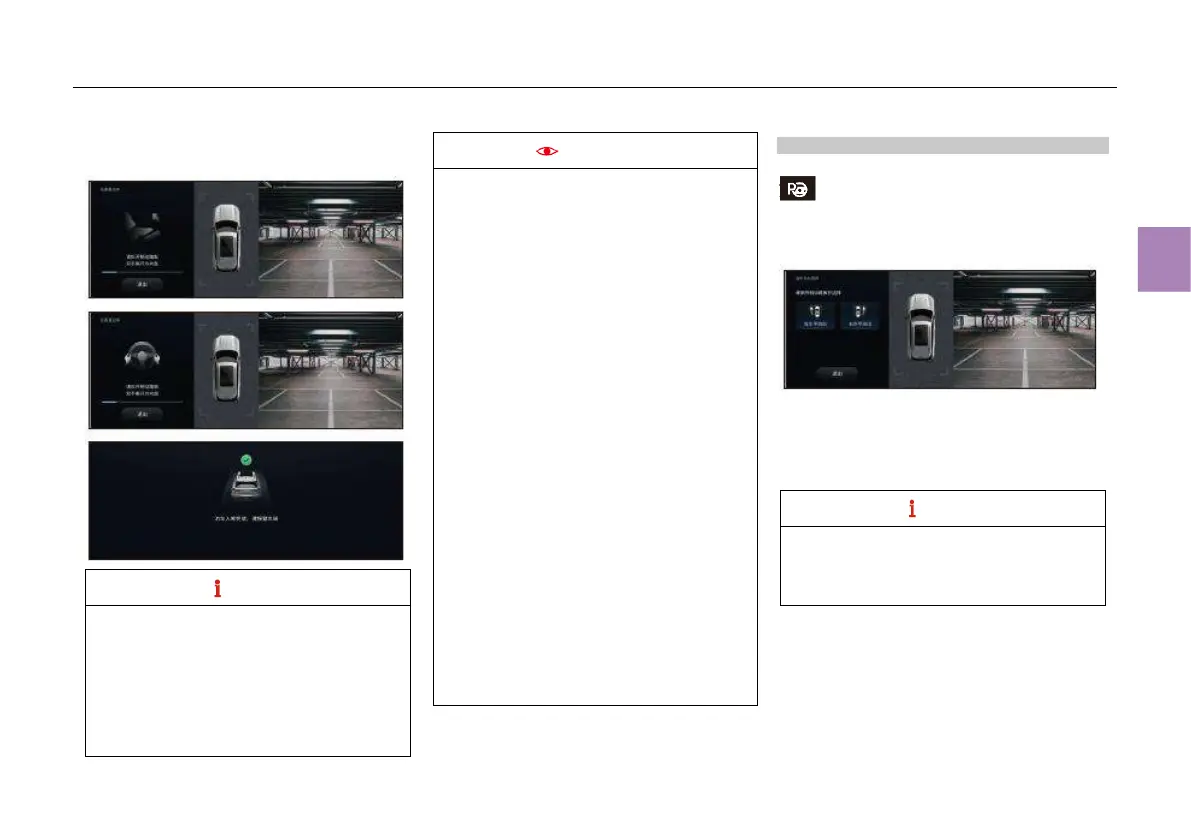
Prompt displayed on the touch screen of the
MP5 system:
● When the FAPA is enabled, if the transmission is
set to a gear other than “P”, the system enters
the park-in mode by default and starts searching
for parking spaces; if the transmission is set to
“P” gear, the system enters the park-out mode by
default.
● When there is only one alternative parking
space, the system will automatically select the
parking space.
The system cannot accurately identify
parking spaces in the following cases:
● The system may not detect vertical or
parallel parking spaces with pillars (or
other reference objects than vehicles) on
both sides;
● The system may not detect vertical or
parallel parking spaces with pillars (or
other reference objects than vehicles) on
one side and a vehicle on the other side;
● Lawns or flower beds with steps may be
identified as parking spaces;
● Parking spaces with seriously damaged
line frame may not be identified;
● Parking spaces with shadowed line frame
may not be identified;
● Parking spaces with small obstacles
inside may be identified;
● Horizontal parking spaces with lines in the
middle may be identified as vertical
parking spaces;
● Adjacent vertical parking spaces with
damaged or shadowed side line in the
middle may be identified as horizontal
parking spaces;
● The system may not identify angled
parking spaces with inclination angle not
equal to 60°.
Park-out operation
1. Start the engine, and press the FAPA button
in the shortcut menu bar on the touch
screen of the MP5 system to activate the FAPA;
Prompt displayed on the touch screen of the
MP5 system:
2. After the driver confirms the park-out direction,
touch the “Leftward parallel park-out” or
“Rightward parallel park-out” icon on the touch
screen of the MP5 system to enable the
automatic park-out function;
During park-out, when the shift lever is in “P”
position, the brake pedal should be
depressed to select “Leftward parallel park-
out” or “Rightward parallel park-out”.



 To Next Page