Parking cannot be resumed under the following
conditions:
● The associated system is faulty;
● The gradient exceeds the specified limit;
● The vehicle speed exceeds the specified
limit;
● The number of times of parking exceeds the
specified limit;
● The parking duration exceeds the specified
limit;
● The “Exit” soft button of MP5 is clicked;
● The steering wheel is turned;
● The EPB switch is pulled up;
● The driver’s door is open and the driver’s
seat belt is unfastened;
● The number of pauses exceeds 3;
● The pause duration exceeds the specified
limit;
● The planned trajectory is out of range.
Remote park-in via key
1. Start the engine, set the shift lever to “D”
position, press the FAPA button in the
shortcut menu bar on the touch screen of the
MP5 system to activate the FAPA, select “Park-
in”, and after the system finds a parking space,
select and confirm the required parking space.
Refer to the park-in operation steps 1~3 for
details;
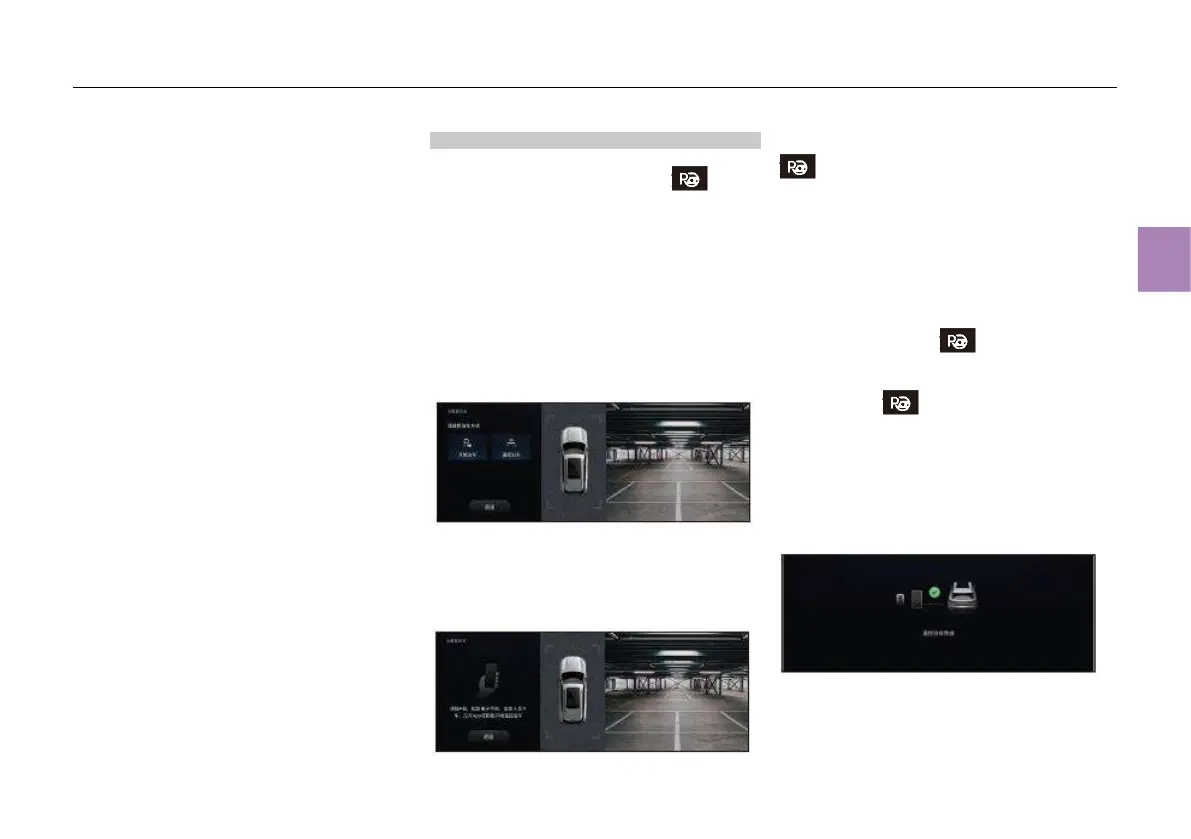
2. After the parking space is selected, the
parking mode selection interface is displayed on
the screen of the MP5 system. In this case,
select “Remote parking”;
Prompt displayed on the touch screen of the
MP5 system:
3. After selecting the parking mode, follow the
prompt “Please engage P gear, and apply the
EPB. All occupants get off the vehicle. Open
the mobile App or use the key to start remote
parking” displayed on the touch screen of the
MP5 system;
4. Press and hold the remote parking button
on the key until the hazard warning lamp
goes on. In this case, the function of park-in via
key is activated.
5. No operation is required after activation, but
the surrounding environment needs to be
monitored during automatic parking to ensure
that the vehicle can be controlled in an
emergency.
6. If parking needs to be suspended, press the
remote parking button on the key again.
After suspension, the automatic parking can be
resumed by pressing and holding the remote
parking button on the key for 2s;
7. After the vehicle is parked in the target
parking space, the touch screen of the MP5
system will show “Remote parking completed”,
and the system will automatically engage P gear
and pull up the EPB switch.
Prompt displayed on the touch screen of the
MP5 system:



 To Next Page