274
c HELP Mode Function and Operation Procedures
chap.7
¡The power switch MUST be turned off before the following
operation is performed.
H-54
(1) Function testingHELP mode
1. Functions
(1)
Main PCB unit sorter port operation check
(1)
Main PCB unit sorter port operation check
2. Operation procedure
Accessing HELP modes
a
See page 213
a
To exit the HELP mode
: Turn the power switch OFF.
a
To access another HELP mode
:
Enter the desired mode number
using the numeric keys.
rPress the STOP key.
The HELP mode selection display will reappear.
eAccess HELP mode H-54, and press the PRINT key.
¡When the PRINT key is pressed, a 4-digit binary value
representing the communication status will be displayed.
qDuring use of the DUPRINTER : first put the machine into the
standby state, then turn the power switch OFF.
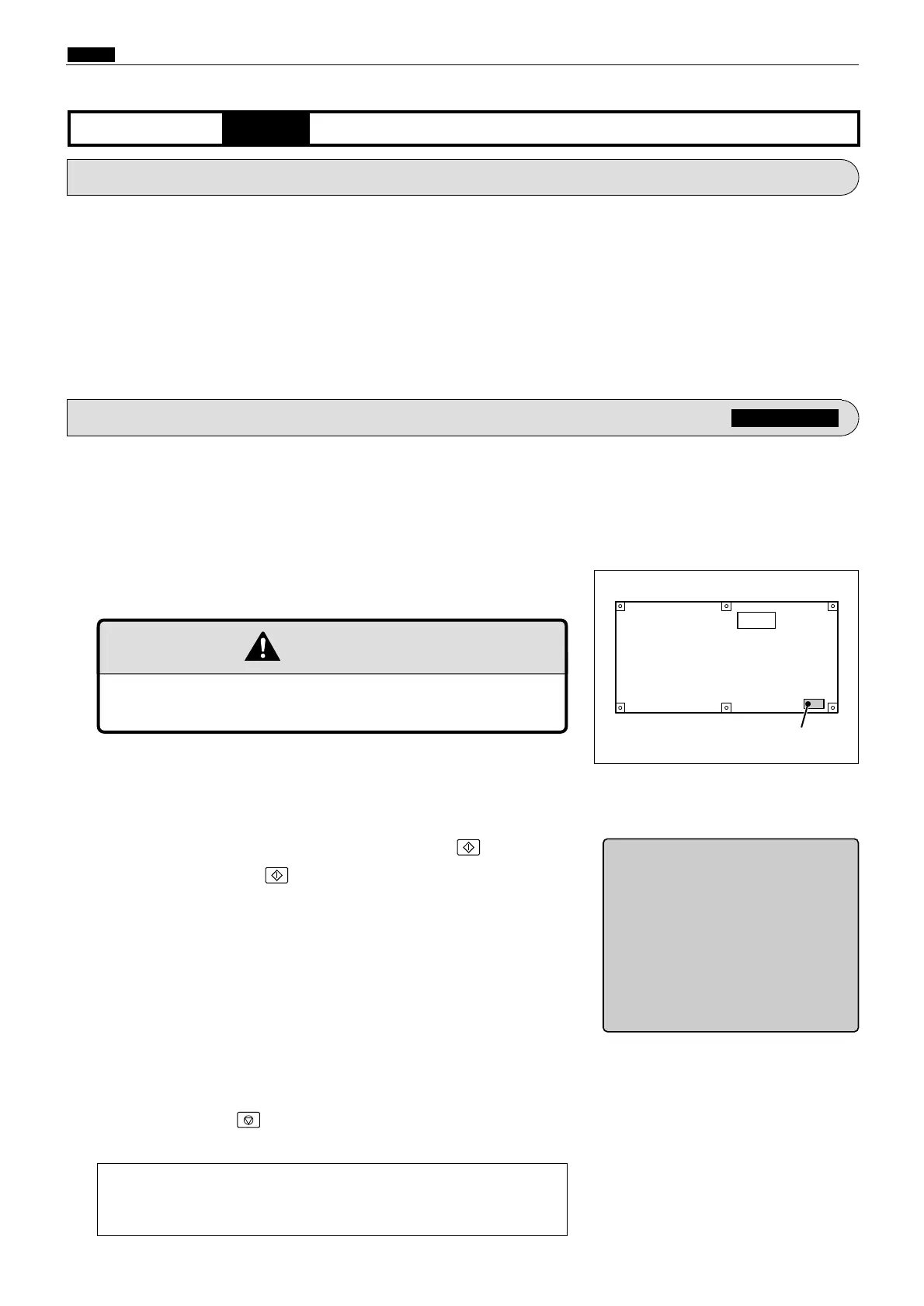
¡Main PCB unit
CN20
440806
WARNING
wShort CN20-9 and CN20-12 of the main PCB unit, to check the
port.










 To Next Page