C
HAPTER
15
| Basic Administration Protocols
Link Layer Discovery Protocol
– 367 –
◆ Remote Link Aggregation Port ID – This object contains the IEEE
802.3 aggregated port identifier, aAggPortID (IEEE 802.3-2002,
30.7.2.1.1), derived from the ifNumber of the ifIndex for the port
component associated with the remote system. If the remote port is
not in link aggregation state and/or it does not support link
aggregation, this value should be zero.
Port Details – 802.3 Extension Frame Information
◆ Remote Max Frame Size – An integer value indicating the maximum
supported frame size in octets on the port component associated with
the remote system.
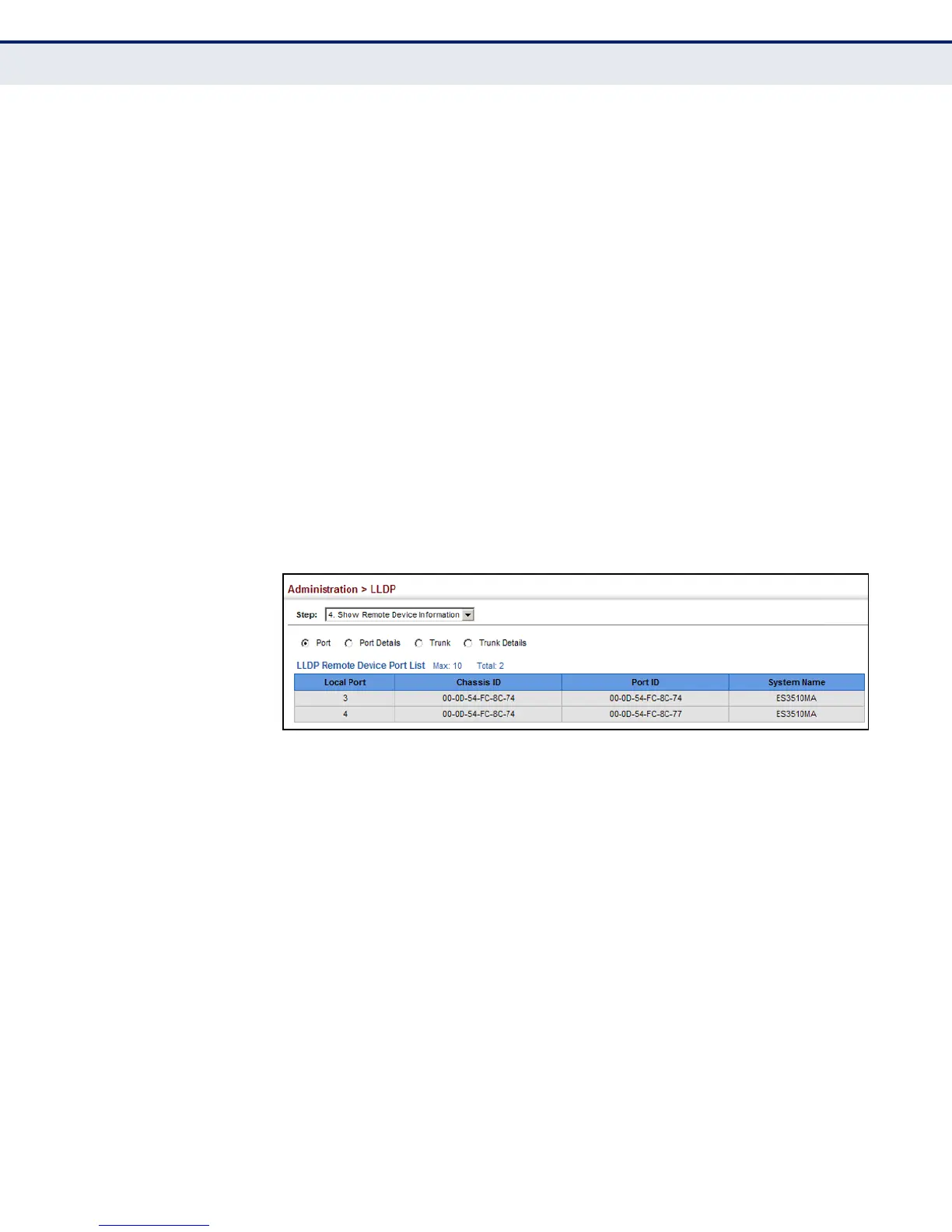
WEB INTERFACE
To display LLDP information for a remote port:
1. Click Administration, LLDP.
2. Select Show Remote Device Information from the Step list.
3. Select Port, Port Details, Trunk, or Trunk Details.
Figure 209: Displaying Remote Device Information for LLDP (Port)














 To Next Page