Using Magic Sheets 359
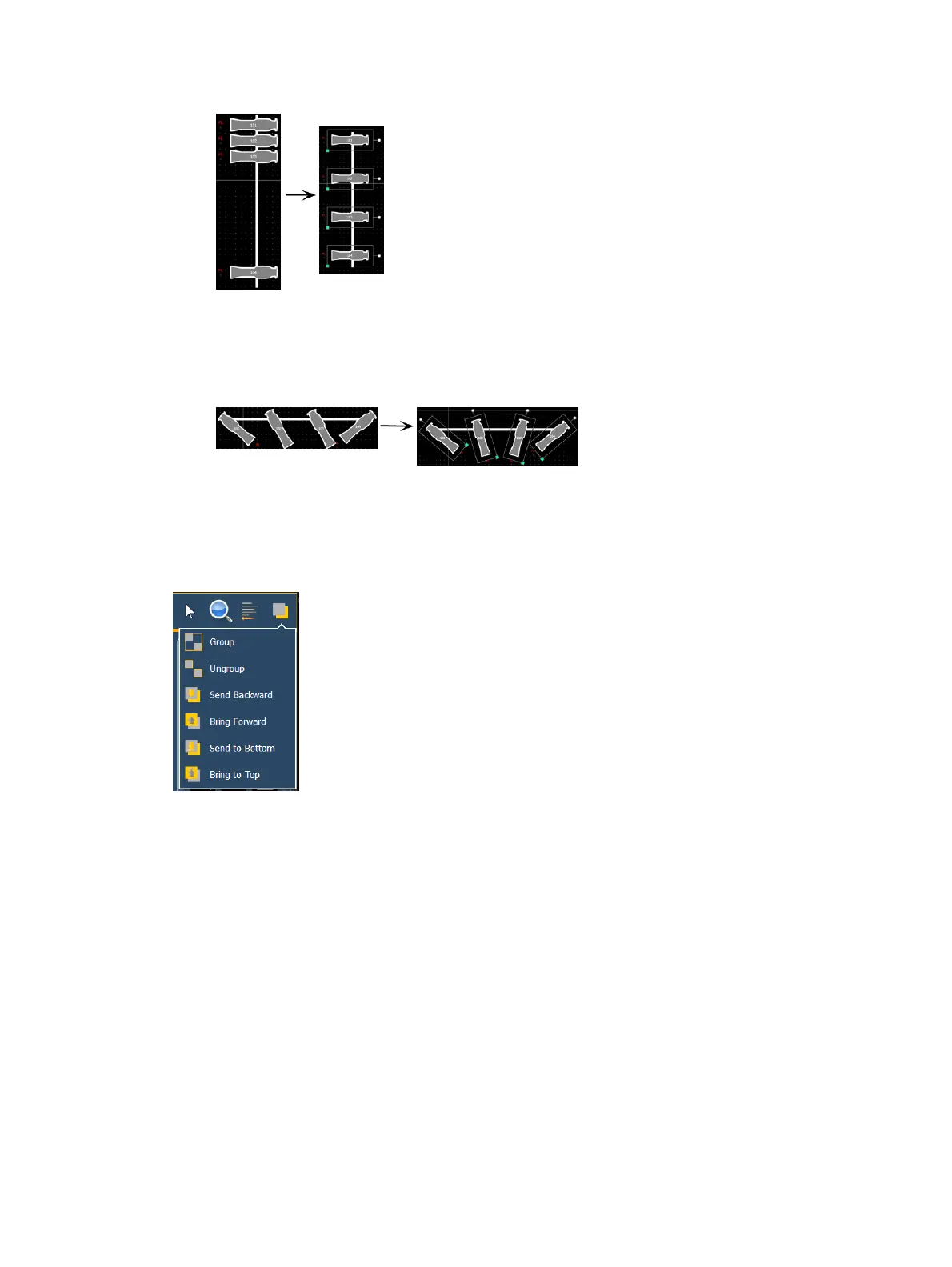
you positioned), click the {Distribute Vertically} button.
Distribute Rotation - allows you to distribute objects at an equal rotation between two
objects. Set the level of rotation you would like by placing the first and last objects at a
rotation. Then with all objects selected that you wish to rotate (including the first and last
ones you positioned), click the {Distribute Rotation} button.
Ordering
The objects can either be placed on their own or stacked on top or beneath of each other.
Clicking on the order icon will open the ordering options, which include:
Group - allows you to group objects together so they can be moved and rotated like a
single object.
Ungroup - removes grouping.
Send Backward - will send an object back.
Bring Forward - will send an object up.
Send to Bottom - will send an object beneath all other objects.
Bring to Top - will stack an object on top of all other objects
Magic Sheet Object Library
The objects section of the editing tools has four tabs:
Magic Sheet Objects (on the next page)
Fixture Symbols (on page361)
Images (on page362)
Background Settings (on page363)



 To Next Page