CR Console Operation Manual
2010. 03 897N0519J 2 - 29
o
Operation status
Shows status of operation of the Image Reader.
p
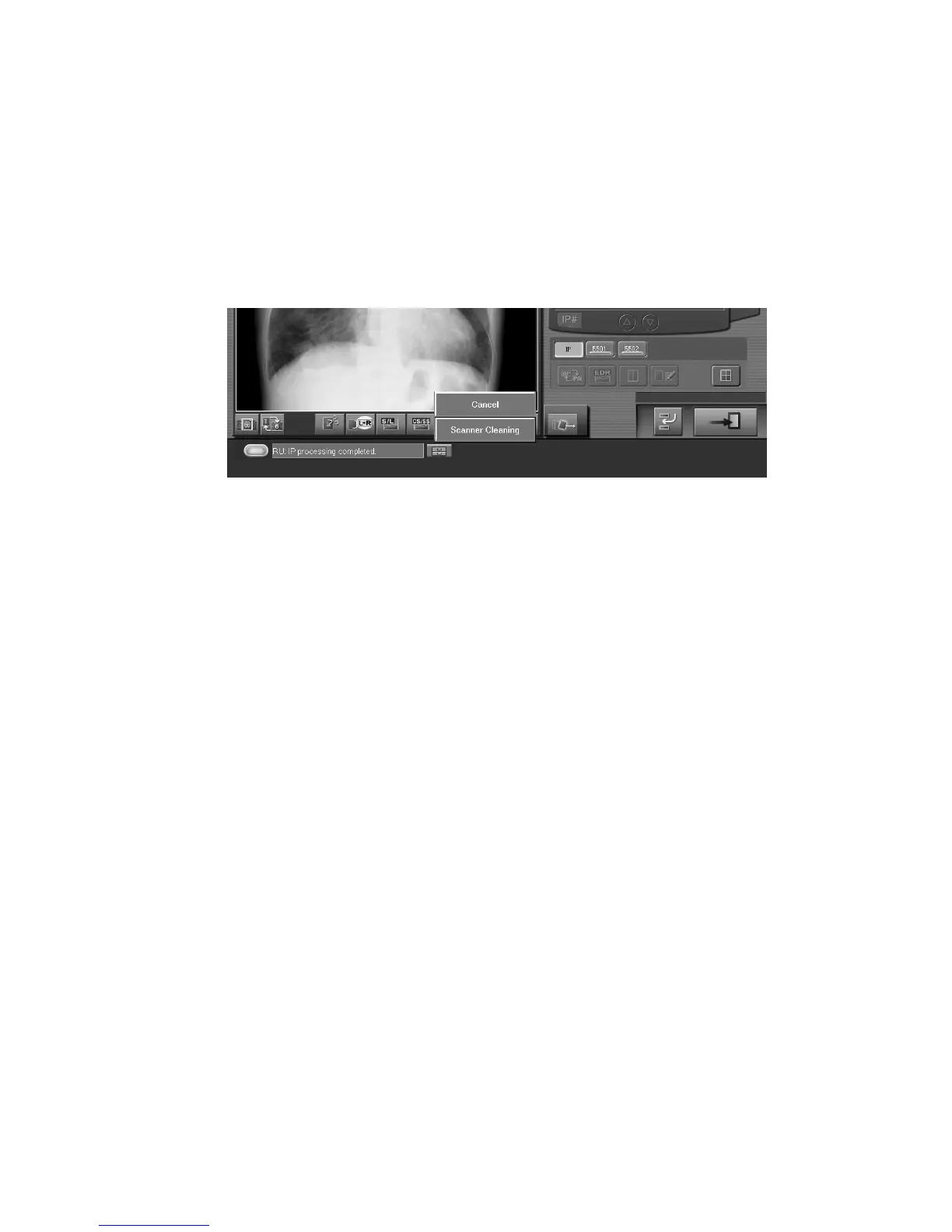
Maintenance icon
Select this icon to display menus and select the “Scanner Cleaning” menu when the scanner of the
Image Reader needs to be cleaned (e.g., when a noise appears on read images).
After selection of the menu, refer to the operation manual of the Image Reader about cleaning
operations.
<Example : FCR Cassette type >
q
Shot enabled/disabled
Indicates whether the FCR VELOCITY series Built-in type is enabled or disabled to take shots. Shots
are enabled when in on status and disabled when in off status.
r
IP erasure
Select this icon if you wish to erase images without reading IP images, for example due to an
exposure error.
s
Grid used or not
Shows whether the grid is used or not.
t
Erasure mode
Whether it is possible or not to select erasure mode depends on the setting performed at installation.
When the FCR VELOCITY or FUJIFILM Unity SpeedSuite is selected by the selector
manipulations:
[Auto sensitivity change]
: Changes the system operation automatically to the erasure mode set up
for each exposure menu.
[High-sensitivity exposure]
: The system operation is in the normal erasure mode (High-sensitivity
<low-dose> exposure mode). If this button is selected with the [Auto
sensitivity change] mode activated appropriately, this [High-sensitivity
exposure] mode is enabled regardless of erasure mode set up for the
exposure mode.
When FCR Velocity Ufp is selected by the selector manipulation:
[Auto sensitivity change]
: The system operation is in the High-speed erasure mode (normal
exposure mode).
[High-sensitivity exposure]
: The system operation is in the normal erasure mode (High sensitivity
<low-dose> exposure mode).



 To Next Page