EasyManua.ls Logo

Fujitsu M10-4 - Page 228

Fujitsu M10-4
342 pages
Print Icon
To Next Page IconTo Next Page
To Previous Page IconTo Previous Page
Loading...
A
B
Note
-
Be
careful
not
to
touch
or
catch
your
clothes
or
wrist
strap
on
a
connector
pin
located
on
the
back
of
the
CPU
memory
unit
board.
Note
-
Hard
objects
such
as
a
machine
tools
should
not
come
in
contact
with
the
connector
located
on
the
back
side
of
the
CPU
memory
unit
board.
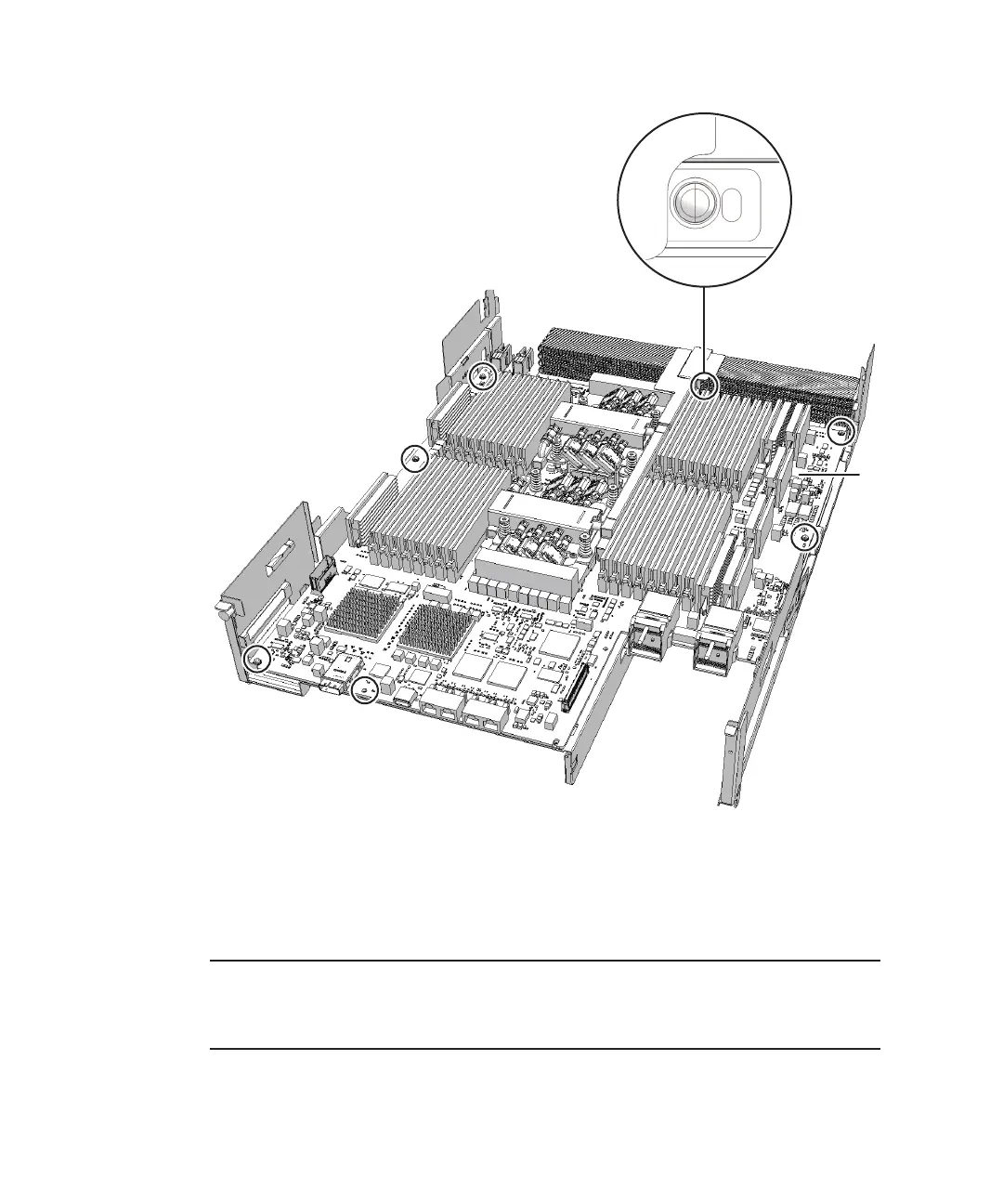
Figure
9-32
  
Screws
on
the
CPU
memory
unit
board
(for
the
SPARC
M10-4/M10-
4S
with
a
FRAME-B
CPU
memory
unit)
8.
Place
your
thumb
on
the
frame
located
at
the
center
of
the
right
and
left
sides
of
the
CPU
memory
unit
board
(A
in
the
figure)
and
insert
your
fingers
under
the
CPU
memory
unit
board
(B
in
the
figure)
from
the
side
of
the
connector
unit.
Fujitsu
M10-4/Fujitsu
M10-4S/SPARC
M10-4/SPARC
M10-4S
Service
Manual
November
2014214

Table of Contents

Related product manuals