EasyManua.ls Logo

Fujitsu M10-4 - Page 242

Fujitsu M10-4
342 pages
Print Icon
To Next Page IconTo Next Page
To Previous Page IconTo Previous Page
Loading...
Note
-
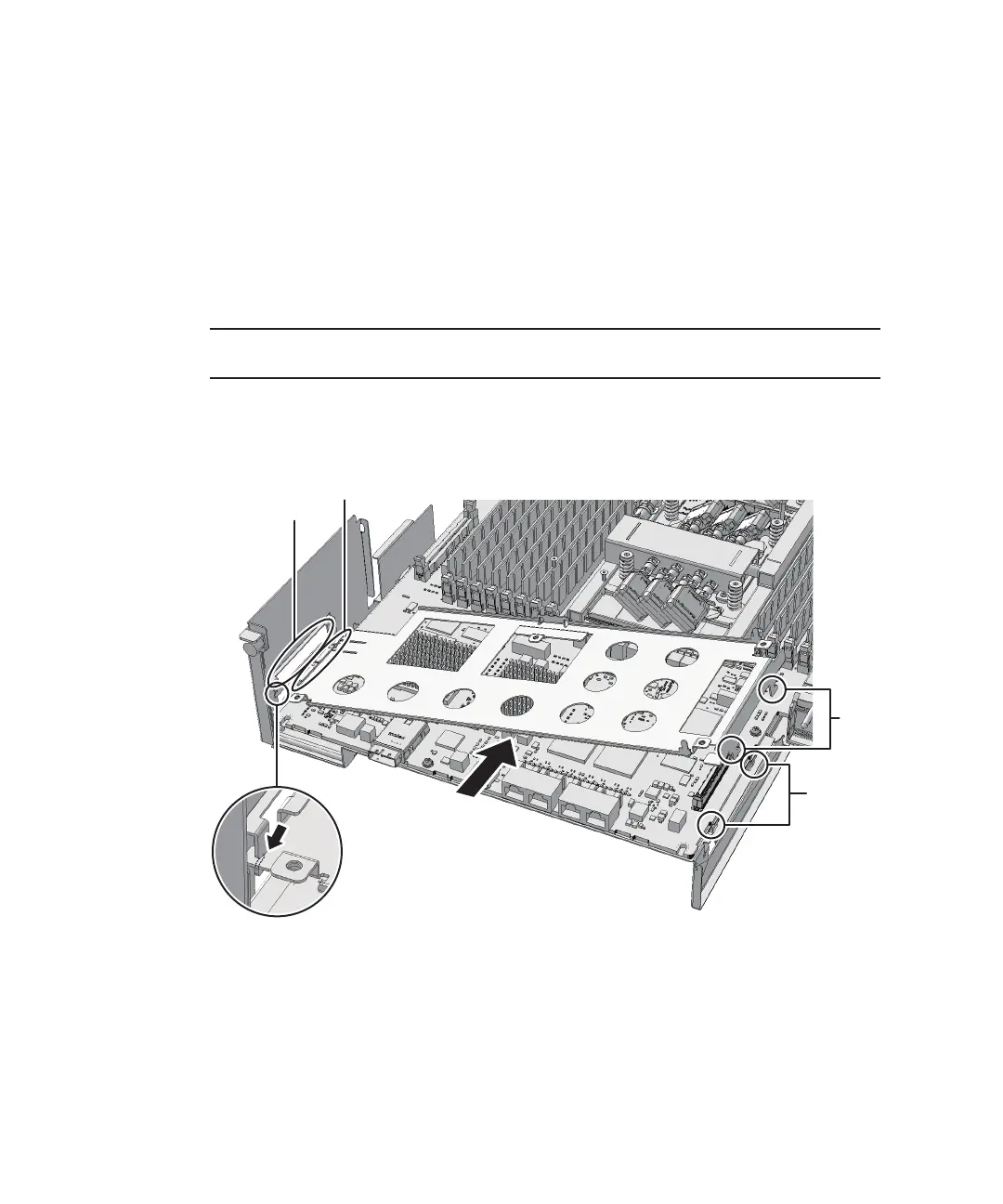
After
sliding
the
XSCF
mount
to
the
front,
confirm
that
the
mount
at
part
F
in
the
figure
is
engaged
with
the
frame
guide.
A
F
C
D
B
E
Secure
the
CPU
memory
unit
board
with
four
screws
and
the
center
part
of
the
radiator
on
the
front
with
one
black
screw.
-
For
the
SPARC
M10-4/M10-4S
with
a
FRAME-B
CPU
memory
unit
Secure
the
CPU
memory
unit
board
with
six
screws.
18.
Install
the
XSCF
mount
and
fix
it
with
screws.
-
For
the
SPARC
M10-4/SPARC
M10-4S
with
a
FRAME-A
CPU
memory
unit
Insert
the
left
side
(A
in
the
figure)
of
the
XSCF
mount
into
the
opening
(B
in
the
figure)
of
the
frame
of
the
CPU
memory
unit
lower.
Next,
insert
the
two
guides
(C
in
the
figure)
on
the
right
side
of
the
mount
into
the
openings
(D
in
the
figure)
of
the
frame.
Then,
install
the
XSCF
mount
by
sliding
it
to
the
front
(E
in
the
figure)
and
fixing
it
with
one
screw.
Figure
9-49
  
Installing
the
XSCF
mount
(for
the
SPARC
M10-4/M10-4S
with
a
FRAME-A
CPU
memory
unit)
-
For
the
SPARC
M10-4
with
a
FRAME-B
CPU
memory
unit
Insert
the
left
protruding
part
(A
in
the
figure)
of
the
XSCF
mount
diagonally
from
above
(C
in
the
figure)
into
the
opening
(B
in
the
figure)
of
the
frame
of
the
CPU
memory
unit
lower.
Next,
insert
the
right
protruding
part
(D
in
the
figure)
of
the
mount
from
above
(F
in
the
figure)
into
the
opening
(E
in
the
figure)
of
the
frame.
Then,
slide
the
XSCF
mount
to
the
front
(G
in
the
figure)
and
fix
it
with
one
screw
(H
in
the
figure).
Fujitsu
M10-4/Fujitsu
M10-4S/SPARC
M10-4/SPARC
M10-4S
Service
Manual
November
2014228

Table of Contents

Related product manuals