CHAPTER 6
119
Routine Printer Maintenance
4/29/10 Rev G
13 When the purge is complete the screen prompts you to Close all purge valves. Press ENTER
when done.
Use the 2mm Allen wrench to close valve and press ENTER.
14 Repeat the previous steps for all colors.
15 When all line clearing is complete, the system prompts you to
Clean the Purge Block. Press
ENTER when done.
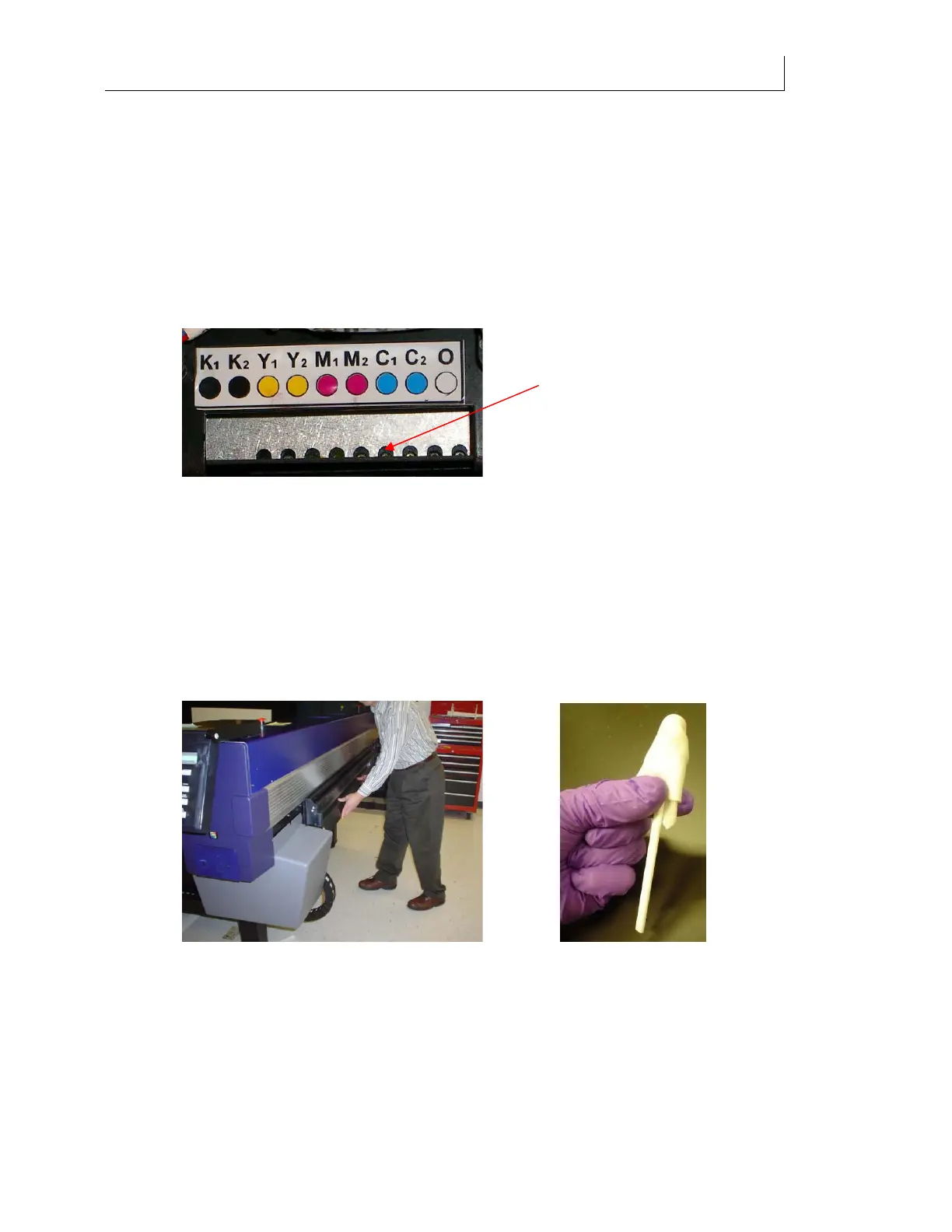
Moisten a swab by applying 1 drop per side of Daily Maintenance
Solution to clean the purge block, which is located directly under the purge valves. Be
sure to swab the entire underside, not just the outer edge. Do this to remove any
remaining ink and prevent it from dripping during printing and/or curing on the
Purge Block. Press ENTER when done.
16 The printer begins automatic maintenance of the ink delivery system. This process
takes two to three minutes and a progress bar displays.
17 When finished, the system prompts you to
Replace Head Access Door.
18 Dispose of used swabs according to local laws and regulations.
19 After the head access door is installed the screen prompts you to Lower shelf and swab
printheads
.
20 Lower the Maintenance Shelf by pushing down in the middle of the shelf. Do not push
on either end of the shelf as it causes the shelf to twist.
21 Place 3-5 drops of Daily Maintenance Solution onto a new Anticon-covered swab. See
photo above.
22 Wipe the left-most printhead from back to front 2 times at a 45 angle, using light
pressure, by holding the swab in the middle of the stick, between the thumb and index
finger as pictured below.
After purging, use a Daily
Maintenance Solution-moistened
swab to wipe the Purge Block



 To Next Page