Operation C250 ... C370
120 Translation of Original Operating Manual 156319-04
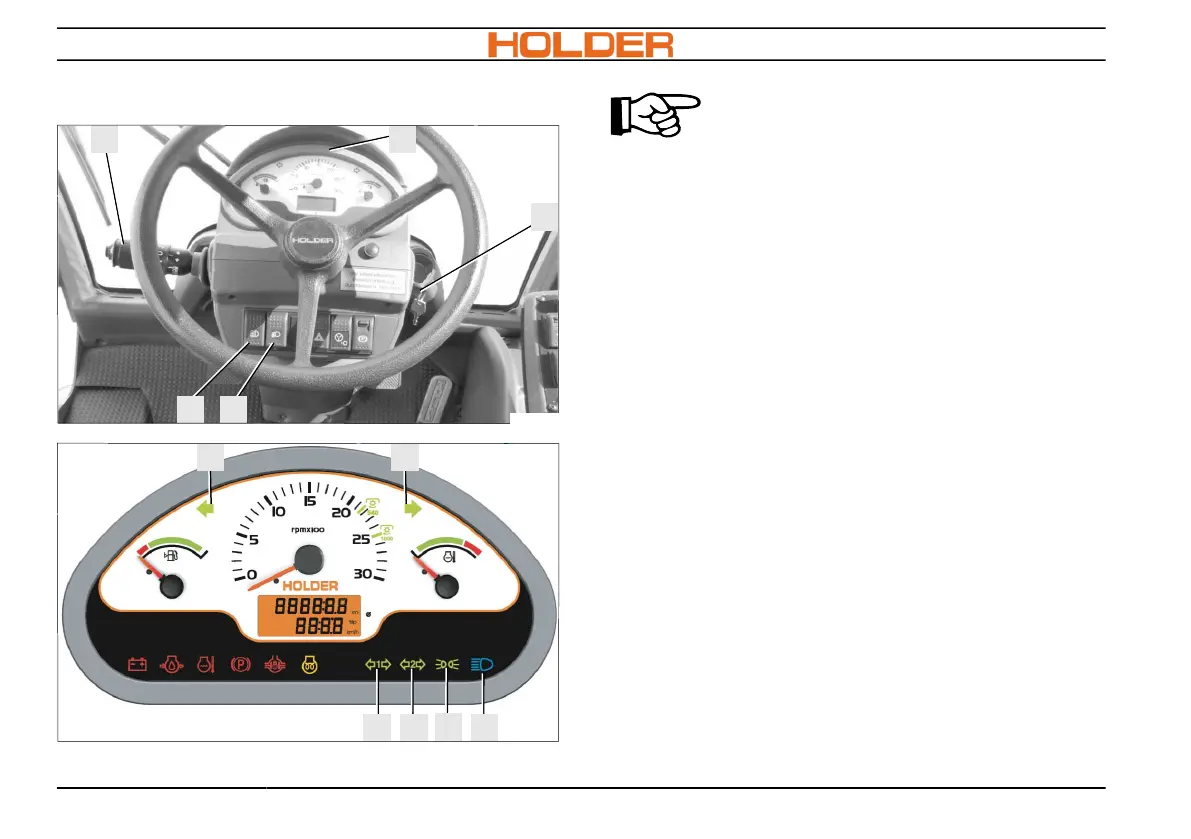
Switching on lighting
ADVICE
The lighting system is only functional
with the power supply switched on or
the engine running.
Switching on parking light
1. Press the light switch (15) into the first posi-
tion. The front position lights (A) and the tail
lights (F) at the rear end, as well as the in-
dicator lamp (7, in the multifunction display)
light up.
Switching dipped beam on
1. Press the light switch (15) into the second po-
sition. Flasher lever (2) is in the upper posi-
tion. The headlights (B) at the front end and
the tail lights (F) at the rear end, as well as
the indicator lamp (7, in the multifunction dis-
play) light up.
Switching high beam on
1. Light switch (15) must be in the second posi-
tion.
2. Press flasher lever (2) downward. The high
beam lights (B) at the front end and the in-



 To Next Page