Operation C250 ... C370
124 Translation of Original Operating Manual 156319-04
Switching the beacon on
2 3
4
8
6
7
5
C250, C270
1
C270_005b
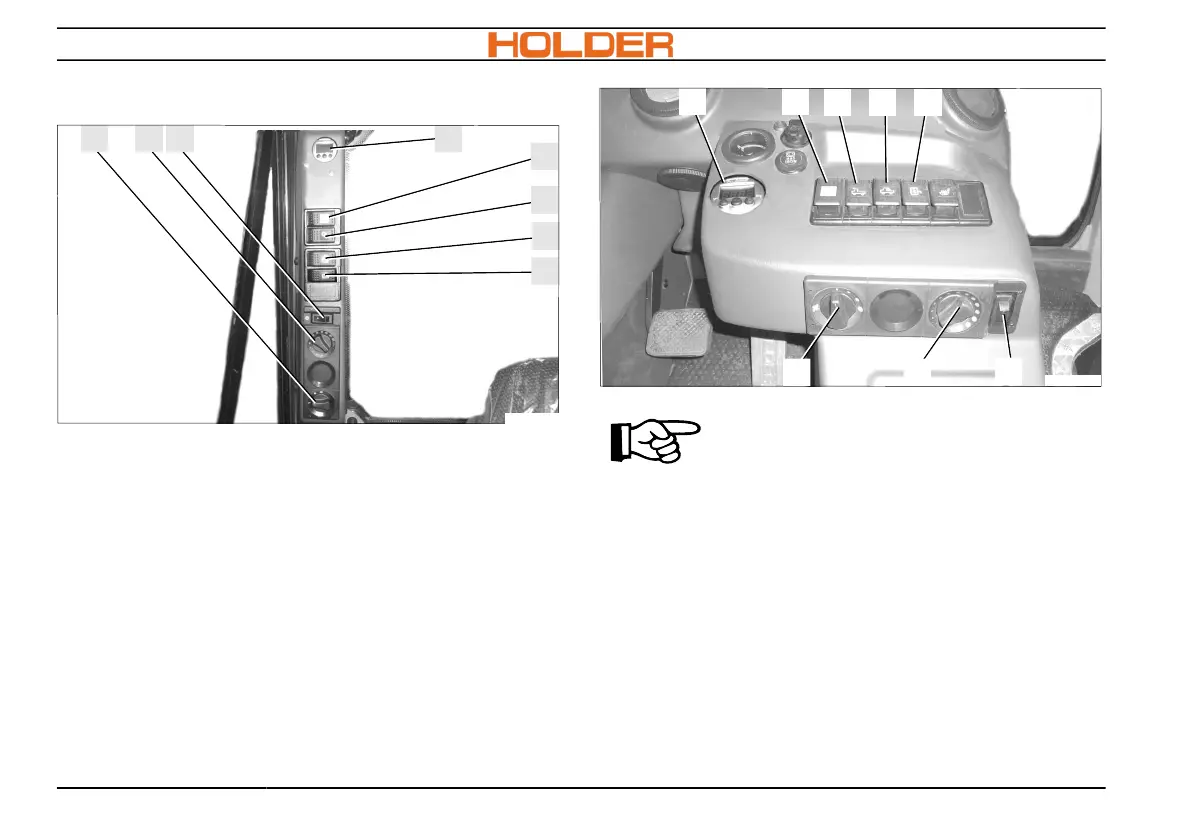
1 Rotary switch for fan
2 Heating temperature controller
3 Air-conditioning switch
4 Beacon switch
5 Front working spotlight switch*
6 Rear working spotlight switch*
7 Mirror heating switch*
8 Display for implement relief*
48
5 6 7
C370_002b
1 2
3
C350, C370
ADVICE
The beacon may only be switched on
if the vehicle is working in the public
traffic zone.
1. Press the switch for the beacon (4). The bea-
con (L) operates until the switch for the bea-
con is again deactivated.



 To Next Page