Attachments C250 ... C370
Translation of Original Operating Manual 156319-04 151
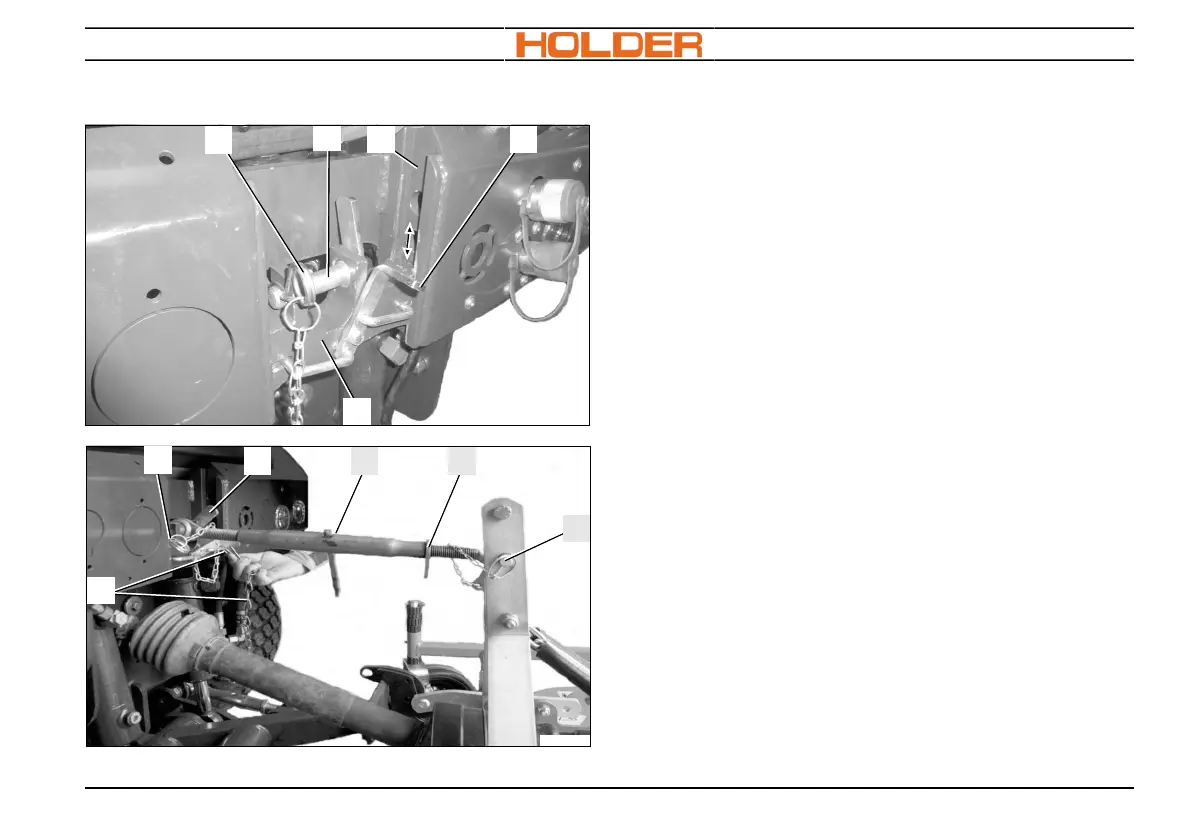
Adjusting the top link slide
1 Spring plug
2 Top link pin
3 Adjustment rail
4 Height adjustment lever
5 Top link slide
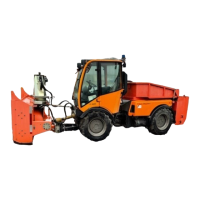
7 Top link
1. Lift the height adjustment lever (4).
2. Shift the top link slide (5) into one of the 4
possible positions. The height to be adjusted
depends on your attachment.
3. Loosen the lever (4) and ensure that the pins
snap completely into the rail (3).
4. Pull the spring plug (1) out of the pin (2) and
pull the pin out laterally.
5. Connect the top link to the top link slide (5)
using the pin (2). Again secure the pin (2)
with the spring plug (1).



 To Next Page