Maintenance Instructions C250 ... C370
Translation of Original Operating Manual 156319-04 225
Battery
C270_139
2
1
C270_140
5
4
43
ADVICE
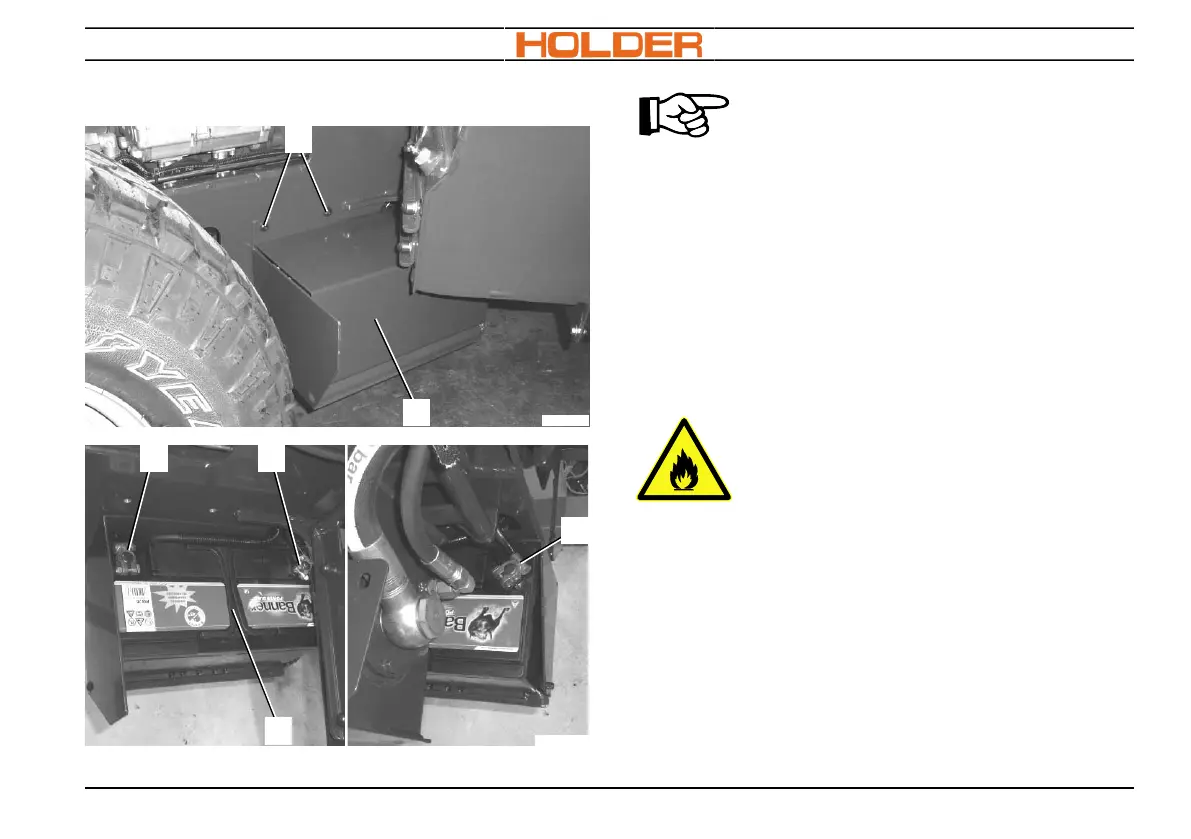
The battery is located in front of the
right rear wheel. The right-hand tank
can be pivoted away in order to re-
move the battery cover.
1. Pivot fender and hydraulic tank out of the
way.
2. Detach the screws (1) from the battery cover
(2).
3. Remove battery cover (2).
Detaching the battery terminals
WARNING
Danger of fire
•
Do not place any metal parts on
top of the battery terminals. Dan-
ger of short-circuit!
•
Keep fuel and inflammable liquids
away from the battery!
1. Detach earth wire (4) and move it away from
the battery (5).
2. Detach positive cable (3) and move it away
from the battery (5).



 To Next Page