Attachments C250 ... C370
170 Translation of Original Operating Manual 156319-04
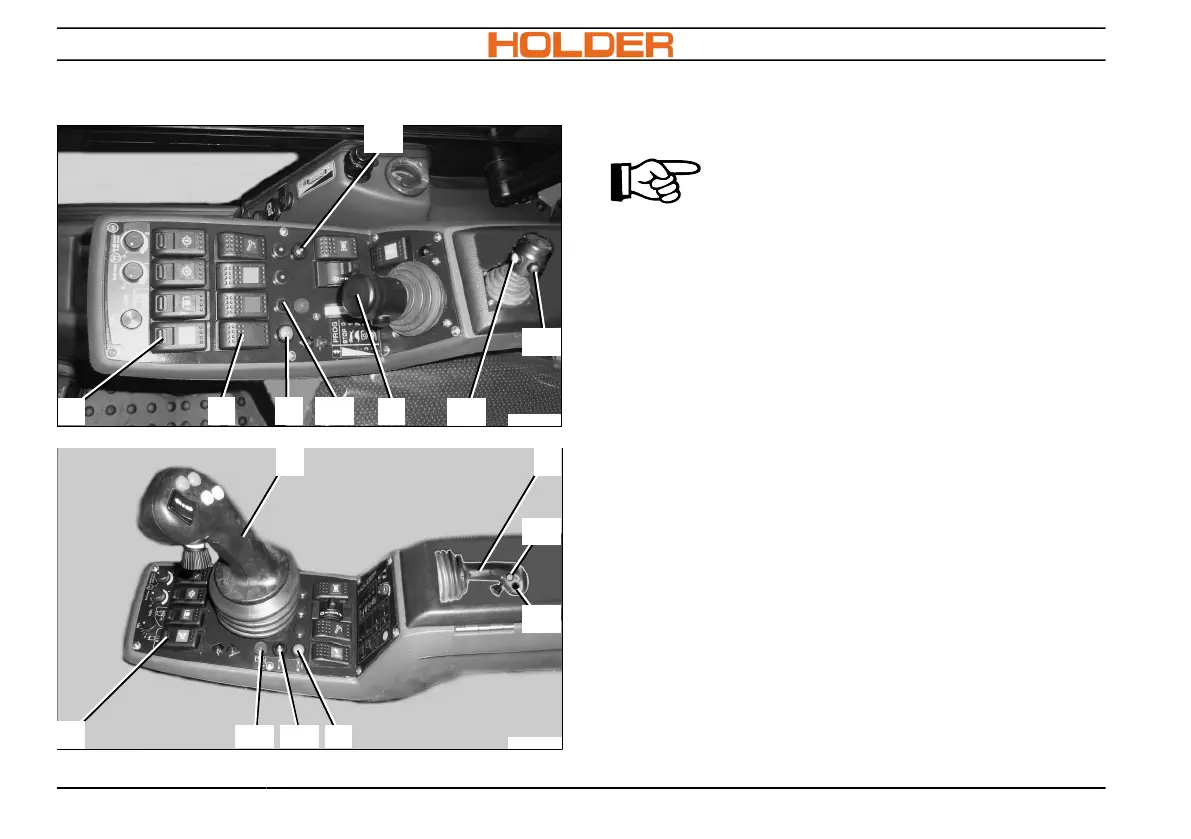
Hydraulic Functions Joystick
C270_072a
13
6 6a
11
11c
11d
11a
11b
C270_078a
13
6a
11d
1111
11c
11a11b
Joystick left, right operation function
Green, black hydraulic connections
ADVICE
The left, right joystick function (11)
actuates the hydraulic plug-in cou-
plings coloured black or green.
Operating the black hydraulic connections with the
joystick
1. Move joystick (11) to the left or right with-
out pressing the keys (11c + 11d) and hold in
place. The black hydraulic function is driven
proportionally.
2. Guide joystick (11) back into the centre posi-
tion; hydraulic function stops.
Switching on floating position for black connec-
tions
1. Press key (11a) to switch on; lamp in key
(11a) lights up.
2. Deactivate the floating position by moving the
joystick to the left or right; lamp in key (11a)
goes out.



 To Next Page