Coding the digital km/h display C250 ... C370
204 Translation of Original Operating Manual 156319-04
Coding the digital km/h display
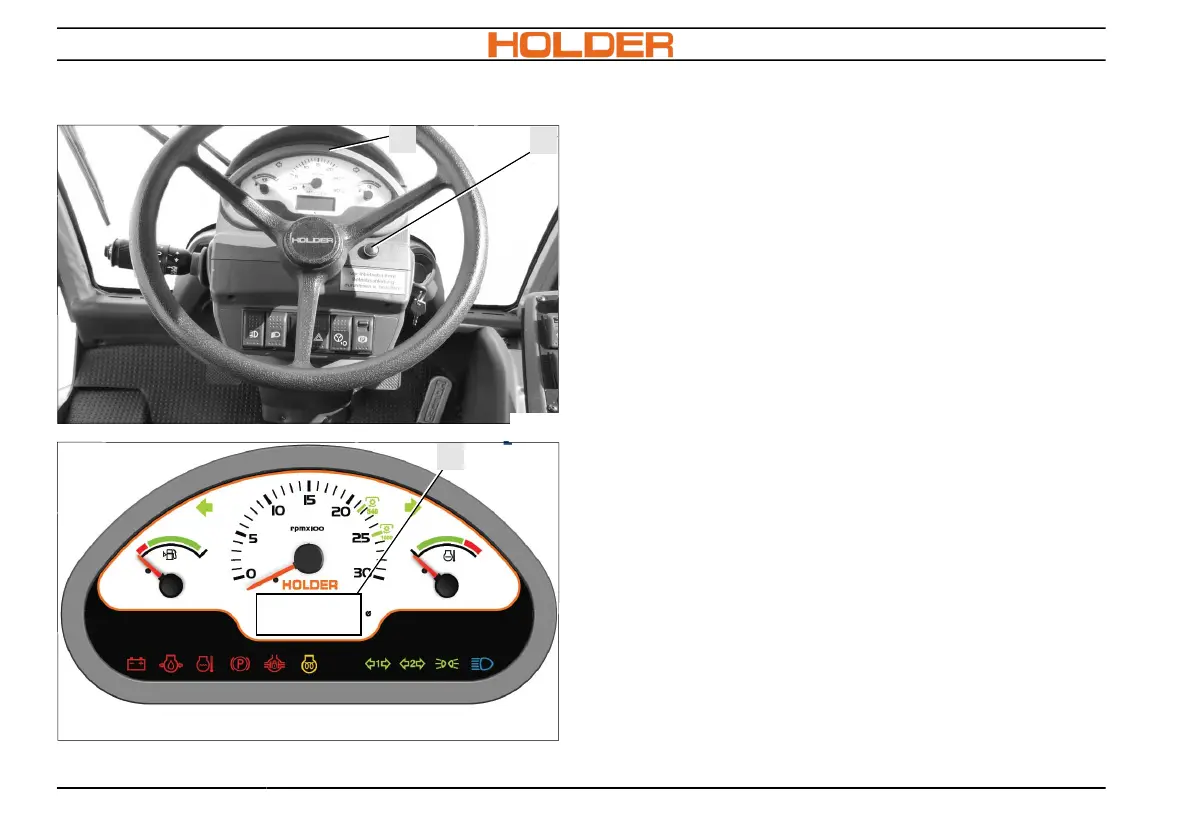
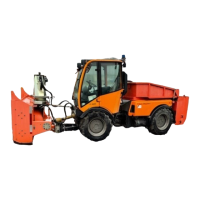
4
5
C270_134
10
C270_133
SET
0 0 0
A new coding becomes necessary in case of a
change from larger to smaller tyres and vice versa.
1. Switch off the ignition.
2. Press the coding button (5) and simultane-
ously switch on the ignition. SET appears in
window (10) in the multifunction display (4).
3. Press the coding button (5) for approx. 1 sec-
ond. A 0 appears in the display.
4. Again press the coding button (5) for approx.
1 second. 00 appears in the display.
5. Again press button (5) for approx. 1 second.
000 appears in the display.
6. Press coding button (5) briefly. The third
number in the display (10) is increased by
one digit. After pressing 3 times, you see
003.
7. Program the appropriate value depending on
the size of the tyre (see table)
8. Press the coding button (5) for 3 seconds; the
calibration is finished. OFF appears in the dis-
play.
9. Switch off the ignition.



 To Next Page