INS
GUI User’s Manual
Inertial Labs, Inc
TM
Address: 39959 Catoctin Ridge Street, Paeonian Springs, VA 20129 U.S.A.
Tel: +1 (703) 880-4222, Fax: +1 (703) 935-8377 Website: www.inertiallabs.com
42
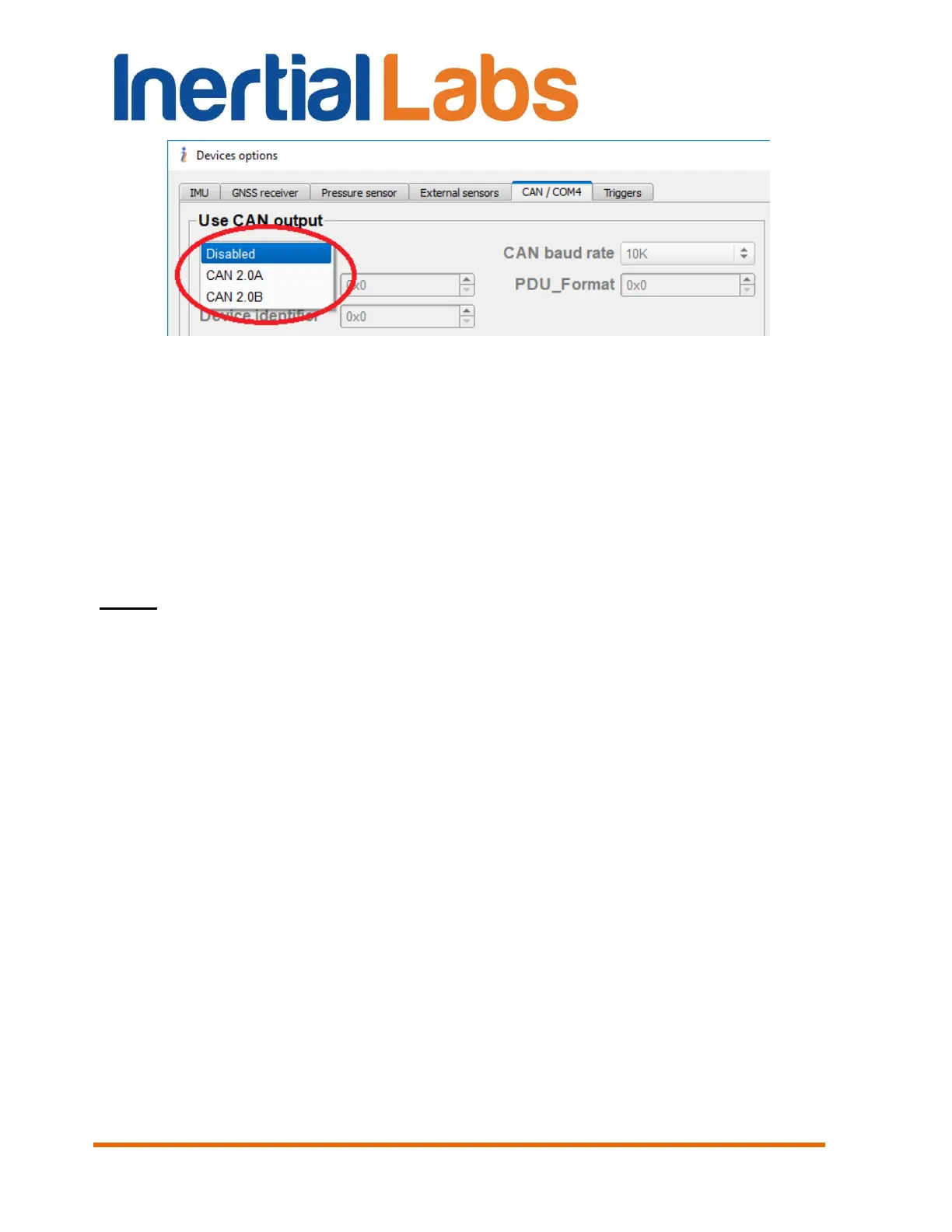
Fig. 4.15
Then in the “CAN / COM4” tab the user can configure the following
parameters (see Fig. 4.14):
- CAN baud rate;
- Components of the CAN identifier – Priority_EDP_DP, PDU_Format,
Device identifier;
- CAN message set.
See section “10.8. Operations with CAN data” for details.
Notes:
1. It is necessary to power off / on the INS after changing any of parameters in “CAN /
COM4” tab to re-initialize CAN port.
2. INS GUI software checks compatibility of chosen options in the “CAN / COM4” tab. So
if “Use CAN output” is set, then COM4 cannot be used for GPRMC, IMU TGA output or
for operations with OBD_Link odometer.
4.2.5.2. Configuration of COM4 port
“COM Port 4” fields (see Fig. 4.14) allow to choose variant of COM4 port
using as Fig. 4.16 shows:
- Disabled;
- OBDII odometer – to use COM4 for connection of odometer with OBDII
interface (converted to RS-232);
- GPRMC output – to output NMEA GPRMC messages through COM4
port;
- IMU TGA output – to output high frequency IMU data (time, gyros,
accelerometers) through COM4 port.


 To Next Page
 Loading...