Chapter 5: Console Operation
Fader Strips: Pot Configurations
130/ 526 2.0 Eclipse User Guide
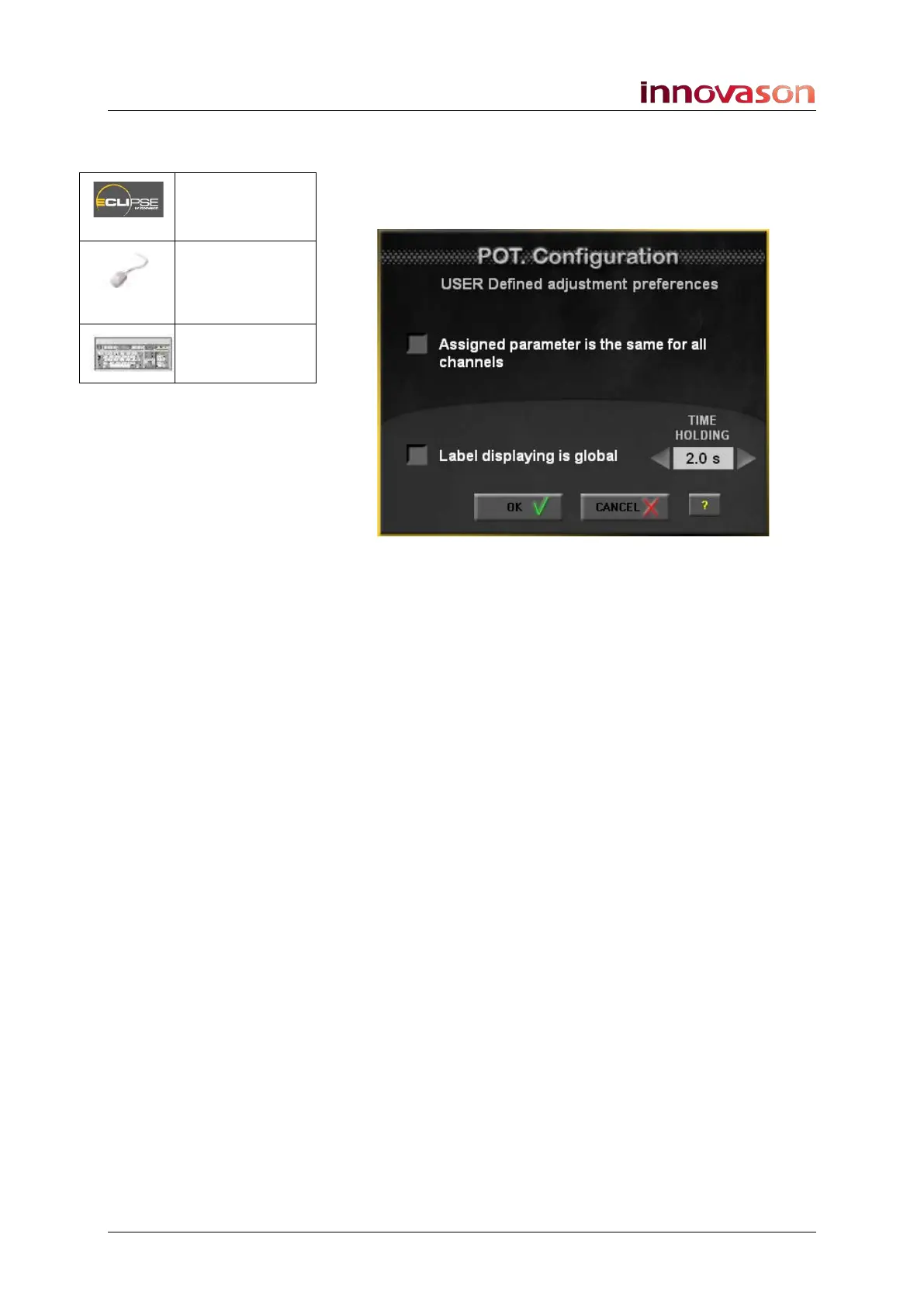
User Pot Configuration
This window determines the rotary control options when the Pot
mode is switched to User:
The options are:
• Assigned parameter is the same for all channels –
when this option is enabled, changing the pot
assignment updates pots across all channels of the
console. See Page 120 for details on how to assign a
function.
• Label displaying is global – pan position is displayed
globally across all Fader strip Labels when you adjust a
control (as for the Gain Pot configuration).
• TIME HOLDING – enter a time (e.g. 2 seconds). This is
the length of time for which the INFO pop-up window
appears on the Nova display when you adjust a pot in
Pan mode (as for the Gain Pot configuration).
Pot. = User
(press & hold)
“VIEW ->
User
Configuration
n/a



 To Next Page