Chapter 10: M.A.R.S.
Transport Control
Eclipse User Guide 2.0 453/ 526
Transport Control
Once a project has been loaded, or a new project created,
M.A.R.S. can be controlled using the transport buttons on the
Eclipse TRANSPORT control panel, or the M.A.R.S. touch-screen
display.
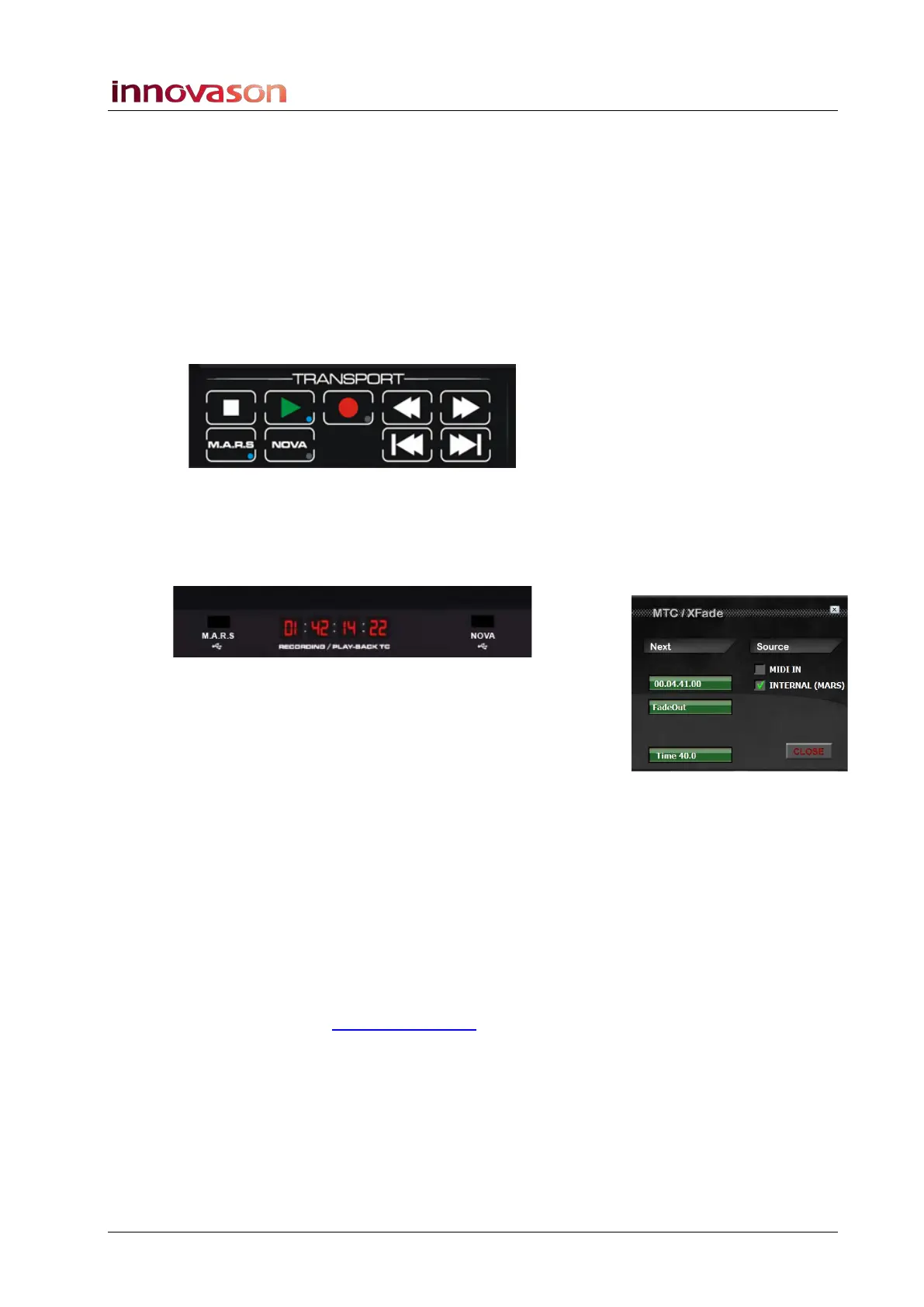
The Eclipse TRANSPORT Panel
The dedicated TRANSPORT buttons may be used while viewing
any NOVA or M.A.R.S. touch-screen display:
1. Press Play to replay audio from the current timecode
position.
Timecode is displayed on the Eclipse front panel and Main Mix
display:
Note that this display can be switched between Internal (M.A.R.S.)
and MIDI timecode from Nova’s MTC/Xfade window, see Page
499 for details.
2. Whilst in Play, press the Play button again to pause the
playback.
The green LED on the button flashes when M.A.R.S. is paused.
3. Press Stop to stop playback.
4. Press Rewind or Fast Forward to run the audio backwards
or forwards at different speeds:
• On the first press, audio runs at 0.5 x normal speed.
• On the second press, audio runs at 1.5 x normal speed.
• On the third press, audio runs at 2.5 x normal speed.
Note that these speeds can be adjusted from M.A.R.S. Please see
the MT128 documentation at
www.vb-audio.com for details.
5. Press Play twice to cancel and return to normal playback.
For details on Recording, please see Page 465.



 To Next Page