Chapter 5: Console Operation
Monitoring
206/ 526 2.0 Eclipse User Guide
Monitoring
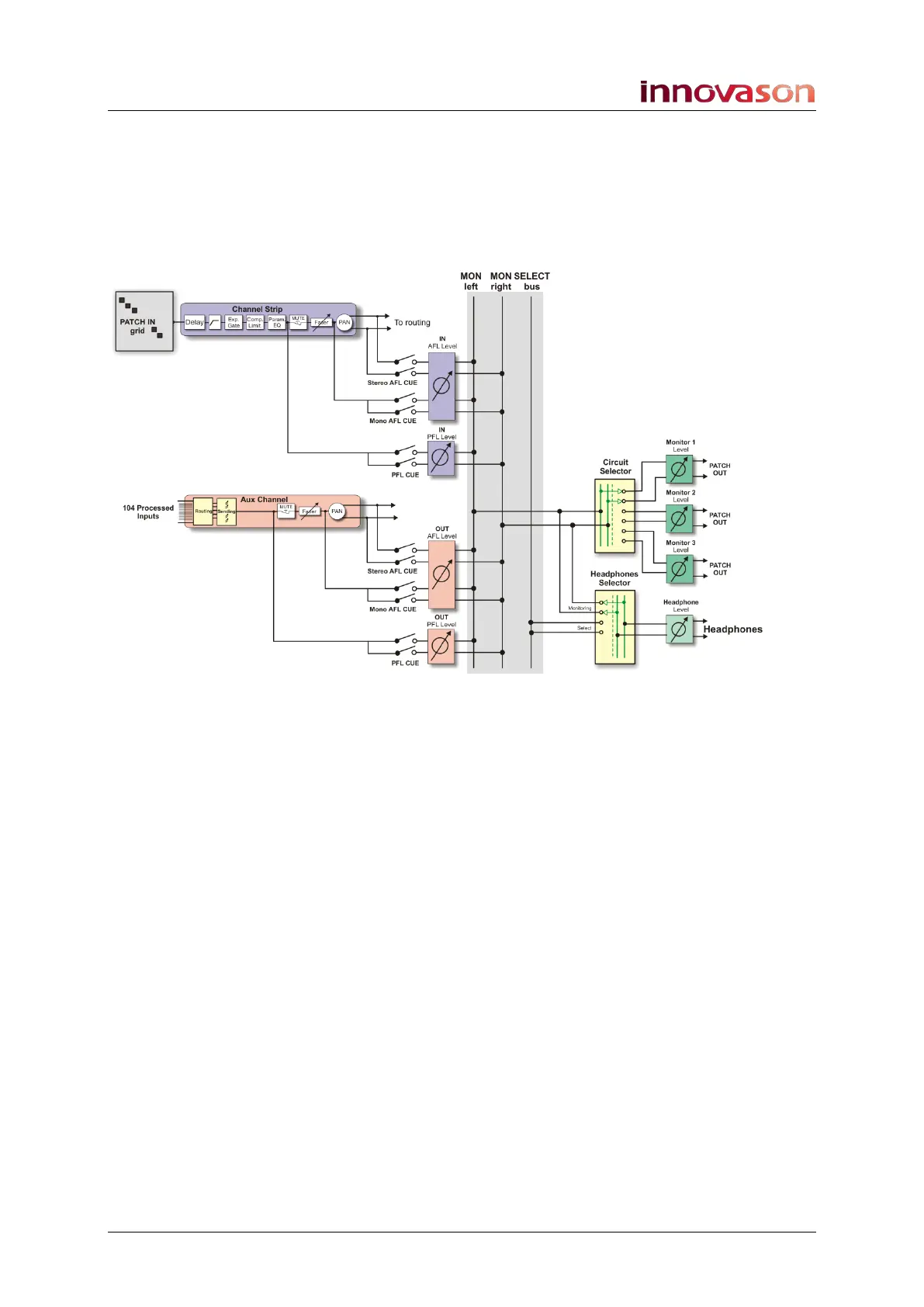
In addition to the 48 configurable mix busses, Eclipse provides
a stereo CUE bus for monitoring. This bus can feed up to three
monitor circuits and headphones, each with independent level
and selector control:
Only one Monitor circuit, plus Headphones, is active at a time.
Note that the Headphone circuit can receive either the stereo
monitor bus, or a Select bus.
On input channels, CUE may be PFL (pre-fader listen) or AFL
(after-fader listen). Note that input channel CUE buttons may
also operate as SIP (Solo-In-Place).
On output channels, CUE may be PFL, AFL or APL (after-
processing listen).
For each cue type (IN PFL, IN AFL, OUT PFL, OUT AFL and
OUT APL), you can set a trim level so that when you change
from say AFL on an output channel to PFL on an input channel,
you can match the levels accordingly.
Only one cue type is active at a time, so when you CUE an
input channel it cancels any output CUEs and vice versa.
If you wish, you can configure the 1/2/3 Monitor circuit selector
to respond to different channel CUEs. So, for example, the
system can automatically switch to Monitor circuit 3 if you CUE
a drum mic channel.
You can also assign a physical fader to control the Monitor level
of the active output.
And can configure a number of Monitoring preferences, such as
defaulting to CUE on the Master if no other CUEs are active.



 To Next Page