Chapter 8: Utilities & Preferences
Test Signal (Oscillator)
Eclipse User Guide 2.0 425/ 526
Test Signal (Oscillator)
Eclipse includes an internal signal generator which provides
white and pink noise as well as a variable frequency oscillator.
The test signal can be assigned to any channel. Once
assigned, it replaces any previously allocated signal.
1. Press SEL on the channel you wish to apply test tone to.
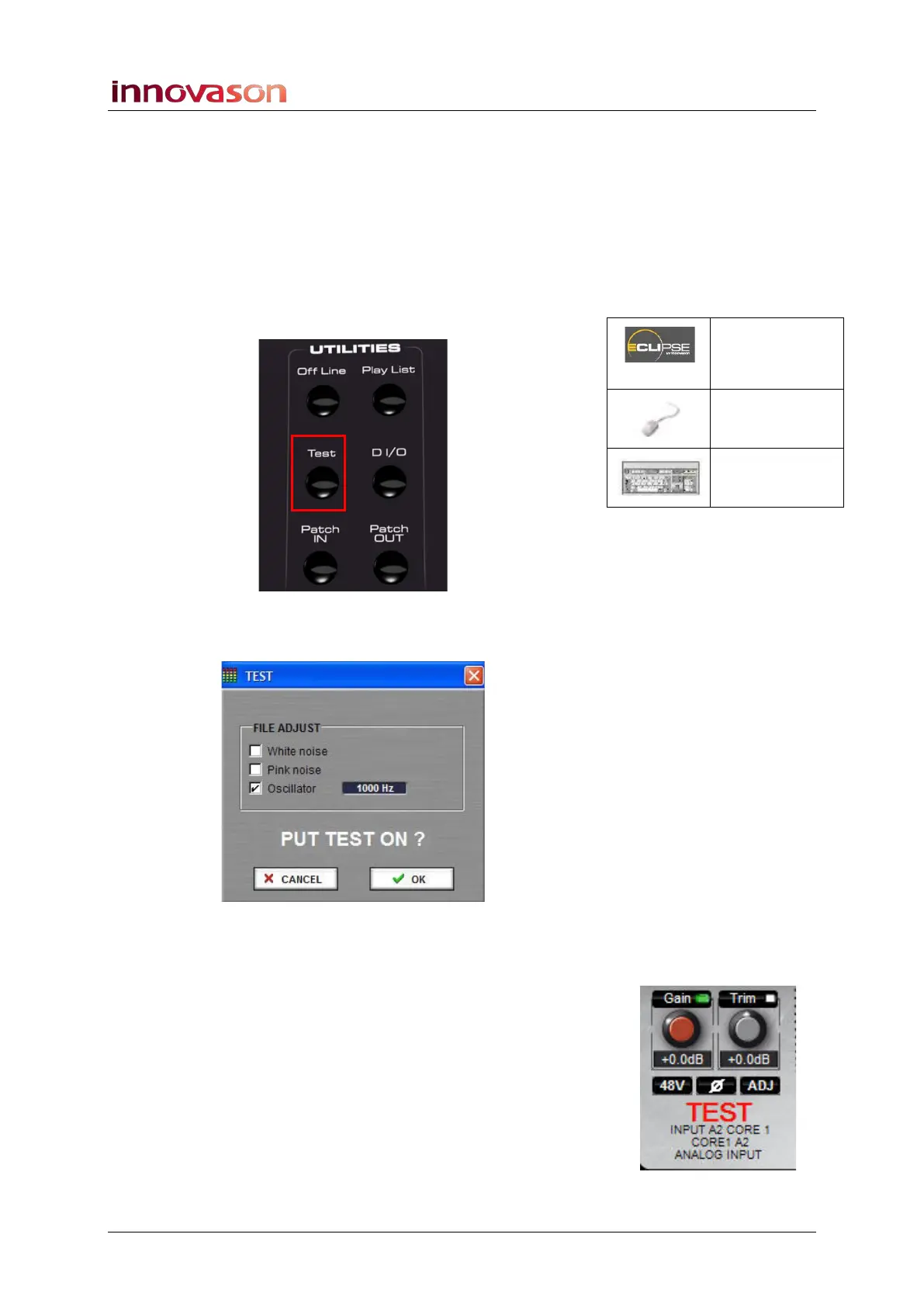
2. Then press Test on the UTILITIES panel:
The following window appears where you can configure the test
signal:
3. Tick one of the checkboxes to select a signal type.
For the Oscillator, left-click or right-click on the frequency to
decrease or increase the frequency in fixed steps. The
Oscillator level is fixed at -8dBFS, and its frequency may be
adjusted from 16Hz to 16kHz in steps of 1/20 octave.
4. Press OK to apply the test signal to the selected
channel.
You will see TEST appear in the Label area of the Main Mix
display.
Test
(UTILITIES)
n/a
[O]



 To Next Page